Tuesday, 30 October 2018

Learning Speedtree

So initially this blog post was going to be about me learning speed tree, the best way I know to learn something is to be hands on and with high level referencing for the outcome you want. The first thing I wanted to create from the Missouri forest was the white oak tree. The reason for this is because it is almost identical to the eastern oaks (better known as the English oak) we get in the UK. The only slight difference is the amount of leaves and the shape of the leaves, the tree stump and branches all are around the same shape and size. Firstly I had to go and find a reference good enough to go off of, the hard thing about this was finding a solitary Oak to be able to reference because of the amount of vegetation that grows around them deep in the forest. I had to remember that I wanted it by itself because I'm almost doing the outskirts of the forest and not a highly dense area. As you can see from this oak we have quiet a narrow base which means that this oak isn't that old (under 100 years old).

Image result for white oak tree missouri

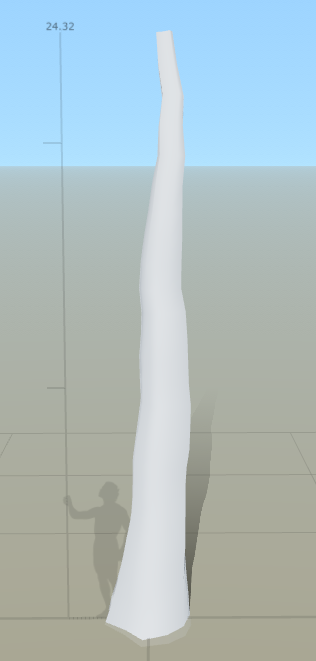
Going by the reference, a person shouldn't be able to jump and grab the branches so using the reference person in speed tree I adjusted the height and posture of the tree to match. Although this is just the base, it means everything to the tree because it is what it survives on. Adding in the random curves to create more of a form as well as having it set to 24.32 meters in height allows for a realistic feel. Normal oak trees grow to around 80 feet (24.384 meters) tall but because this one is just under its full growth it is only slightly under (talking of course about the main stump).


As you can see from our reference they have branches growing for all over, some low enough that if you were to try and climb it it wouldn't take you too long to get to the first branch. I'm going to try and emulate this but with less branches due to a high amount of polys as well as it'll take up a lot of memory for the one single tree. Although this will be one of the main asset trees it still needs to be worked around performance issues otherwise the project will start off with a fail.


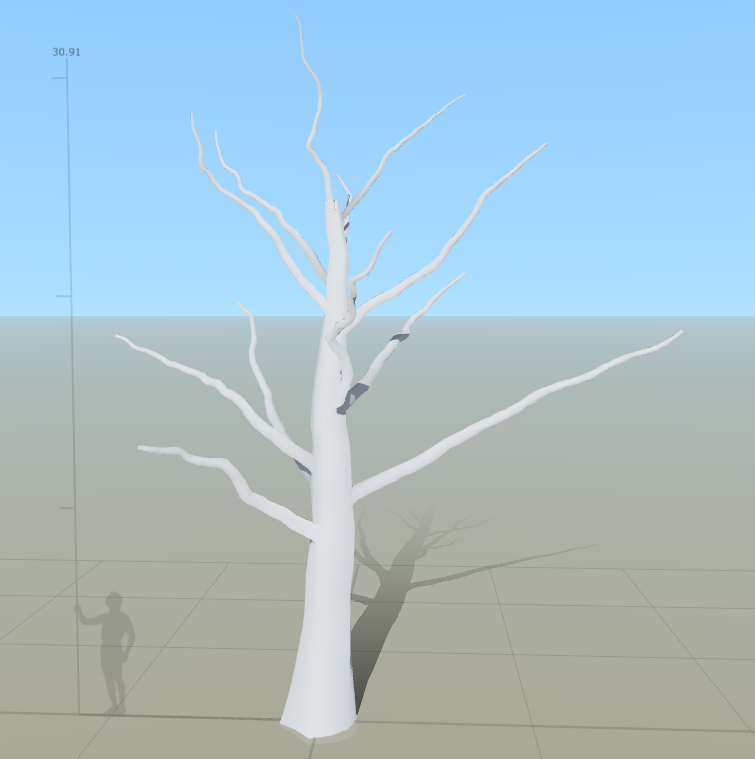
Going on from this I now need to add in the smaller branches then twigs to give off the illusion of a tree as well as having somewhere to put the tree leaves as an alpha. I will be adding onto the branches a smaller branch then a twig like branch onto those for the leaves to sit on.


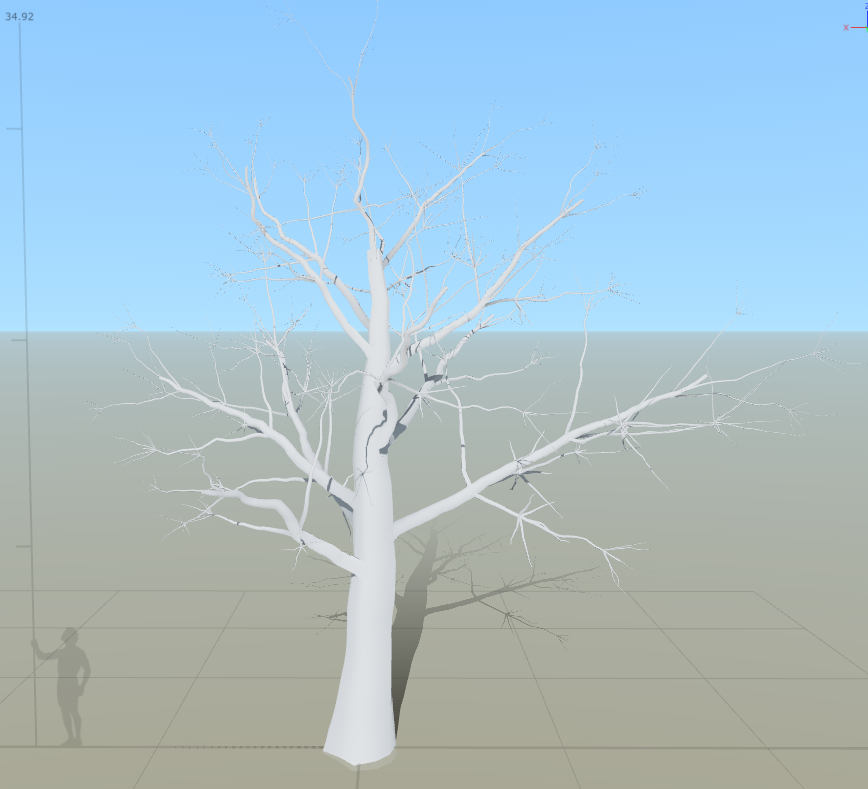
I've enlarged this image to show you the smaller twigs being added onto the branches so that the leaves can sit on it all well. I now need to think about adding in some level of 'cap' onto the ends of all of the branches/stump so that there are no holes in the mesh as well as somewhere to put the leaf mesh.


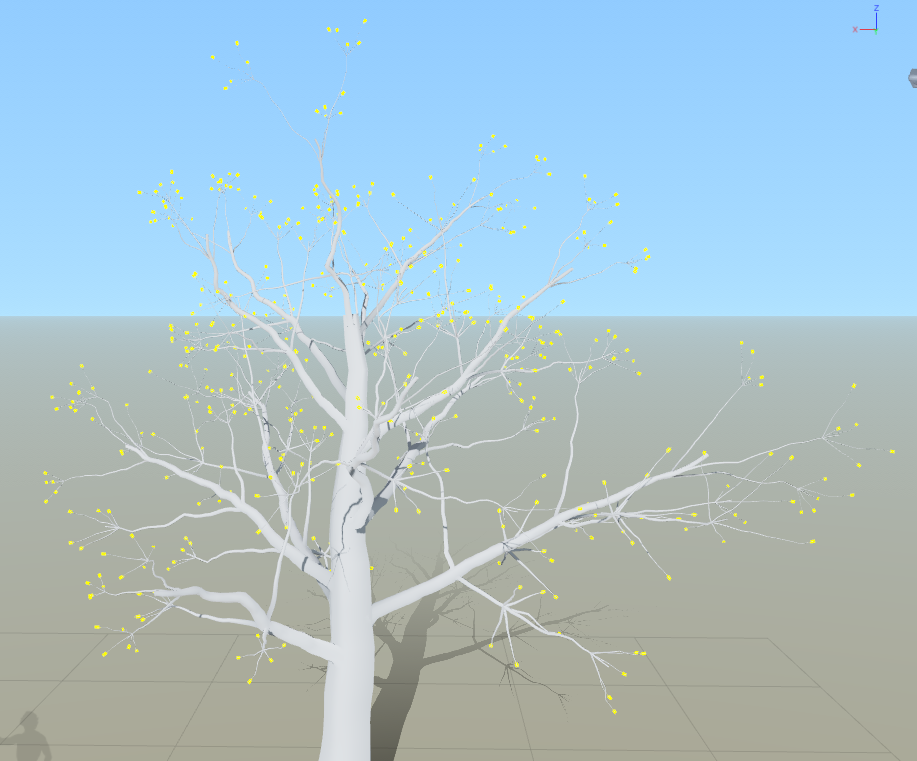
Now that I've added the caps, the yellow marks are where the caps have been added as well as where the leaf meshes are going to be added so that it looks more realistic rather than the leaf coming out of a black hole. Now to add on my material that I made previous for this exact model to see if it fits well and whether or not that needs changing.


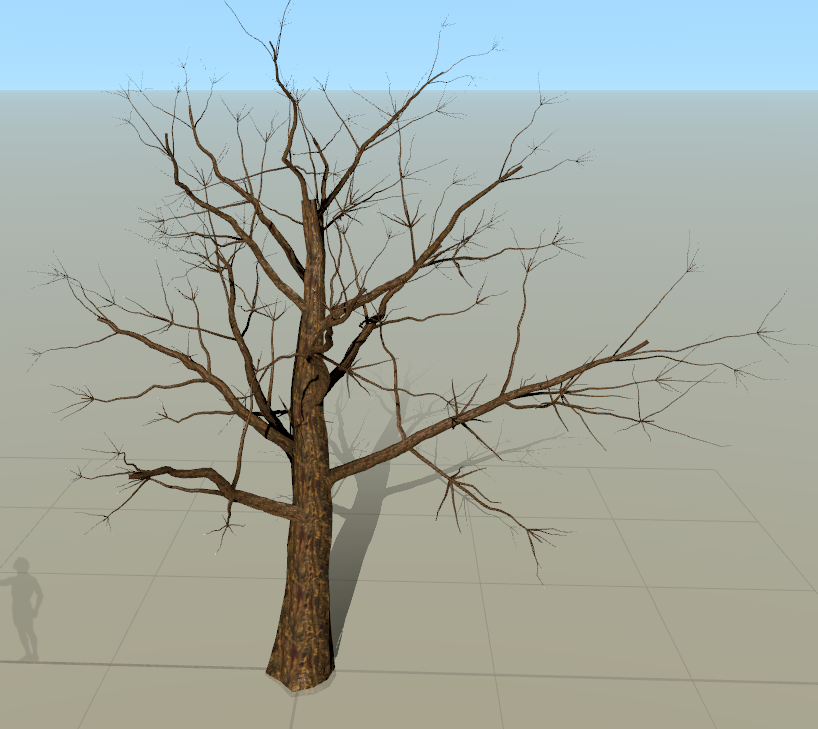
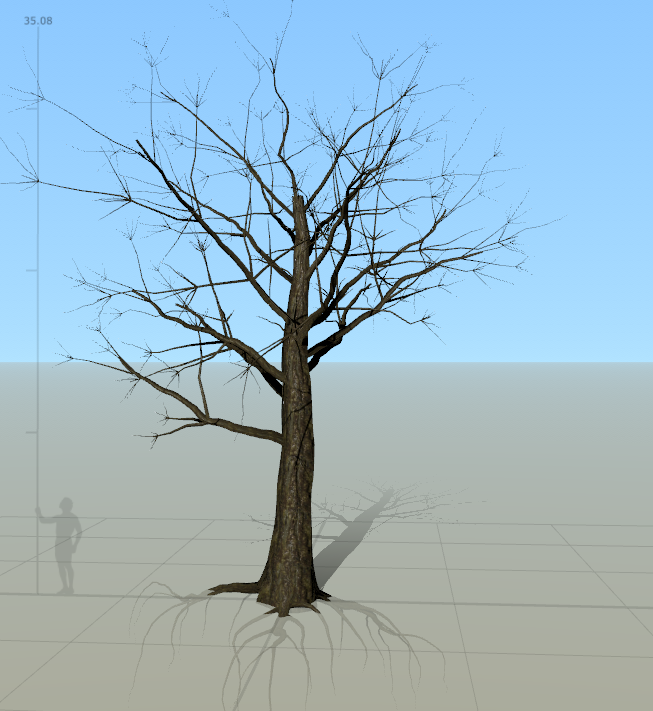
When imported as you can see the colors are slightly off, being not the same as set in Substance Designer. I will go back and manually change this but first I decided it needed a bit more tree like features so I decided to add in some roots as well as the color changes previously mentioned. Whilst doing this, I found some cool traits/options in the menu which allows for me to choose certain branches and delete them. This also allows for certain sizes of branches as well as a good way of optimizing the overall tree to a smaller tri-count. I added in the effect of a train coming through and smashing into the tree by deleting certain branches shown below. I will try to figure out how to add in stumps to give off a realistic feel.


Once we finished that, the tree looks ready to add the leaves in and then to be played with to get some final detailed results in. For now we need to find a alpha to put onto the leaves to make them look realistic. The best way I found to make alphas is through a environment artist known as Payton Varney, his ArtStation tutorial is every new artists dream (can be found: https://www.artstation.com/artwork/Z4v5N). This allowed me to get a serious understanding of how alphas are made as well as added into UE4. Following his guide I will be able to create the alphas I want, I've tried to make them souly in designer but the outcome was taking too long and was a tedious process.


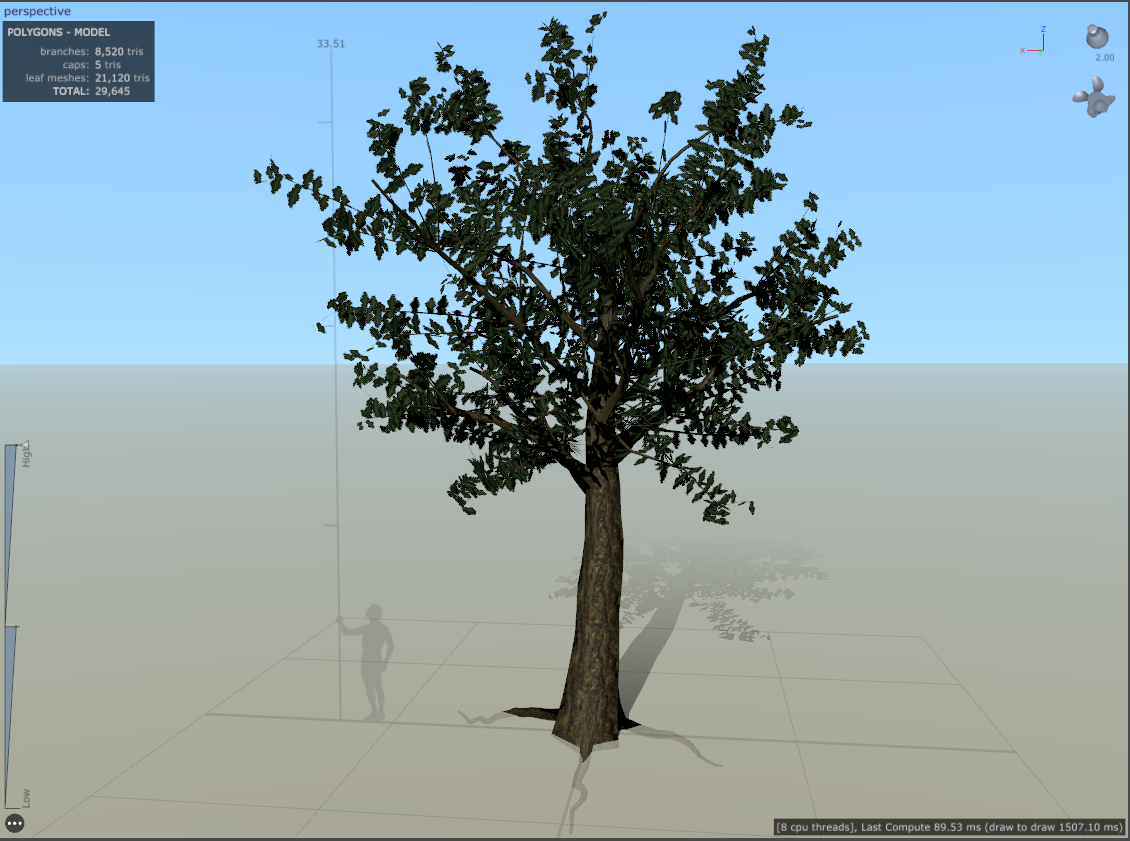
Once completing the Alpha I added the leaf mesh onto the inner branches as well as the twigs I created then applied the color, alpha, normal, gloss and subsurface from Substance designer. This is the end result, the process to make the alpha again was done by Payton Varney and following his tutorial. This ended up being around 29k Tris meaning this is my hero asset for the environment, especially seeing as it's going to take up more than 30% of my overall ending render.

Monday, 15 October 2018

Idea change

So during week 1 I said a lot of things which are now COMPLETELY changed. The wood textures, the tree asset creations and also the overall feel of the 3D environment. I decided to take the route for the trees down a completely different path, the more industry ready path. Although this is the best method it's also the one that is going to cost in the future. SpeedTree (A program made for vegetation assets) is something I'm beginning to learn as a quick process of making trees and bushes. Although it's not exactly how every industry company does it because obviously licensing etc. but for this project it'll be fine because I'm a student and also because it'll speed up my process 10 fold.

The way I'm going to be using the program is to get the trees exactly to how I researched them with references as well as perfectly made textures for the trees themselves. I will be vertex painting any additional information I see fit onto the trees to make sure that I get the exact concept that I wanted from the start. This is going to take time but it's all a big learning process and curve so this should teach me everything I need to know for the industry. The scope I've gone for should be considered as overstretching at this point due to having to learn everything but one burnout week should help sort out that issue, nothing I'm not used to so to me it's fine but if I was to tell someone else they'd probably worry.

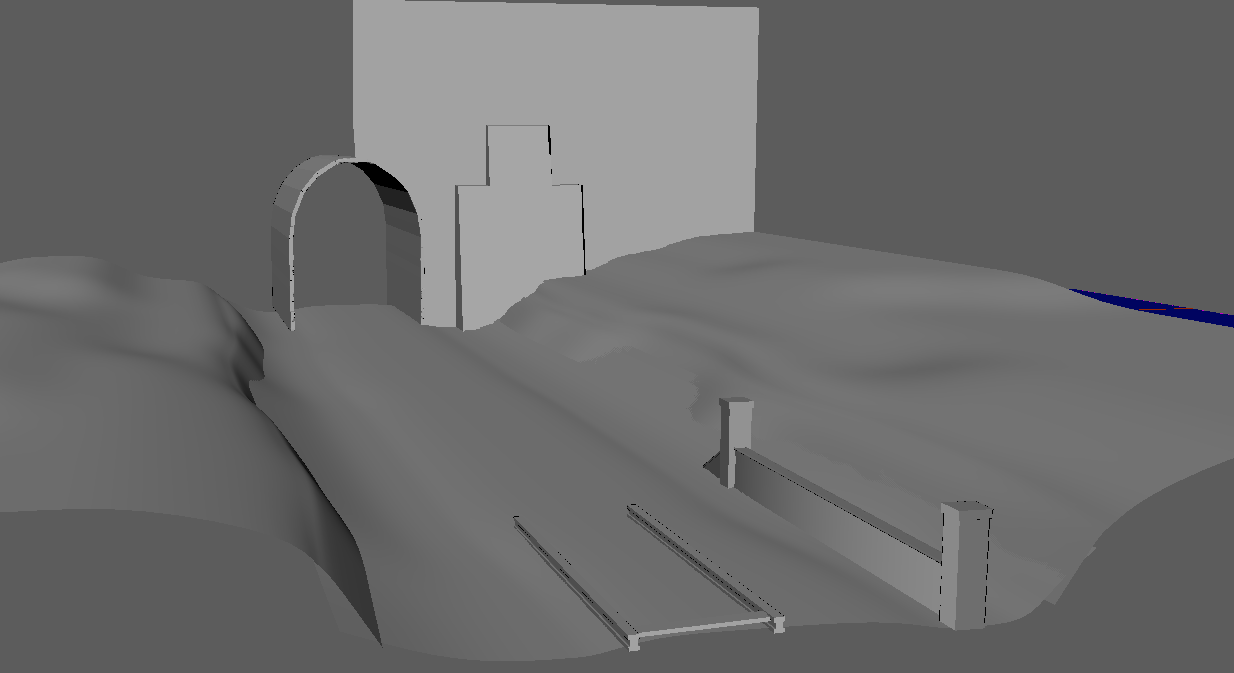
So the plan for now is to get used to speed tree, get my materials done, learn the best way to make alphas and get it all into UE4. The way I'm going to layout the scene is all done in modularity in Maya so far so every other asset that isn't organic is completed and ready to be skinned or is still in the minor process of being UV mapped correctly. Shown below is the few assets that will be added through Maya, the rest will be done in either Speed Tree or ZBrush (ZBrush models will be ported to Maya to be retapologized).

Aside from my research report and the explanation of my Substance Designer graph there isn't much else to write about this week as it was mainly for research and learning new skills. I will be needing a burnout week to catch up because of this like previously said which will more than likely be next week seen as we have 2 other projects and a dissertation to do. This was a short piece but I'll add some images below to show you fragments of what I've done 3D wise as well as texture wise.


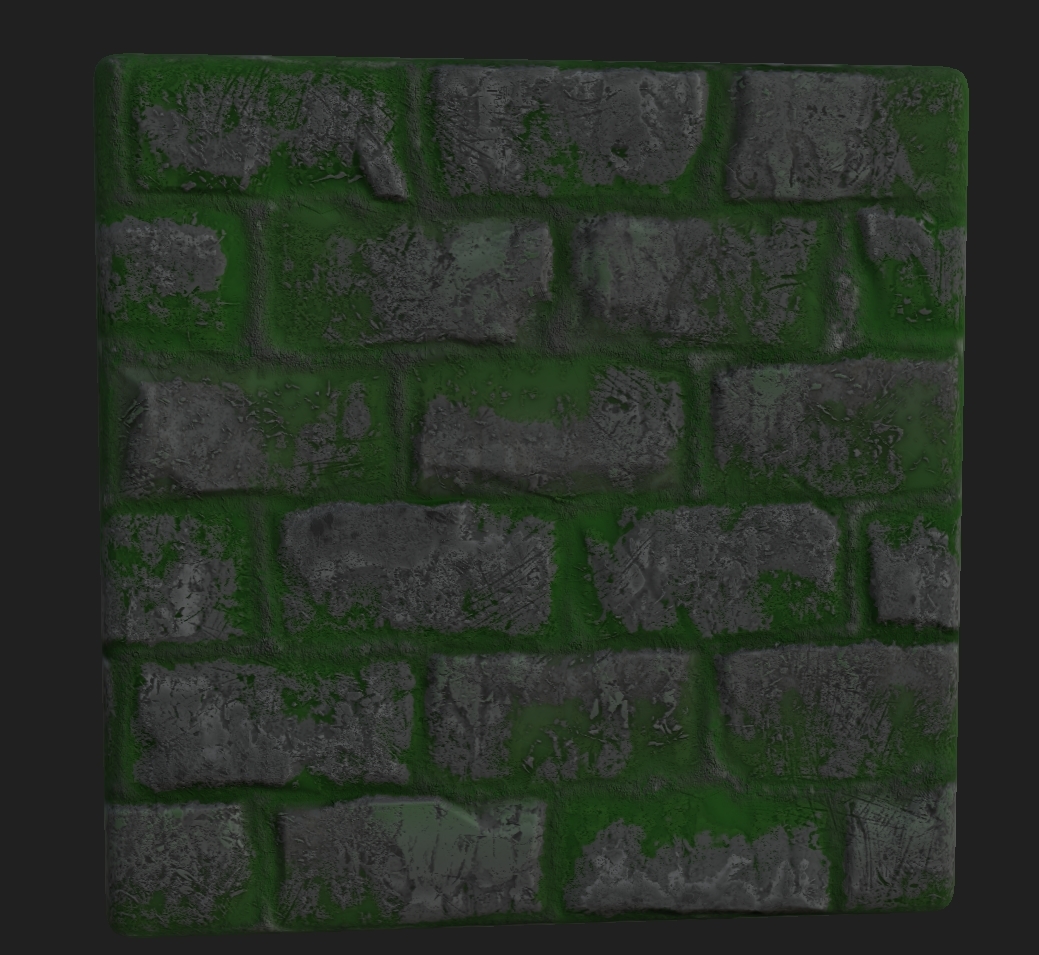
Advancement on the brick texture made from year 2 (adding in moss like colors to the insides). There wasn't much needed to be done for this as it will be mainly covered in vegetation and major detail changes will have to be done for the final build as this isn't good enough for me as of yet.


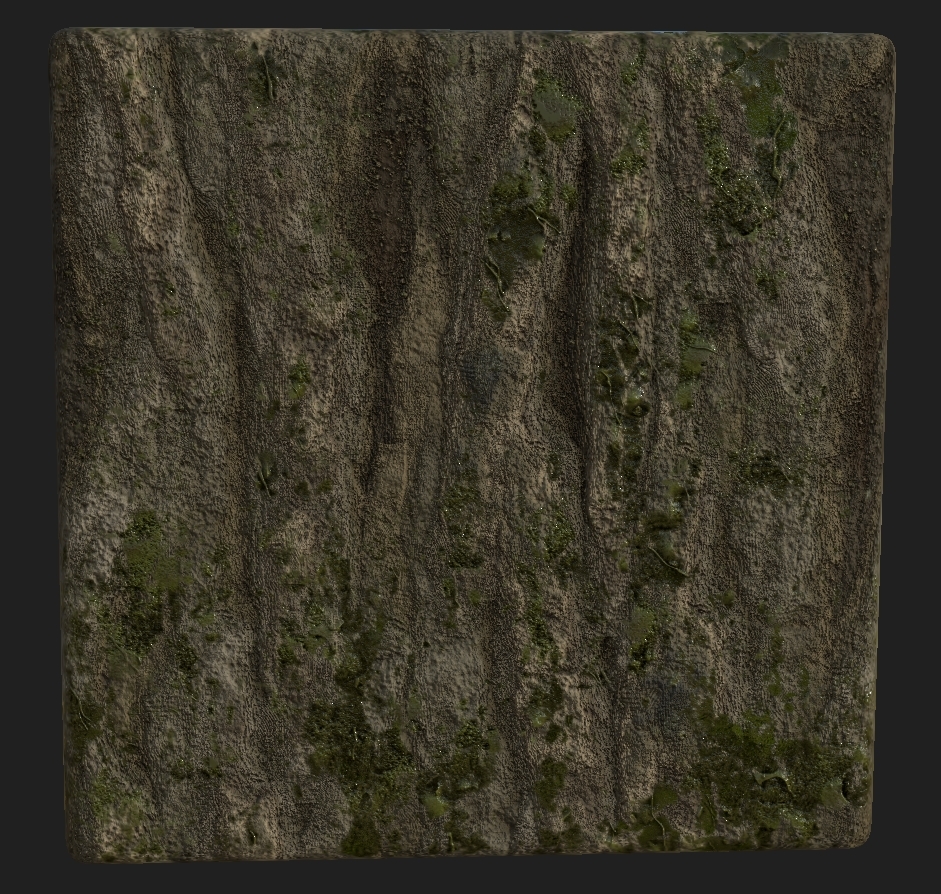
Tree texture from the previous post.


Aside from this it was mainly paperwork done this week, I will be trying to update the blog as much as possible but with the size of the project and the time scale it may falter meaning most of the weeks may be contained into one update.

Research - Missouri Forest

Government website on Missouri Forest - https://mdc.mo.gov/about-us/department-details/missouri-forest-facts

My project is based around a forest and the forest of choice is Missouri forest, not only for it's exceeding amount of history and amazing scenes but also it has a very clear list of trees, shrubberies and all vegetation that grows within it. They have set up a government website showcasing all of the history and vegetation that surrounds the forest and what animals inhabit the forest. Using this website I've gathered enough information to see what needs to be made and finding references from the information given. 'Approximately one-third of Missouri is covered by forest land, featuring some of the finest oak, sassafras, pine and red cedar trees anywhere' meaning my scene will mainly consist of these 4 primary trees, along with tree stumps and logs containing textures for these trees. Although there is over 70 different species of trees in this forest I've decided to bring it down to at least 10 because of scope as we can't forget about bushes, shrubs and prairie forbs.

With this in mind I now have a plan on how to make the textures needed as well as the levels of bark and moss needed for the overall textures. A lot of extra vertex painting will be needed for the dilapidated feel of the train tracks/tunnel but nothing too major on that front. Alphas are going to be in high demand so finding the correct ones will be a necessity.

Now that we have a overall of what I want, I decided to look into detail at certain areas of the forest seeing as it's such a large and robust forestry. I would like to take the time to study the western end of the forest seeing as it's the part where most towns/cities go to take holidays or even hike. As you can see from the image below. This means trees are shaped certain, they would primarily be disturbed by humans and sculpted for pathways etc.

Related image

Western trees consist of hike paths, some train areas, forest fires and many more human made marks. This is why I chose to add the train track to my scene alongside a small train tunnel that goes through the building to show civilization on the other side. This is something I've personally made up but as you can see from the north-western side of the forest this is probably more likely to exist than not because of settlements and towns on the other side (Post apocalyptic). This would be man made and done after the zombie apocalypse has happened, meaning because it's a hunting ground that it will be scarce of zombies due to them being shot and burned small bullet marks here or there as well as nature trying to take back what it owns.

Sunday, 14 October 2018

Substance Designer - My methods - Tree Texture

This is a showcase of how I go about using Substance Designer (v2018.2.1) and how I go about understanding/creating materials. Firstly I will be using a texture for a second part of this run through so if you're following this expecting the same result, try making your own texture to put in it's place (the textures a basic moss texture I made a while back). All of this while being done in a 2k texture document with a Base Color, Normal, Roughness, Metallic, Height and Ambient Occlusion output maps for the best result. This is not for beginners but for people who have basic knowledge of Substance Designer.

I tend to start like most artists by finding a reference point. Lets take the top half of this image as a open reference, open being that we wont make it exactly the same but will try to get the basic shape and colors (Every artist puts their own spin on things).

Image result for moss bark

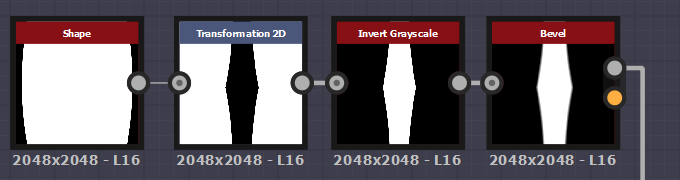
Lets get started, I firstly would take a normal shape (Disc) and immediately manipulate it to have a tight edge so that way I can then transform 2D it with the tiling left on so it will create a almost stretched diamond effect. If you notice the basic shape of Bark is just a stretched diamond warped a hell of a bunch. I would then invert so that way we can work with the inner shape, adding a bevel so it will give off a blurred effect around the edges allowing for height to be created. Slowly this allows me to build up a height map as you will see later down the line. 


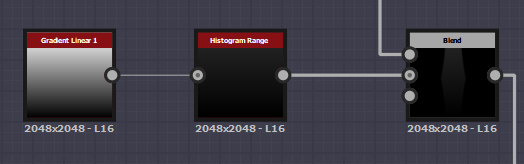
I would then add that bevel to a blend in the foreground. Again I added in some level of height to this by using a gradient linear 1 into a histogram range to not have the height be too harsh just like in the reference image it only slightly comes either in or out of the tree itself. I then add this to the blend with a Multiply blending mode. 


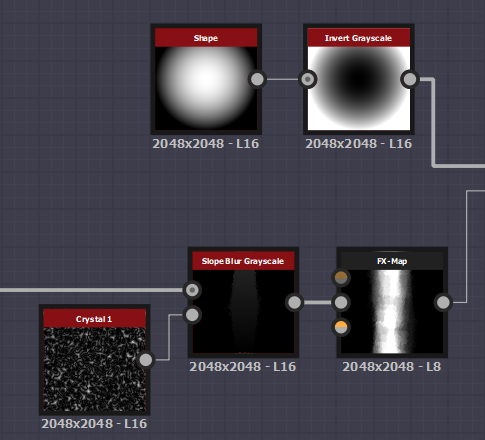
After blending I want to add that jagged edge into the wood, so what I used was a slope blur gray scale and attached the initial shape into the foreground and a Crystal 1 noise to the background. The reason I chose Crystal 1 is because it is very jagged and all over the place as well as being randomized. Now it gets tricky, we've made the shape but this is a sneak way I learnt to create a height map whilst keeping the whole shape in tact. I created a FX-Map so I would get a more random and heightened shape then grab a paraboloid shape, invert it and add it into a blend with the FX-Map with a subtract so it would be white in the center circle and fade out towards the edges adding more height to the middle of the bark.


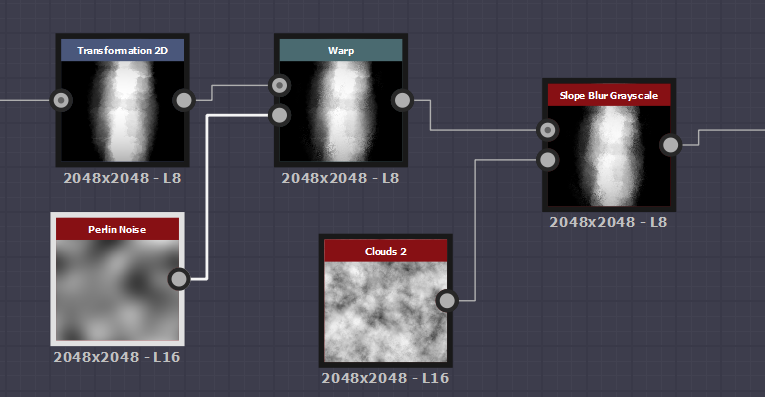
This is just a small amount of warping and blending with certain noises to get the initial shape that I want along with the height mapping. You may notice I stretched and squashed the blended shape to make it thicker and fatter and that is because I want to create a thicker version of the bark for my tree, if you want to keep it thin just stretch it upwards and not side wards.

FX maps are something that I learned during the process of making this as it was suggested to me so that I can get a easy height map result using basic shapes. The tutorial I used in this case (https://support.allegorithmic.com/documentation/sddoc/fx-map-node-129368197.html) was allegorithimics own tutorial. 


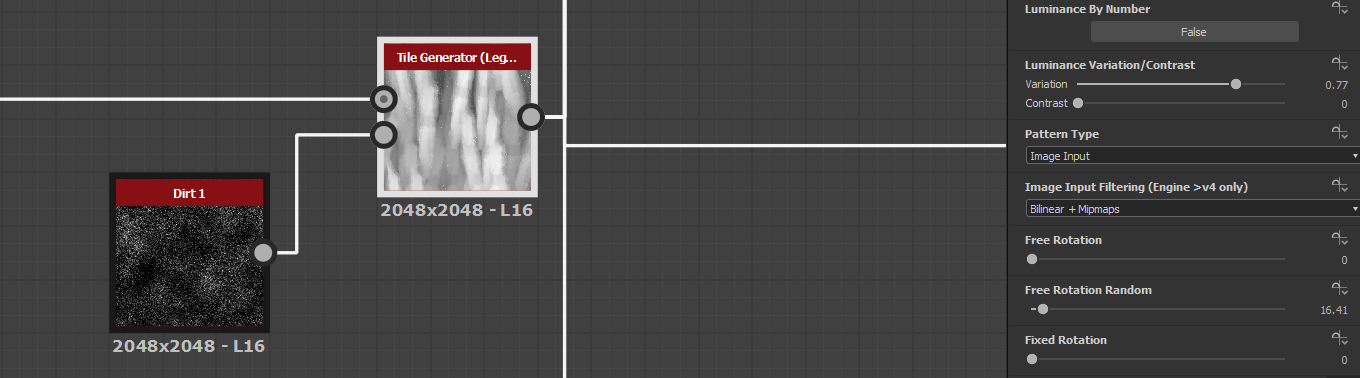
For this next part you have to follow these exact steps. You may notice my Tile Generator has (Legacy) next to it, this is because I had to use a older version of the TG to get a certain setting. If you want to get this older version you need to go into your library and find the tile generator, right click it and then click the link to open the file path. From there you will need to find the older Tile Generator and open it, then from there you can drag and drop it into your graph. This works with any older nodes but be warned sometimes they come up as 'ghost nodes' or are unidentifiable. Now that we have this done, the Luminance variation/Contrast is the setting needed from the older tile generators that can't be manipulated in the newer tile gen (if it can be then I don't know how). This allows for proper height mapping, the reason for dirt 1 is because it's simple and has small amounts of dirt that when put into the height map aren't noticed because they're mostly white/gray. This means it will add little detail here or there but nothing massive (helps create a dirty moss/wood).


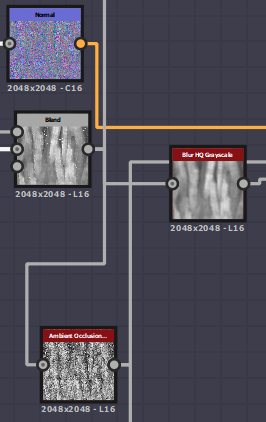
After going through the tile generator I wanted to add in a small curvature to the edges of the wood bark. Doing this the blend fits both into the blur HQ gray scale and the tile generator with subtract so that it allows for the curves to come through. Then adding this to a levels to give more height information as well as minor details with the smaller dirt 1 node seeping through the cracks. This allowed for the curved edges.


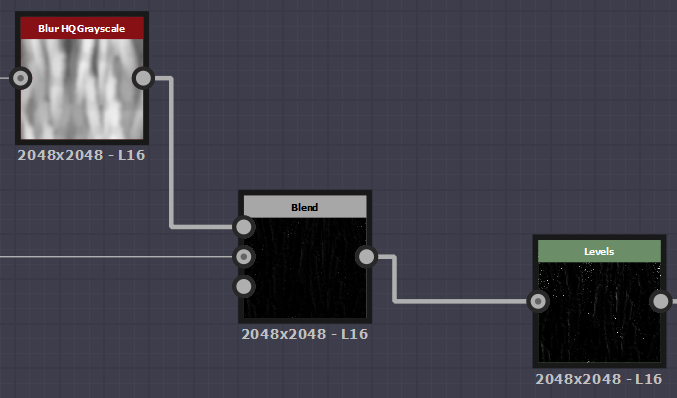
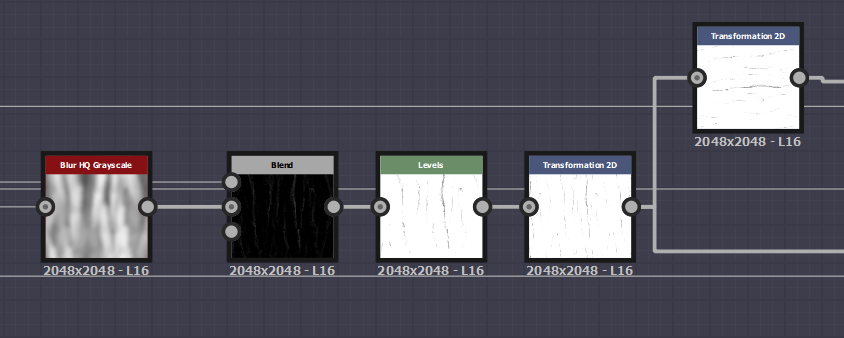
Now for the cracks. Again doing the same process as before, blur HQ grayscale and blending the blend with a subtract adding it to a levels but instead having the white come through creating a AO map as well as another form of height map or at least the start of a AO. The 2D transform is to increase the size of the whole texture, allowing for more detail in the bark as well as more bark 'strips' to be put into the overall texture. 


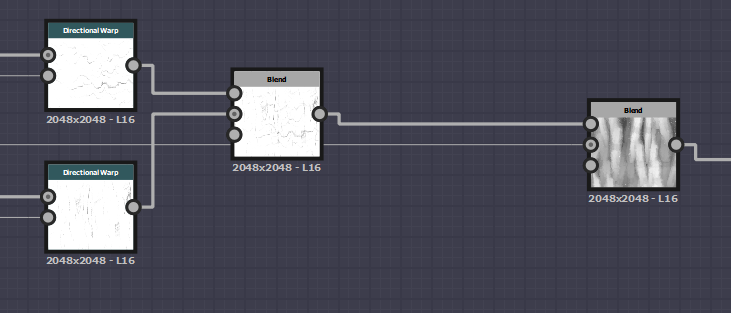
I then transformed the 2D transform into 2 directional warps with more 2D transforms rotating them 90 degrees and blended them into a multiplier blend node. The reason for this is to add in the slight detail of marked wood. Small details are what make this texture and if this isn't added the texture loses a whole amount of information. I then blended it with the initial first blend again in a multiply so the detail can remain on top of the original blend.


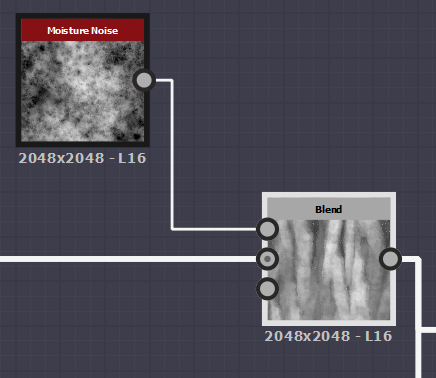
Using the blend just made I then added a moisture noise with another blend to create some amount of information on top which allowed for me to change the color and add in a lighter version of the bark. Again the blend is another multiply so the smaller information is added and not the mass amount giving small yet helpful information to the texture.


After doing this the texture is almost ready. We just need to create the Normal map, Height, AO, Roughness and then color it. To start this I created a normal node and plugged it in from the blend. Now for the next part the detail, I added the blend and the Curled edges into another blend with a Add (Linear Dodge) and on this occasion because it was too sharp I brought down the opacity. Off of this blend I created a Blur HQ gray scale for the height, plugged it into the AO node for the AO and finally inverted the gray scale for the roughness and plugged that into a histogram range. The blend previously created plugged into a gradient map and using the 'pick gradient' I drew over our reference image and used the colors from that to create a base color. If you have another texture be sure to plug these into a base material node so that you can create a mask and add in your other texture that you've previously created (mine being moss).


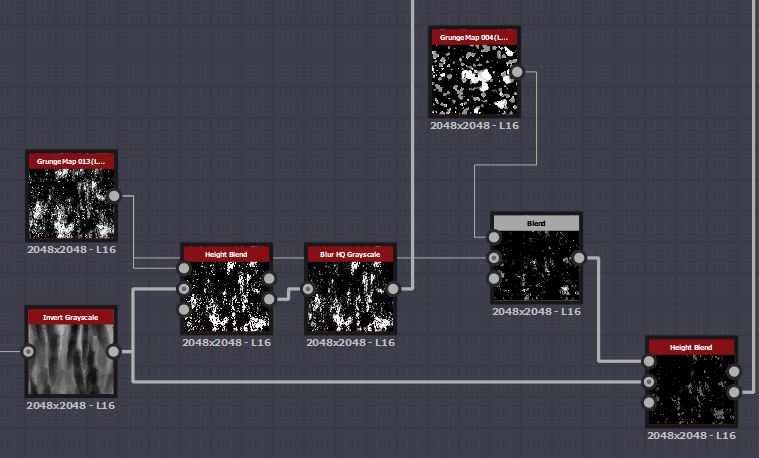
Now comes the part where you need another texture, what we're doing here is masking out areas on the overall texture to add in the moss created on my other texture. I started by grabbing the tile generated piece and adding that into a invert gray scale. Creating a height blend off that using a Grunge 13 map (older version is much better believe me) and adding that to the height blend, then into a blur HQ gray scale which is our first mask. Then our second mask is using the same grunge 13 applying that into the background of a blend node and adding the grunge 4 map (legacy again older is better) and multiplying the two together and adding them into a height blend. Using the inverted gray scale adding that to the background of the blend to create our second mask.


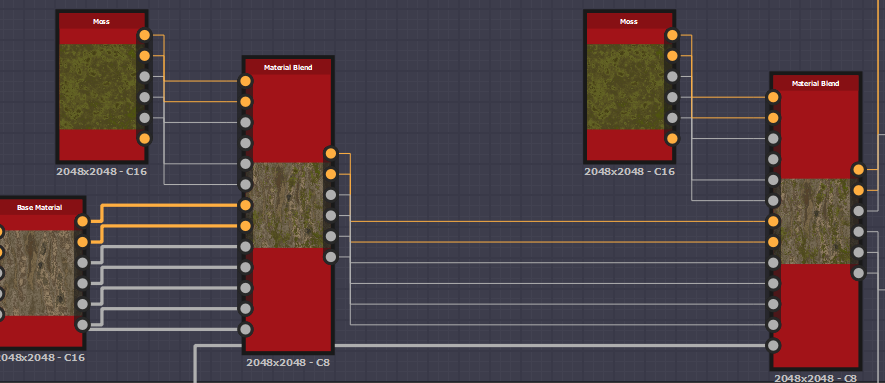
Just for quick clarification the 'moss' node is my other material before you all look confused at it. Also don't forget to setup the material nodes with your correct channels (Base color, Normal, Roughness, Metallic, AO & Height). The initial base color is plugged into the bottom part of the material blend, moss at the top and underneath all of that is our mask node. Plug the first mask into the first material blend then the second into the second. Once you've done this the masks should do all the work for you and you should get some sort of result when plugging them into your final nodes.


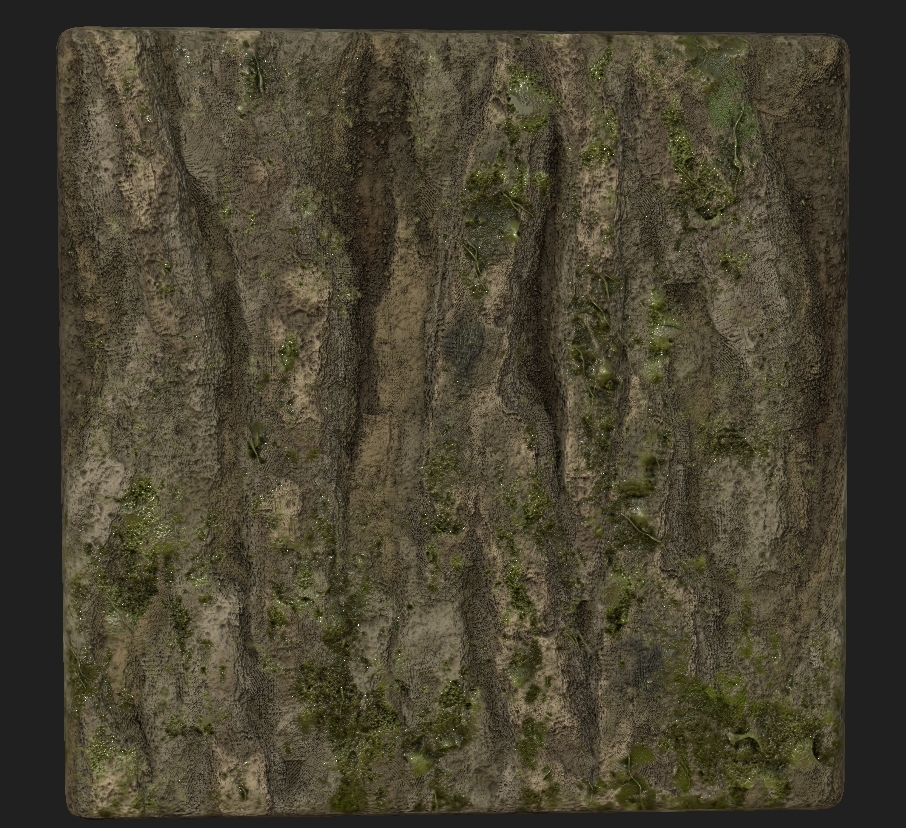
This is predominantly how I work and my workflow, the final result shown below is purely 2D with no tessellation. This is done for one of my projects in my third year and just a idea of the sorts of materials I'm able to create. Most of my workflow is created by looking at peoples graphs on things like Artstation and through their portfolios so many thanks to everyone who is willing to share their work and show you how it's done.

Saturday, 6 October 2018

Ideas week

The beginning of Year 3 brings a lot of stress and anticipation, it entails what is to come as well as what there is for the future. This being said our first 'project' was given to us which was more of a build a portfolio piece being whatever we wished. So going off from this I decided to challenge myself in creating a forest like train track and tunnel that was dilapidated showcasing both my environment skills as well as texture creation skills. Learning mainly about vegetation & lighting in this project alongside camera styles/angles for renders. Doing this will help me with both managing my time as well as getting a great portfolio piece for the company I want to work at (Splash Damage), not only this but also teaching me what I have wanted to learn for a while now. Forcing myself into it I decided to do quick research on the environment by grabbing photos from the internet as well as going and taking my own from places around Norfolk. I'm going to devote a lot of time to texturing in this piece as I want to learn the ins and outs of UVs and Texture art.

Quick notes for this project:

Maximum Texture size: 2048
Maximum foliage alpha: 512 (Dependent on how close it is to the renders)
Maximum Poly Count on any asset: 35k (dependent on alphas)
Letting the image speak for itself
Lighting: Chiaroscuro
Texel Density: Fitting for the scene
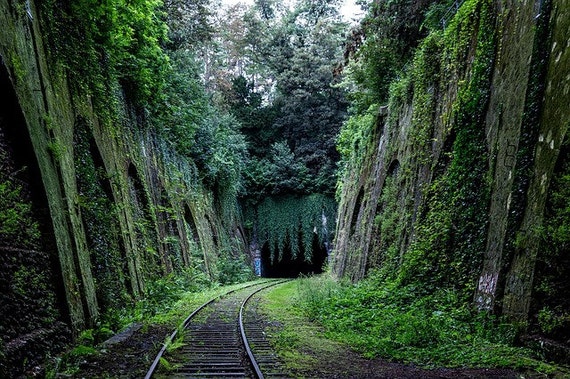
Image result for forest train track

The concept behind these is to have a tunnel at the end of the railway, overgrown in forestry and plantation. The final concept will either be what was recommended to me which would be a playable scene, although this is a nice idea I believe it to be too much of a stretch goal so in turn I decided to change it to something like either a small animation start screen or a final render. Seeing as it is for my portfolio it will be the best choice. This means that there will be minimal assets but a lot of detail in the textures and alphas. I've started production as soon as possible and thought out my ideas, I believe that to achieve what I want I will need to model EVERYTHING that's including the landscape as well. I started by creating the landscape and then trying to get some easy models out of the way that would need damage added as well as being retopologized. Starting this I just done some basic models getting them ready to be put into ZBrush for the damage. After creating the base model I decided that it would be best to throw it into ZBrush and enhance it from there. This was the outcome of what I finished with in ZBrush. A very basic tree stump with organic holes and damage done to the tree stump from when it was chopped in half, not by chainsaw but by axe.
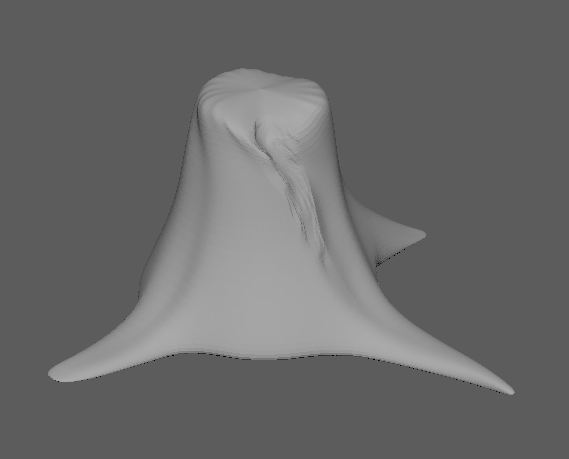


The image below is what this was referenced from aside from I wanted it to be natural so I added in what looks like roots from the base of the tree stump as well as minor bug 'trenches' shown by the second image below. A way of showing that it has been sitting there a good while as well as it has gone untreated by any human after it was chopped down. This should allow anyone with knowledge in this field to know that it's been left here for a while and that it wasn't treated creating a time frame from this one asset adding in information to my final piece.
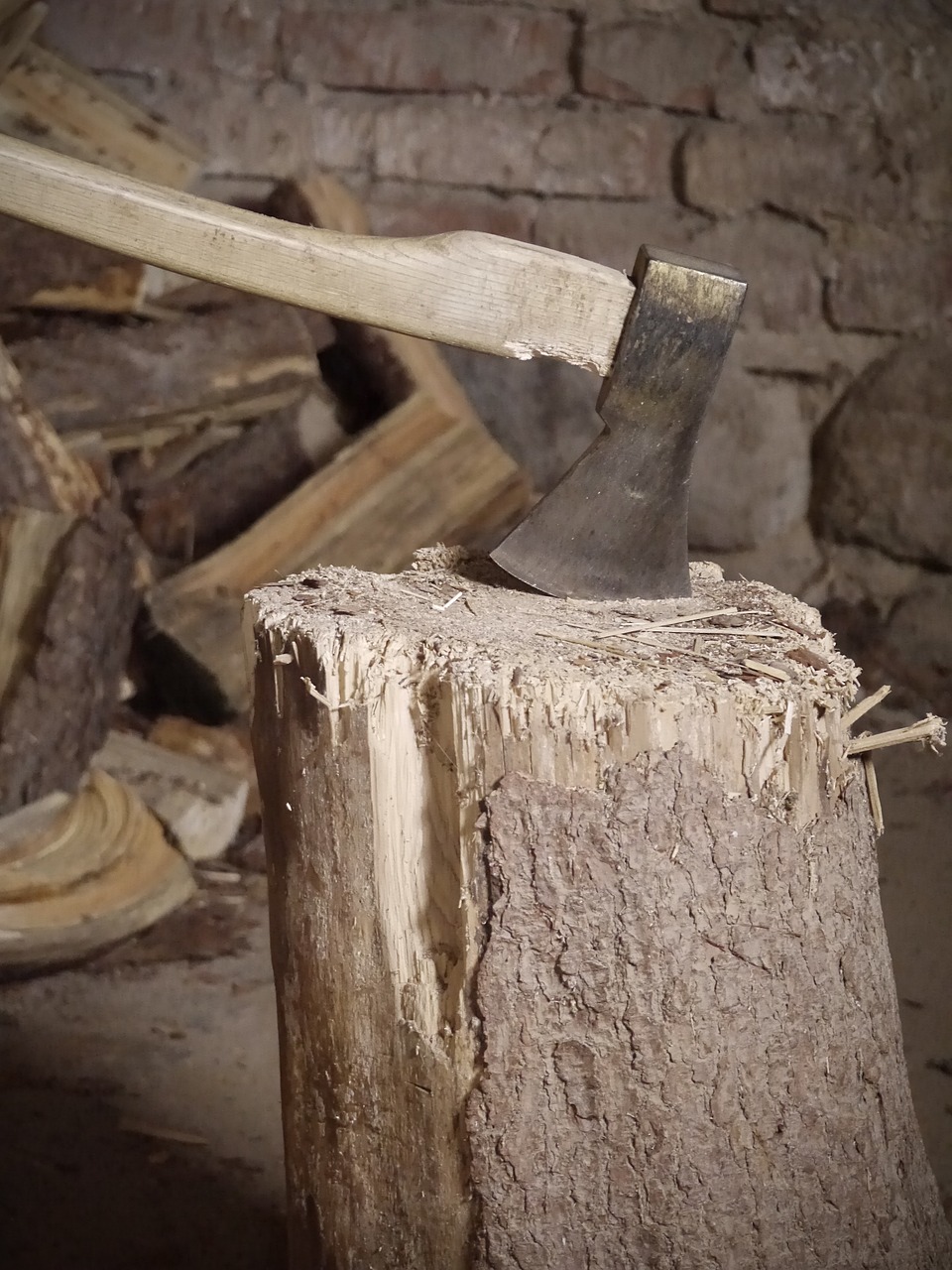
Image result for tree stump cut by axe Image result for tree bug damage

I then went and retopologized it and made a cage so that way it can be a low-poly based asset but have the bake of a high-poly asset, allowing for the material to sit well and look HD. This asset alone along with some others created should give out a time frame of how long the forest area surrounding has been taking over. Using this story telling piece I can create a atmosphere around this one asset if someone was to look at it in detail they would know what happened to the surrounding area.
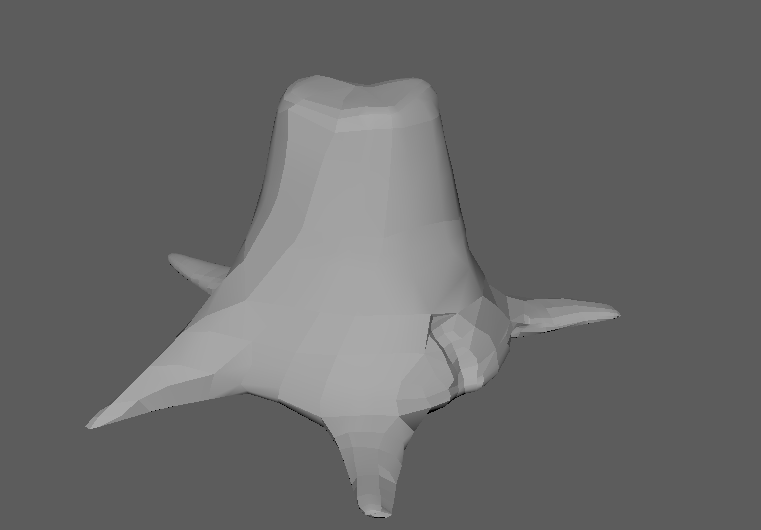


The finished bake with the cage, HP and LP shown below.
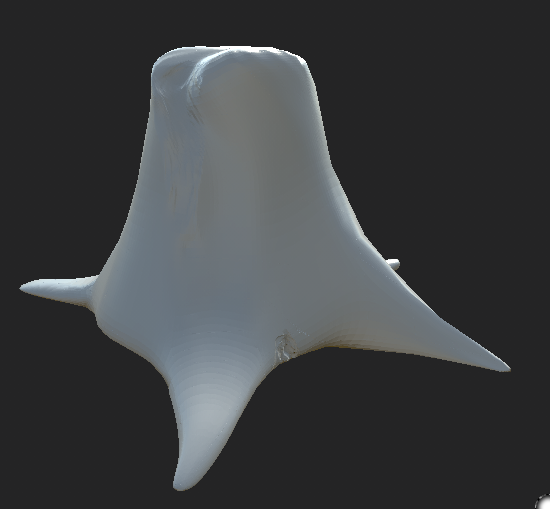


I'm yet to start texturing this asset because I'm still working on the UVs, aside from this I also wanted to start the creation of the landscape, tunnel & some of the easier smaller assets. I decided it would be easier to start creating the scene rather than worrying about one asset that would be completed easier if I gave it a break and continued it when I felt more interested. This is my normal workflow that allows me to multitask. This asset took me 55 minutes to get to this point and even though that is a VERY small time frame, I need to give myself plenty of time for any future investments.

I decided to put the environment asset in first seeing as it would be one of the easier pieces to create, creating this I looked at references from basic train tracks that rely on small indentations to keep the train 'stable' if it was to start to tip over.
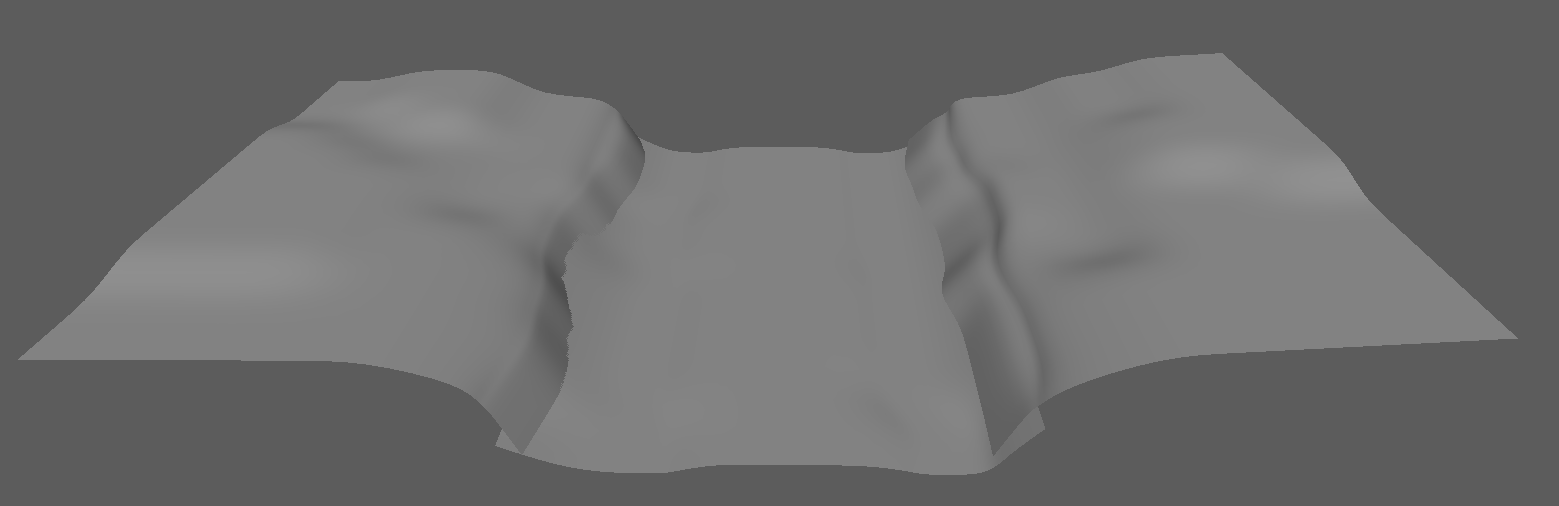


The reference image below showcases the idea that I want with the landscape, its almost the same as any 3 lane map created in most eSports. The idea behind it is so I can manipulate the human eye into a focal point, the middle lane being the most information giving therefore the focal point of the render. Having trees and other foliage on the other two lanes will help with the story telling and the overall feel of the image. This again creating the most realistic environment piece I can all the way down to the simplicity of the dirt.

Image result for train track forest

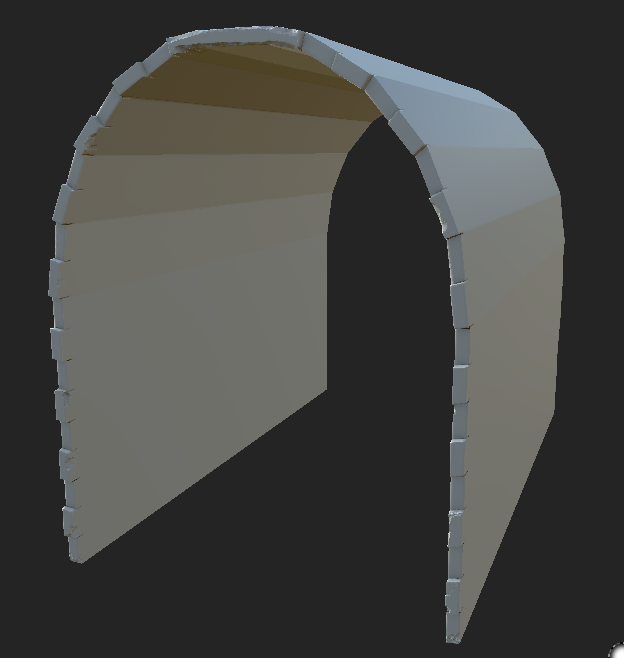
Next objective was to build the tunnel, separate from the wall so that it can be perfectly textured as well as retapologized without any issues. To start I modeled a very basic form of a tunnel, seeing as it's going to be in the distance from the actual render I thought it wont need as much detail as the rest. That being said, I wished to go for a fully textured and very nice looking render from different points so I decided to change my idea on this and go for a tunnel that has damage, nice textures as well as a nice retapology and bake. Being the same 'pipeline workflow' as the tree stump. Shown below is the process that I did.

Firstly creating the low-poly model and then throwing it into ZBrush to be able to give it damage and the marks necessary. I followed the idea of a train 'bouncing' or 'swaying' to add in the damage marks to the correct areas as well as dilapidation marks on the lower end of the bricks where water and rain would sit along with the top of the tunnel for the same reason (Not so much sitting as it would hit them). The rest of the marks are from other things such as humans, animals and even vegetation fighting back at the tunnel. Although as you can see clearly from below the whole of the tunnel isn't marked, this is because I will be adding a fog level near the entrance not allowing you to see far into the tunnel thus not needing to do any work to it keeping workflow at a maximum at all times.
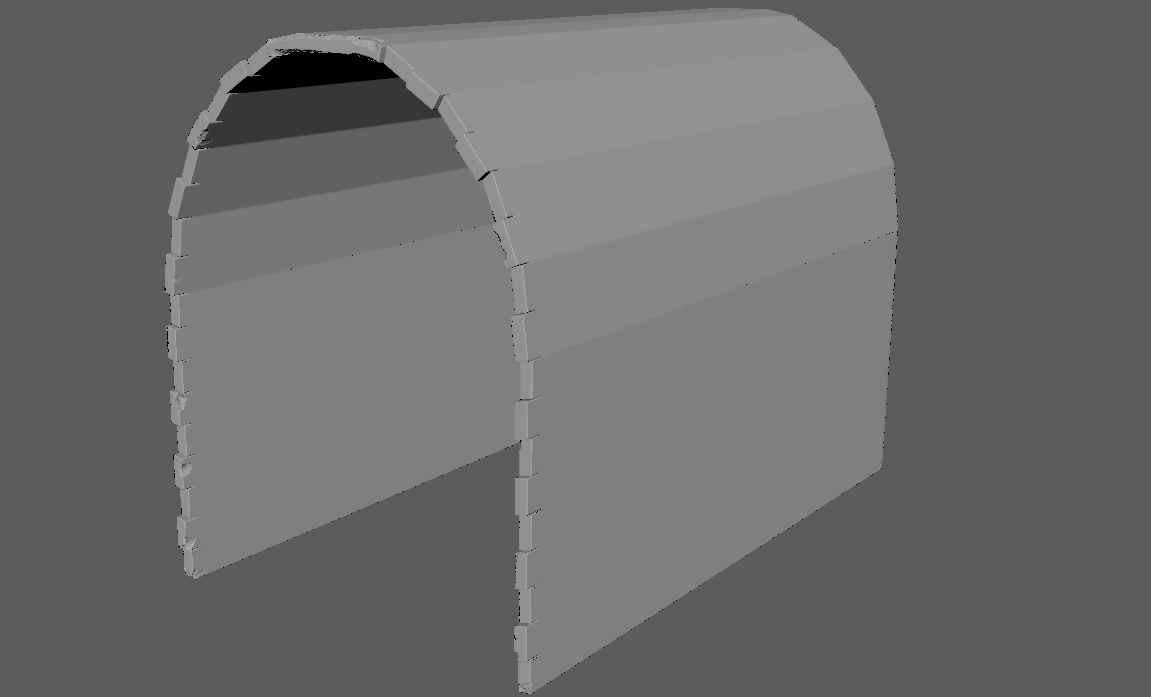


After this step, same as before I went and retapologized it and made it a low-poly model with a nice bake. The reasoning for this is obvious, keeping geometry to a minimum allowing for the textures and materials to do the most of the work and not dragging down any amount of information.
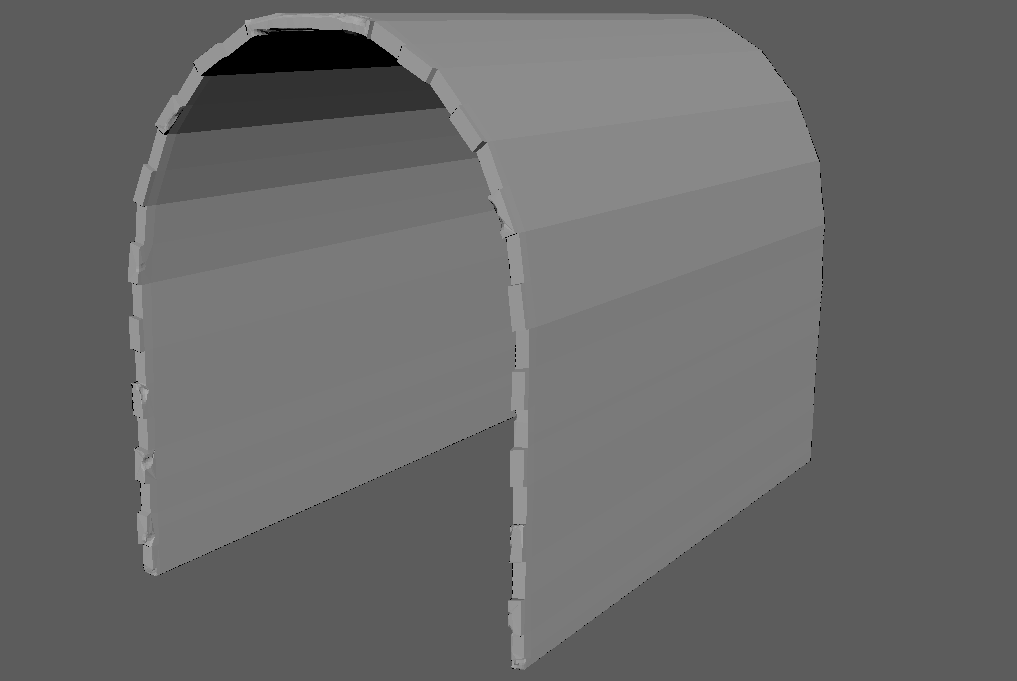


The finished bake with the cage, HP and LP shown below. (Not yet finished)


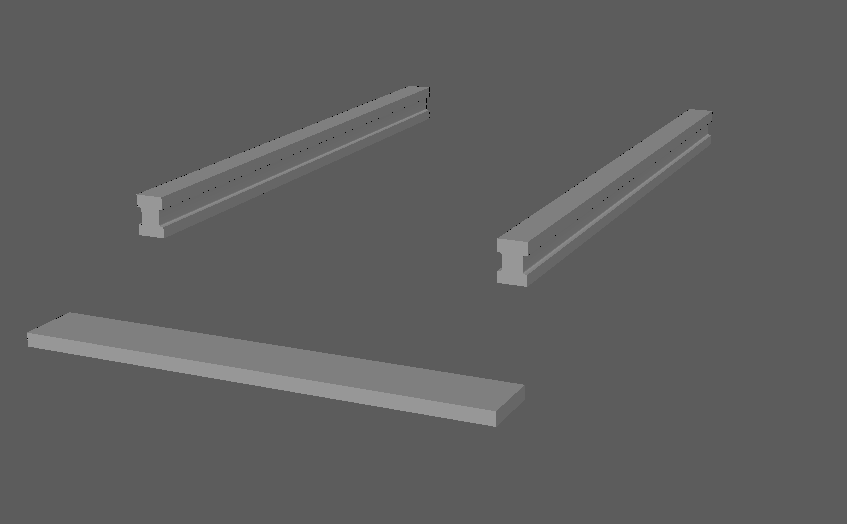
After that process again I went onto modelling more things that I thought would be in the scene and obviously I will be needing a train track. Now this is something I wouldn't normally do but I took a new and improvised approach to these parts. They will be modular assets but each piece will have its own vertex painted texture in UE4 as well as the same texture tiled across all the seperate objects. I know this is the more expensive way of doing it rather than having one massive piece and adding a tillable but I wish to make these unique in a way. I wont be using any bake on these as they are what they need to be but instead let the materials do all the talking. This is souly because I have such a short time frame to do it all in I don't want to be wasting any time. 

Now for the part I love. Whenever I get bored I look back at my list of things I need to have done and accomplish by the end of this project, that includes models, textures, finished assets, alphas and more. I will leave a photo of it at the end of this post. As for now I would like to show off the textures I created so far for this project which I made when I was getting bored of modelling and messing around with all of that. 

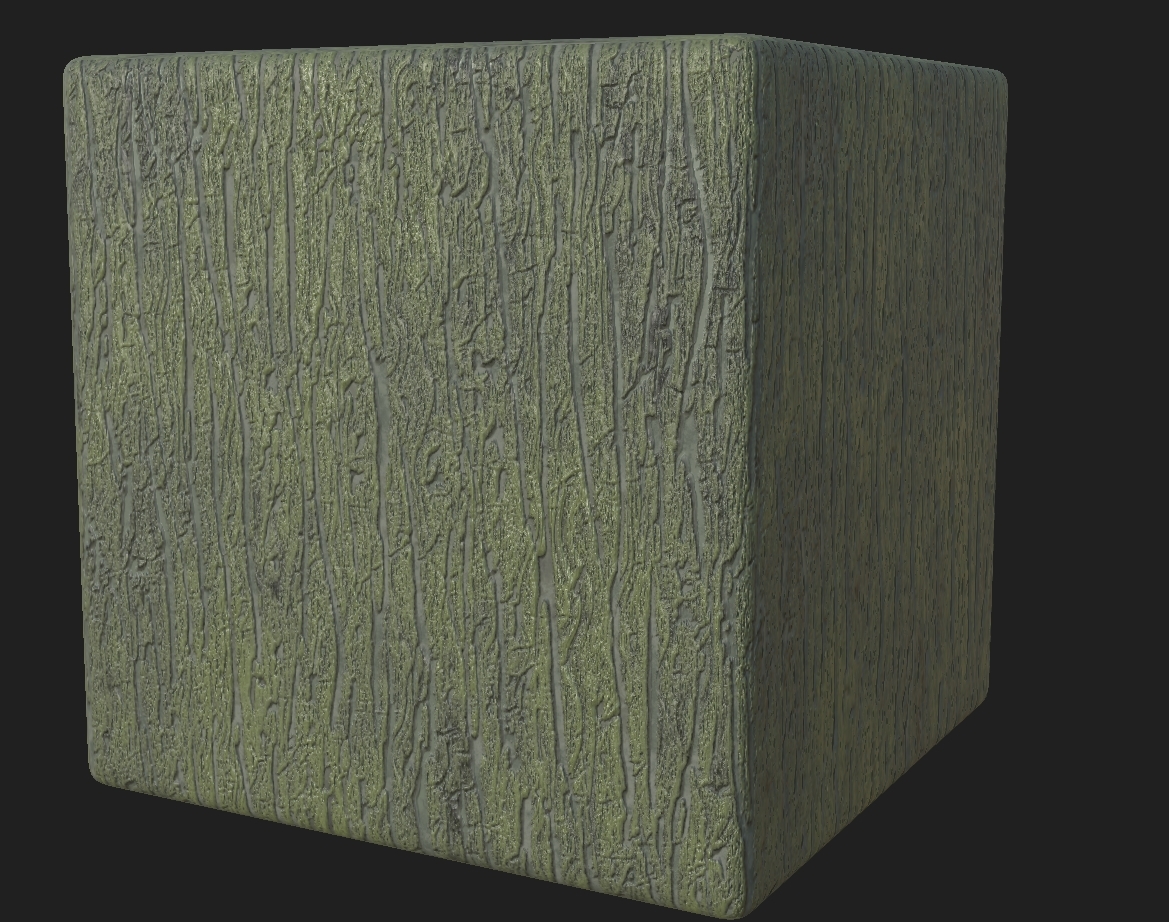
Texture 1 - Wood Bark:


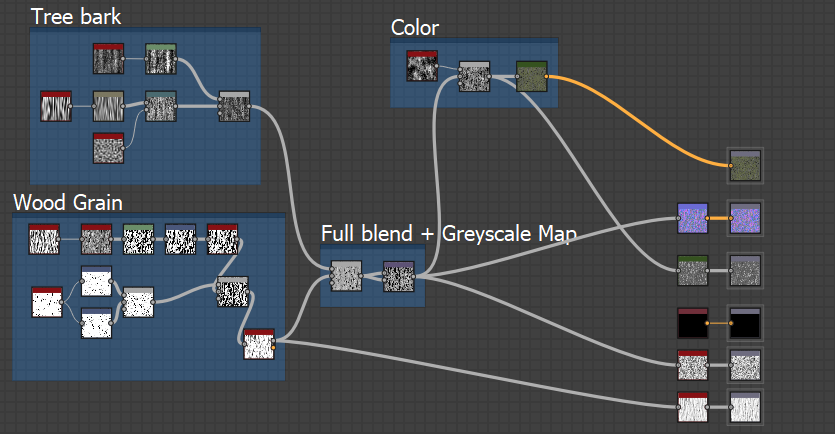
This bark was shown to me by a friend who made a much different variation of the wood but none the less I decided to ask him how he went around doing it. He said the main point is the tree indents. From this information I thought that I would concentrate fully on the indents and getting the right AO and height maps to create a fully realistic game looking piece. Here's the small graph created to show you how about I managed to get it to work (With small help from him with the base wood grain, not copied but advised and changed). A fun and simple texture which can be put onto the tree stump or any other trees to make them look realistic. 


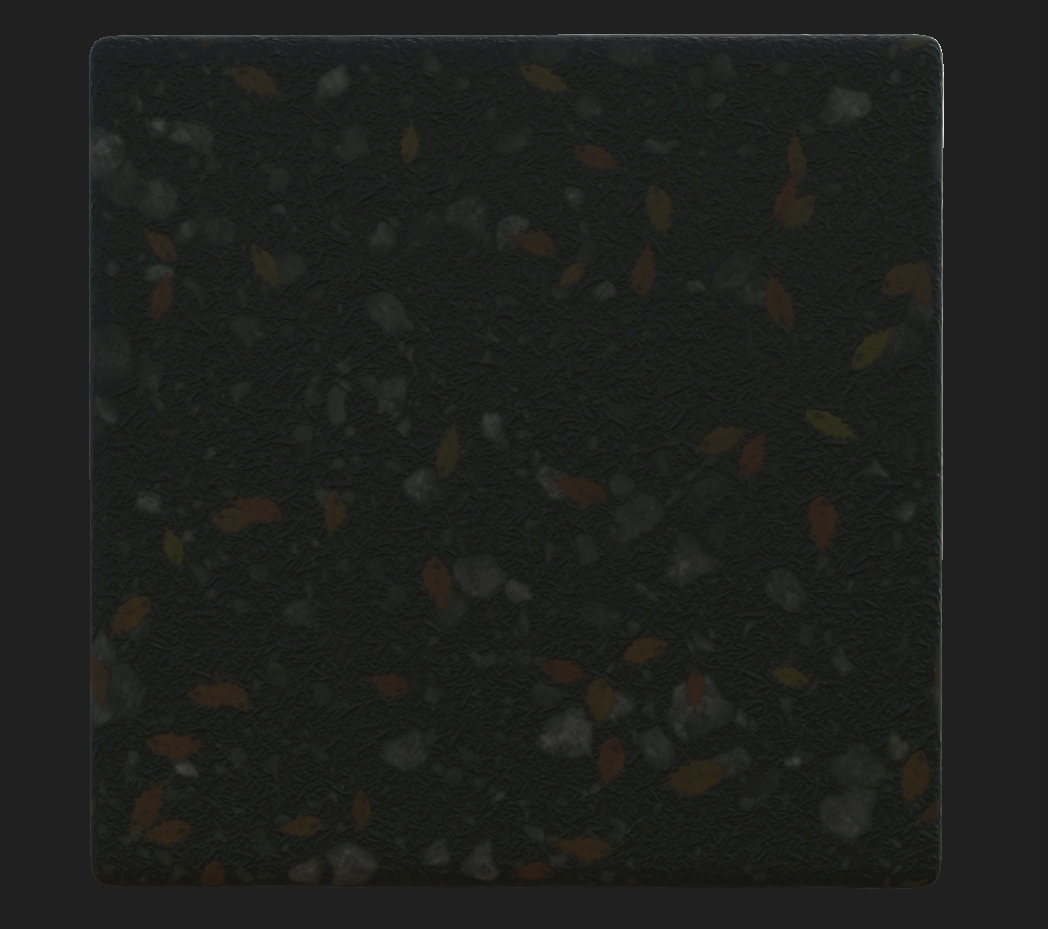
Texture 2 - Forest floor + (Leaves):

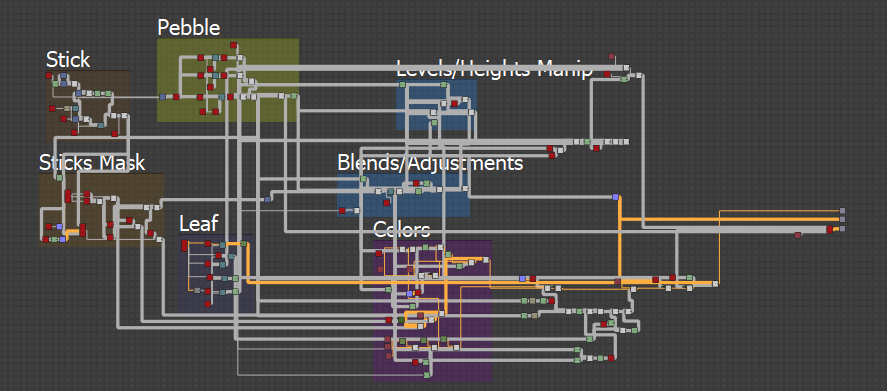
This texture was more a tricky piece, something that I've done before but not to this level. You should be able to see my different variations from my year 2 project, this one was a whole other world of tricky. This being said it was needed precisely this because of the fact that it can be vertex painted in UE4 including the ease of removing the leaves because it is a separate graph shown below. The leaf was easy to create as it's very basic but the actual graph with the correct height maps and AO allowed me to add in the leaves as a 'drop' pattern creating a more realistic feel to the whole scene. 

Forest Floor + Graph:


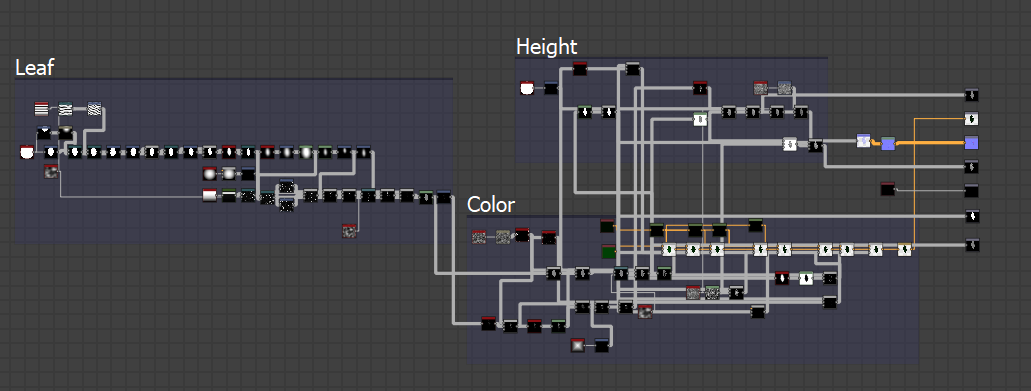
Leaf Texture + Graph:
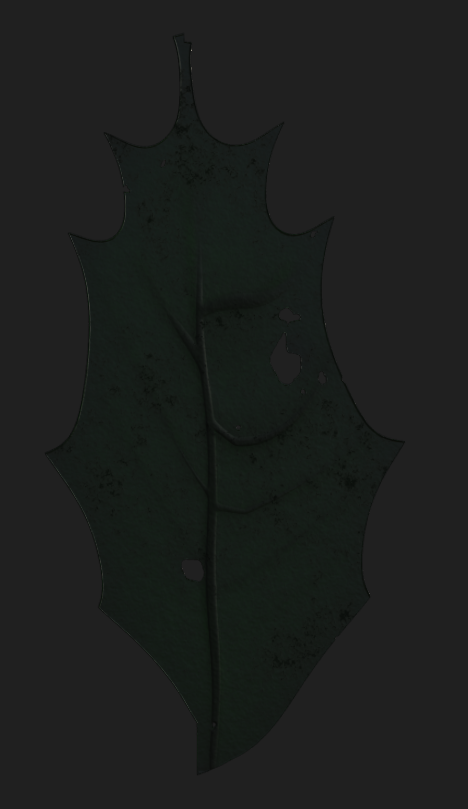


This took a while, but taking influence from my previous graphs as well as many others on Artstation and Substance Forums I was able to create exactly what I wanted. Surprisingly it was very easy to seek help with this sort of thing as many people have done it before and most of the time people would recommend different ways of doing things and creating these graphs. The person I have to thank for this magnificent piece is Joshua Lynch, most people have already heard the name but his blog (https://environmentart.wordpress.com/page/1/) is every texturers dream explaining how things are done, how he goes about using and manipulating shapes all the way to putting them in game and making them realistic helped me with this piece especially. Luckily I found out about him over summer and read it previous so going back to his blog for the second time reading about his texturing adventures and how he manipulates the textures helped me create the floor and leaf with no issue (Including the colors in his environment post Texturing Values For Environments: Part 1). Also asking people who haven't seen it before for their opinion and how I should change/shape it was great, many people said more pebbles as previous I only had larger pebbles. 

Edit:

I found making the wall in Z Brush was too long of a time scale so I decided to make a basic version in Maya and use the texture with tessellation to create this method (referenced from Call Of Duty Black Ops 4) shown in a later post.