Thursday, 31 January 2019

Grey-box and concepts

The grey boxing was a good way of me being able to judge the idea of my scene and the sizing of it. Below is my WIP grey box with the floor plan, the idea behind it was to create a small room filled with assets and effects to create a full atmospheric feel alongside the realization of how people are now living in certain areas of the world. The idea for the placement of things is so that we can see the previous occupier of the scene was a old collector who appreciated architecture and structure. I will be building it based around a pillar and using lighting techniques to further enhance my overall project. The placement of things within this scene are very specific and necessary to ensure people understand this isn't for structure but more for show-boating. 


The reasoning behind me choosing to do a floor plan and grey box is to get more of a feel and concept of my scene before starting, learning from last project that you can't just throw things into UE4 and build the scene without first having a understanding of the layout. I got lucky last time, I doubt it will happen again. A few more iterations are done below, these don't have floor plans because I done these first before actually planning out my scene.


The amount of iterations done reflects how I want the scene laid out, the final result although it kind of gives off a smaller more condensed feel it closely relates back to my references from other peoples work. Although this isn't the exact route I want to go for it resembles my overall idea and concept behind the piece.

References for room layout:

https://www.artstation.com/artwork/dgdkK

https://www.artstation.com/artwork/nYPmO

https://www.artstation.com/artwork/gJPE1K

The overall idea behind my scene although mentioned slightly beforehand I have a more developed understanding of how I want my scene to look/feel. The idea is to create a Syrian Bombed Household which is styled to the idea of a trap that was setup to capture people or bands of army troop travelling through the area. The idea I've had is to create a gears of war 'horde' style room, there will be 4 entry points including a en-caved roof which will be a 'choke point' in which the team will have to fight for their survival in this antique collectors house out in Syria. Although the idea of Syria isn't what Splash Damage is after talking to others made it feel as if this would be a more ideal portfolio piece rather than tailoring to one company. The second grey box below is going to be around the final one with some other bits being added in, I didn't want to have too much in the scene as the players must have some area to run around and dodge bullets, survive but also have enough cover in the room for them to hold themselves off from the oncoming enemy.


Although the floor texture is in already you understand the concept of the grey box being that there will be things to hide behind in the room but also that there is breathing space in-between. The idea here is to feel claustrophobic yet having enough room to move around in, the reasoning for this is so that the player has a understanding of what Syria is like right now with some aspects of what they're ruining around them but also not being able to enjoy it because of the onslaught of enemies with the same feeling most people are having in Syria. This idea has a lot to change including lighting, placement of objects and the roofing itself but it's coming along the way I wanted and asking constantly for feedback from peers and tutors on everything (Textures, assets, placement, lighting the lot).

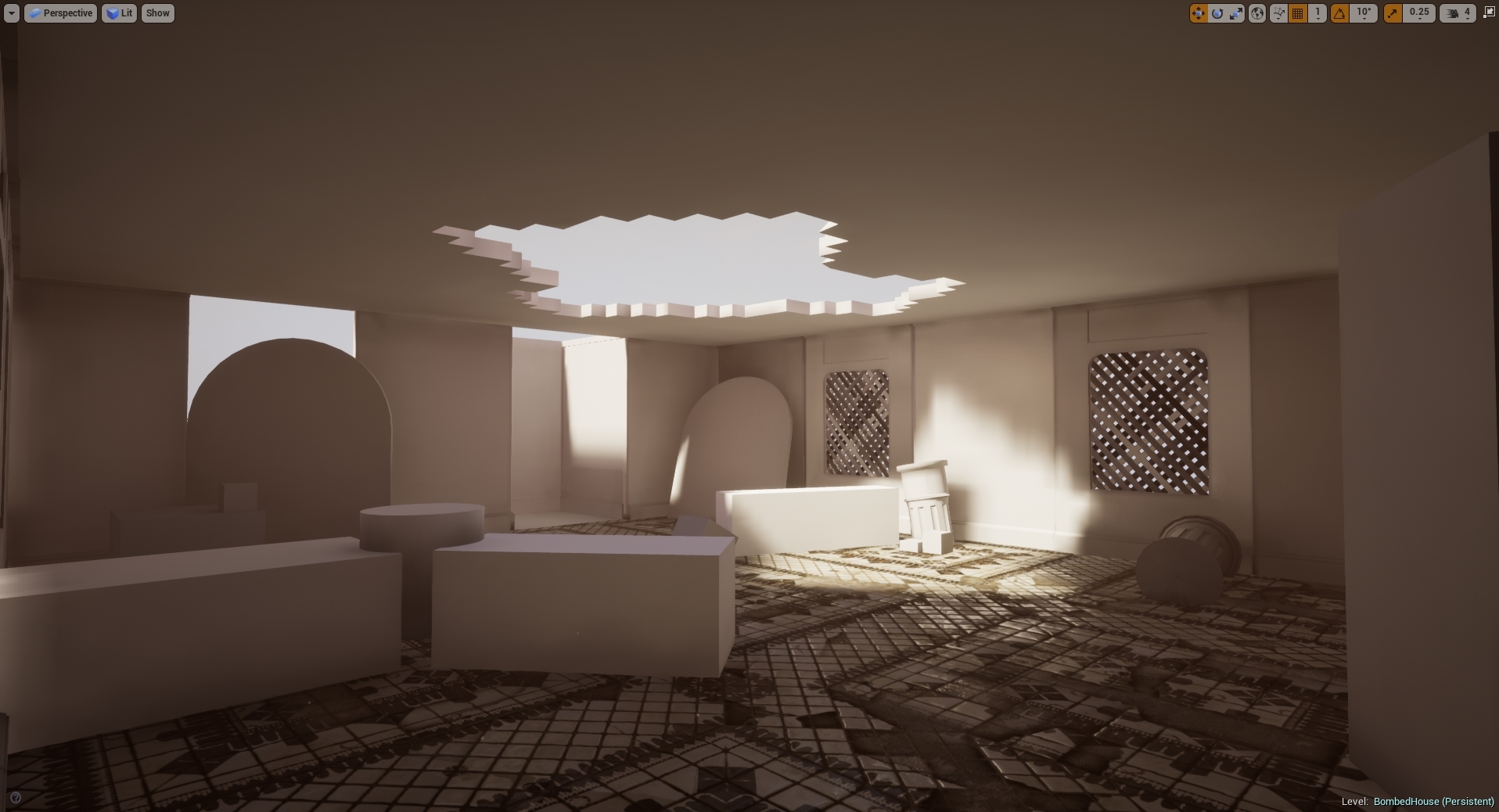
Constant change and understanding in this project is key, meaning that the overall grey box will never be exactly the way it's laid out here. Since producing this grey box I've developed a lot more in terms of creating a nicer and more game ready looking scene. Especially seeing as this is designed primarily for gears of war I needed some level of cover to cover sequence. The image below shows that level of development in terms of grey box, although lighting has been touched nothing else in the scene has yet to be touched.

Monday, 28 January 2019

BA3B - Research Report

During this project I will be creating a 3D environment based off the game Gears of War, the reason for this is because the company I want to work for were the developers (Splash Damage). The second reason why I'm doing it is because a previous employee of theirs David Garrett created a 3D piece for them during his final years of University and managed to land himself a job in doing so (This can be viewed on his artstation). The idea behind my scene is to create a indoor trashed room which has rubble, brickwork missing and other indentations to the building work. I began by looking at his piece and how it resembles real life or even if it does, judging by the work done, the structure itself would be more jagged in places because of the destruction of one of the supports. Although this could be considered as minor it can also be considered as major dependent on the layout of the building and how much open space there is within it. If anymore on this floor were to be broken alongside the same area you will see more structural damage but due to the amount of information shown in the images it can be seen as something that is fine. This is going to be the idea I want to give off, I will be attempting half a room or basement filled with assets like this therefore structural integrity will have to be considered. Dependent I will try to follow the same resemblance as the image below in terms of rooms and size alongside structural integrity.

Image result for building plans

I will be looking into Gears of War 4 (the most recent Gears of War) and playing it I can get a understanding of how the game is designed as well as the story lines they follow. The good thing about this is knowing how the environments are meant to look, atmosphere for situations and also how they use the environment to tell a story. Other than this I will be looking into the structures overall look and feel from the game, meaning my style will match theirs along with colour palette and assets production.


The first thing I looked into was the idea of creating a bombed out house, something along the style of WW2 but then I remembered about the amazing architecture there was once in Syria. The idea behind this was to have a collection of props gathered from around the world given off the idea that the previous home-owner was a collector with rich values. The tiles above represent some floor tiles shown in a Syrian living quarters which I will be trying to emulate in terms of overall feel of the room as well as concepts from other regions of the world. Although this house will be bombed and partially destroyed it will still have its main structural integrity in tact it will also need to have placed damage and a environmental story line behind it meaning that I will need to lay the room out in such a way it shows that he is a collector.

After reading the Traditional Syrian Architecture PDF I found out some nice placements of tiles, structural pipelines and also how brick layouts work alongside what they're made out of. Normally a house would contain tiles or brick work but seeing as I'm going for a collectors house within such a enclosed location and having there be rubble lying around I was going to make a plaster wall which would be cheaper to make but be more of a chauvinistic form for the cultures he or she is reaching out to.

I've also been looking into lighting already, after talking to Luan Vetoreti in abundance on portfolio pieces he recommended that if I was to do a up-scaled lighting system that can really show off my work I would want to use something like lighting propagation volumes. It was originally going to be using the same method as light-mass global illumination but that would only use static/stationary lighting meaning that the detail wouldn't reach quite as close to the dynamic version that light propagation will impact. The documents I followed to get an understanding of this is in my references.

Composition is key! Luan Vetoreti, Jack Kirkham, Sergey Lysenko have all told me that this is the most important piece out of all of the above. This is why starting lighting is so important, once you get your lighting and composition they way you want it the scene will fall together, although you would work the scene up as a whole getting these key frames in will allow you to progress so much further.

Learning from John Barnard after emailing with him back and forth, I will be making my portfolio tailored to what I want and where I want to go in terms of the industry therefore I will be attempting to create this Syrian house with a move to move or otherwise known as cover to cover motion allowing the player to enter the room or even kick down the doors of the room and immediately find cover and start the cover to cover motions. Making the room balanced around this area of composition.

All conversations and information given by industry standard people can be found in the blog post 'Employability & Job searching'.

Now that we have that out of the way, greyboxing the scene is necessary now and getting the layout correct is my next step. Moving forward I will take all of these elements into consideration.

References:

Understand Building Construction. (2019). Concrete Frame Construction | Concrete Frame Structures. [online] Available at: http://www.understandconstruction.com/concrete-frame-structures.html [Accessed 28 Jan. 2019].

https://www.artstation.com/artwork/nYPmO (David Garretts Artstation)

Lighting: 

https://docs.unrealengine.com/en-us/Engine/Rendering/LightingAndShadows/LightPropagationVolumes?fbclid=IwAR0rZJG2s4TpIkylOF7HwbC6cYkHHBT2ZwajPro6bbCFzf7kOZgwyma74MI

https://docs.unrealengine.com/en-US/Engine/Rendering/LightingAndShadows/Lightmass

BA3B - Beginning

The idea for my next scene seeing as it's going to be very simplistic in amounts but technical in abundance, will base itself around a Gears of War styled scene. I'll be using photogrammetry as well as the usual means of game creation to create my scene. The idea is to be able to get a piece of photogrammetry on my portfolio as well as another scene showcasing that I can follow and learn new industry style procedures as well as being able to maintain my amount of work in terms of game ready assets and 3D environment creation.

List of things I will be doing this project according to timescale:

Photogrammetry practice - Before project starts
Gears of war fan art environment - Whole project
Portfolio pieces - Whole project
Research in industry and jobs that require my skill set - Already in motion
Play and understand the Gears of War 4 game from assets to storyline - 2 days (prior to project start)
List of assets needed and completed - 4 weeks prior to hand in


This list although minimal under each category will contain many sub-category pieces. The idea was taken from a man who previously had a job with Splash Damage by creating fan art of the franchise and showcasing it in his portfolio as well as using it to apply for the job. My idea will be along the same lines except I will be adding in more up to date mechanics and ways of creation to boost forward past his scene idea (David Garrett). The way I'm going to achieve this is by doing the same as my previous project, spending a lot of time researching as well as creating textures whilst making high end game ready assets which reflect my modelling abilities. Due to the lack of organic pieces in this scene I will be mainly focusing on modular pieces as well as a lot of work in Substance Painter to add in decals etc. I will also be touching on some PBR materials due to the styled look that Gears Of War give off in relation to many other companies.

My overall idea will probably be brought down to scale my project perfectly but aside from that everything else will be ready and finished by the end of this project.

Here are a few ideas/mood-boards that I created to help with getting my overall project concept underway.


Thursday, 10 January 2019

BA3A Self evaluation

My final thoughts on this project as I'm readying to hand in are 3 things, I've learnt more than I have ever in this project than I did during my previously 2 years of being here. The process of creating and making environments and filling them with assets to a point it can be used in a game and finally how to plan out time so that I don't miss anything and get everything done. I'd say overall this project was a huge success and a big milestone in terms of my career. Not only do I enjoy creating 3D environments more I understand it all a whole lot better and have the ability to help others no as well. In terms of things I've lost of didn't understand such as vegetation I took it upon myself to create something which requires it and now I feel confident in the fact I can create vegetation through many different processes.

The next step for me is to apply for jobs in the industry and get my portfolio out there and this project was a big step towards that direction. I believe this worked out really well for me and as you can see from the blog posts I've learnt a lot in terms of functionality and performance optimization therefore I believe I'm ready to make a more intense scene given the time and programs. Although I believe that this project wasn't too long thinking about what other artists can create in the same time means I need to step up my game in terms of making things in time and making them look professional meaning there is still a lot more to learn but this is a massive step in the right direction.

I'm ready to move onto the next project after hand in and for that I'm going to challenge myself again learning more and more till I get to the point that I'm industry ready.

Rendering

Note: This is going to be a short written update due to the amount of screenshots.

The rendering process for all of my project will be done in game engines, meaning the scene will be done in UE4 and the workshop objects will be rendered in Marmoset. During this process I will be setting up the objects in Marmoset as well as the cinematic cameras in Unreal Engine 4. This being said, I firstly set up the textures and model in Marmoset exact to substance painter so that way I can complete the lighting and have the models use the lighting to make it look better than previous. Firstly I started off by importing the hole punch into marmoset and applied the textures. From there changing a few options such as bloom, focus as well as sharpness bringing out all of the details needed and creating a great composition for my screen shots.


These two of many screenshots showcase the idea and concept I'm going for.

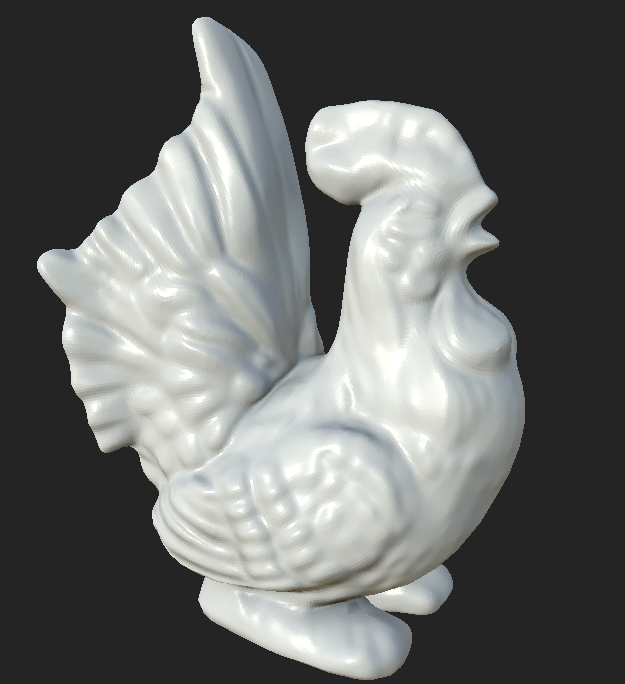
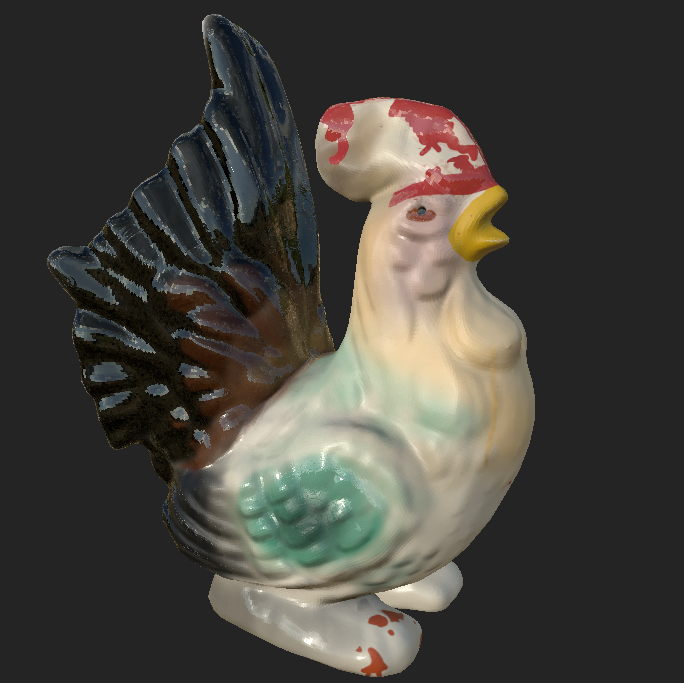
Second off is the porcelain hen which was taken with a slightly harsher vignette so that the object itself can be shown off properly as well as having the focus effects working to the point it looks like the vignette is making the focus point the parts I want to point out, shown below are the results.


Aside from this that is all that was done for these two, playing with the options I have in marmoset and creating renders from this allowed me to create perfect replicas in-engine.

As for the UE4 way of rendering my scene it's a lot more complex. Learning this for the first time took me around 3-4 hours (which for me is a lot) due to the complexity of getting it all correct and how I wanted. I used a sequence alongside moving cinematic and still cameras to create a motion-render in UE4 to showcase the smaller assets and the smaller parts of the scene you may not see in the overall feel of it. The way I went about this was to setup cine-cameras in UE4 and use the DSLR 16:9 cameras to create of emotion that provides the scene with some level of a story rather than most people who have a lack of imagination. Setting up the cameras was simple, it was the step after this which was new to me. I've used many editing software's and recording software's before so I had a slight idea of what I was doing with it, setting up key frames and using them to let the camera track where and how it moved. Shown below is the key frames in action, the red dots allow the camera to create a path from one point you set to another and using this I made the fly through of the scene. Other than this I used key frames to take still animation screenshots and once completing these steps I had to put it all together. Much like Sony Vegas (A editing software I've used before) this program uses the same structure, this allowed my knowledge to seep through and quickly work out how to store the clips as well as put them in order to complete the process and have them seemingly fit perfectly into the edit. Once this was completed and the key frames were set for the other cameras I then had to assign the key frames to certain cameras and add them into the sequence creating a video-esk render. I then rendered them into PNGs and exporting them into adobe premier pro.


Importing the images into Prem pro was a simple task seeing as it reads all the photos as a there's a tick box called image sequence which puts them together for you. The reason I done it this way and didn't render it as a video is so that every frame would load and not create any issues as well as every frame can be edited easily. From here onward it was easy as this part is the part I am good with, although the edit was simple (but effective) it allowed me to showcase what I wanted in style. The small editing was only clip cutting and adding in fades, this process can be done in any editing software I'm sure but prem pro is something I wanted to use because of the accessibility as well as simplicity. I've never used any of these ways to render before but noticing how professional it all looks now is definitely the way forward and I will continue to do it this way from now on.


Other than this big learning experience, that is all for the renders and for this project. I'm happy with the outcome but that is to be discussed in my next blog post.

Friday, 4 January 2019

Workshop Assets

Aside from the overall project and the dissertation we had to create 2 Assets picked from a select amount of objects, for this part I chose the Porcelain Hen & The Bulfinch Hole Punch. The reason I chose these two is because the creative process in making them are completely separate and I wanted to test my skills and abilities as well as learn new ones. The way I'm going to lay this out is explaining the processes used to create the final products in order. Starting with the Bulfinch Hole Punch.

My task was to make this a hero looking asset under 8k. Although this may not be amazingly efficient I wanted to test myself none the less.

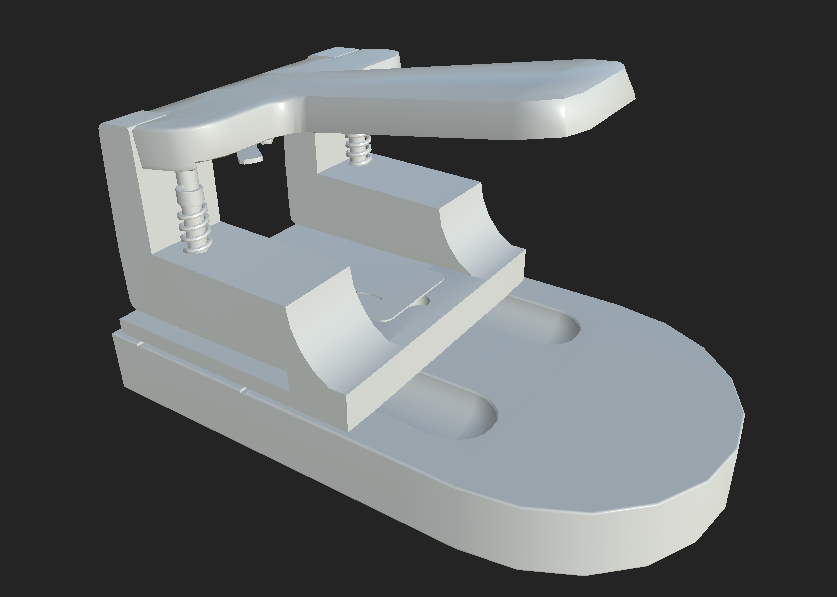
The hole punch was a interesting object to make seeing as previously I've never really had to create such a complex object due to lack of necessity. I started off by modelling the base of the object using a standard cylinder and making it from there. Adding in the holes and edges was simple after doing this process seeing as it already had the initial shape. Using Booleans I created the shapes in the middle of the object but cutting a sphere in half and extruding it then for the smaller gaps I just went in and adding edge loops and moved them from there. A very simple process for a very simple base piece.
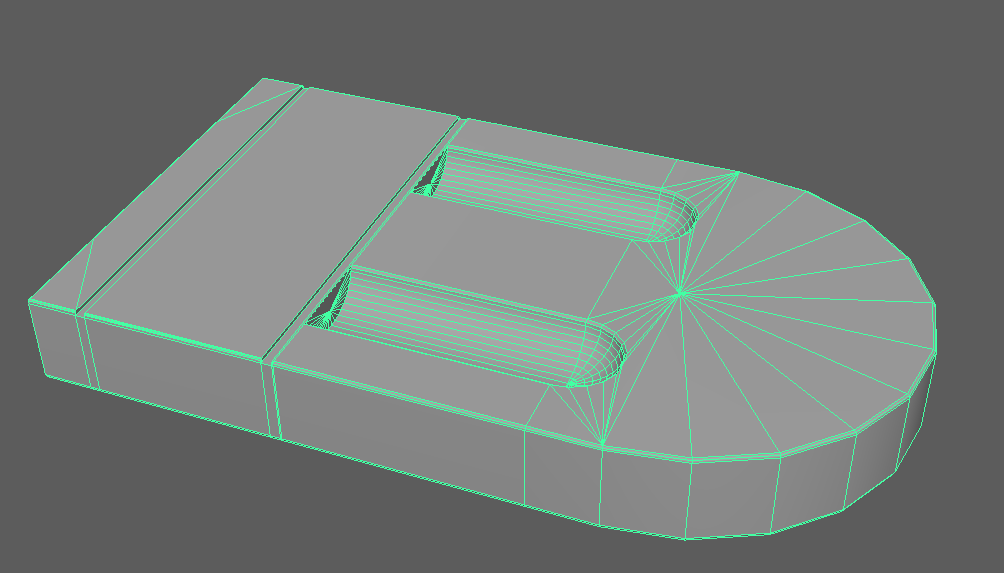


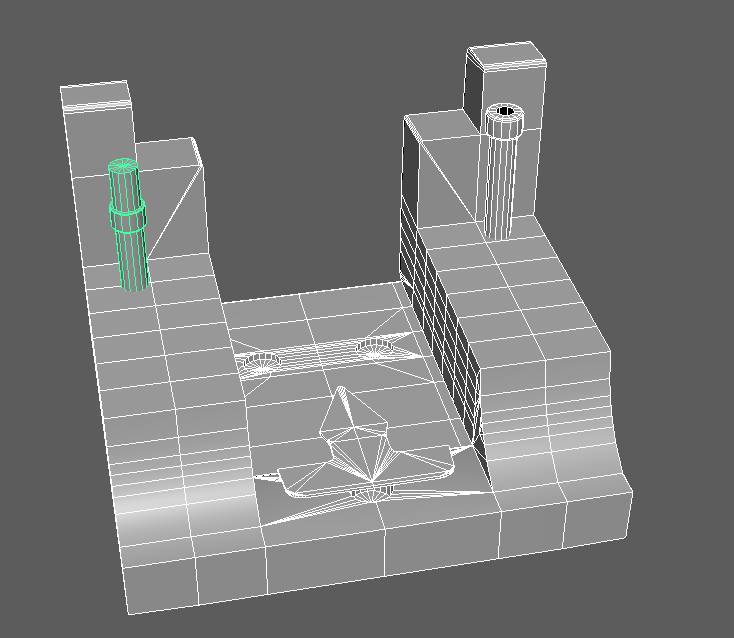
The next piece was one that I split into 4 different objects, although the idea is to explosive bake this I wanted to keep these together as it would make for a nicer bake as well as keep their initial positions on the base itself. This again has a few minor booleans in it as well as odd shapes, I started this by making a flat square and adding in edge loops from there to create the overall shape then using the least amount of geometry to make sure the low-poly stays low.


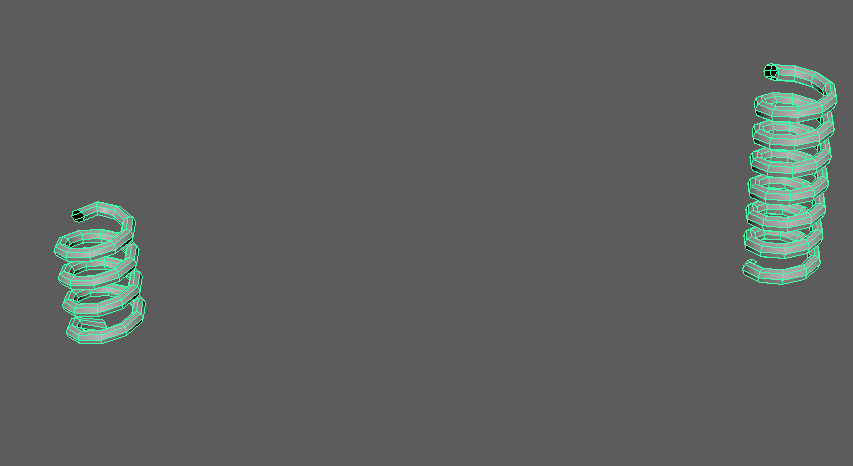
The springs that wrap around the holders were very simple, I just made a Helix and from there adding in the correct sizing as well as less geometry to ensure that the low-poly is under 8k tri-count. Very simple, very effective.


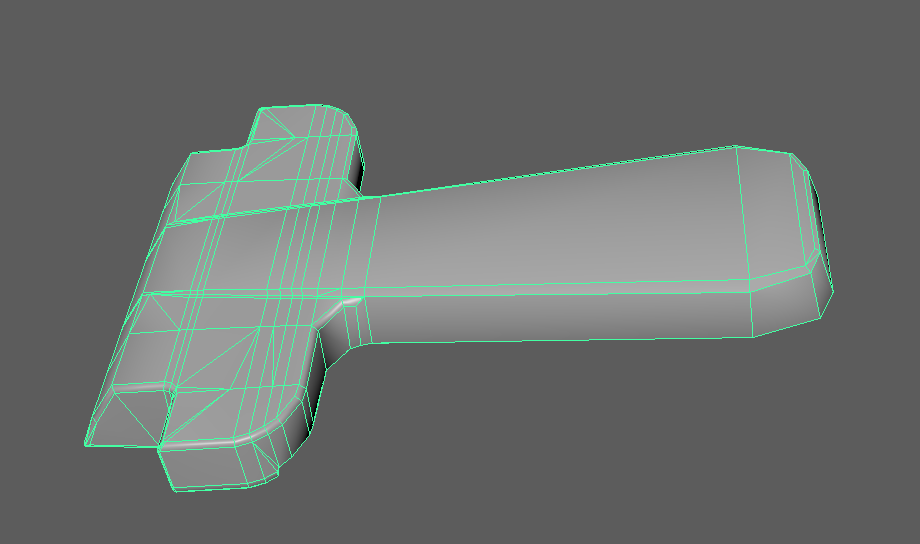
Next is the handle, this was done by firstly box modelling it and then from there using extrudes and bevels to create the curvature and the overall model itself. This part was the most tricky for me due to the high level of detail as well as the complexity of the handle (being angled and curved). This method took longer than expected, meaning this is a good amount of geometry because I couldn't quiet get it right and how I want it. Using 2.1k tris.
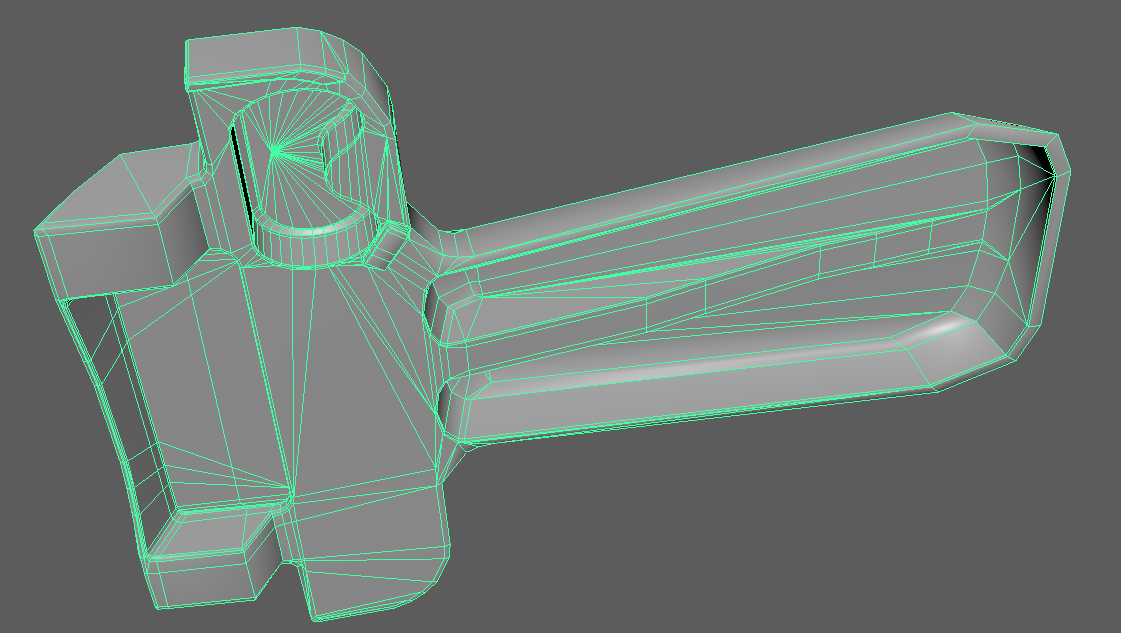

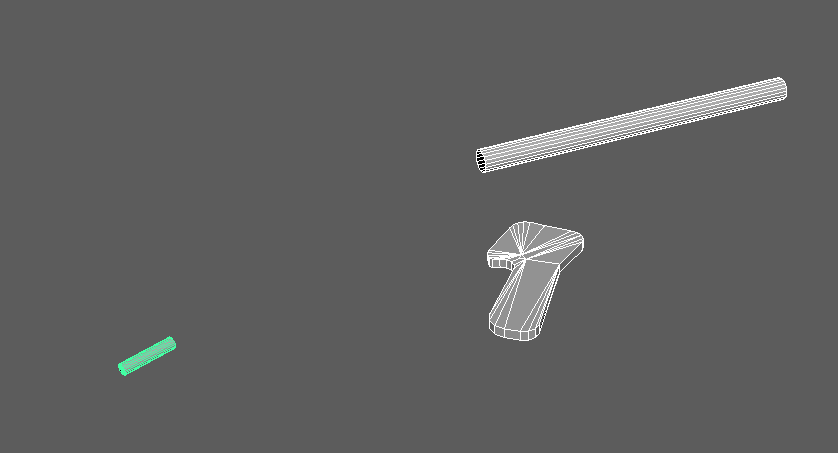
Lastly are the short but sweet pieces, the detail objects that if not put in would be a significant miss. You may not notice what they're used for now but once you put it all together you notice the detail immediately.


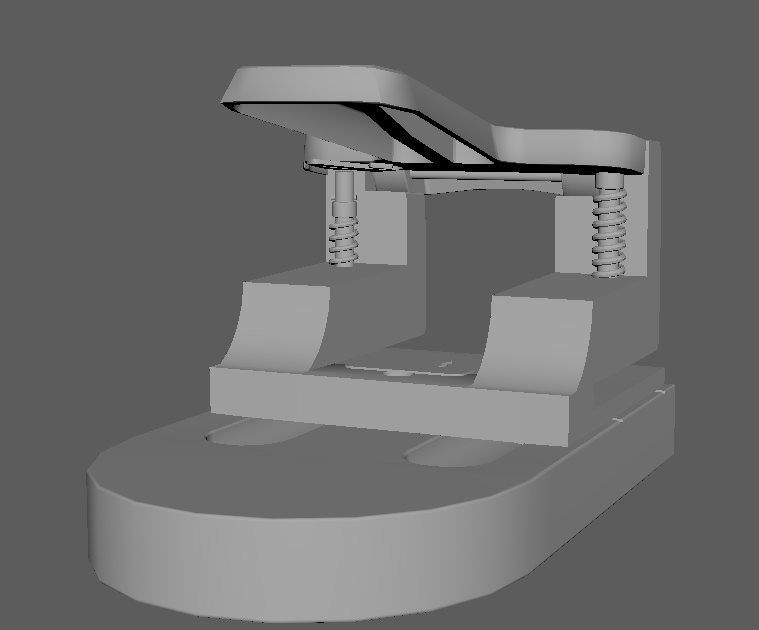
The final low-poly sitting at 7918 tri-count. To make the high-poly I just simply smoothed it by 1 division and then used that as the overall high poly for the baking process later in substance.


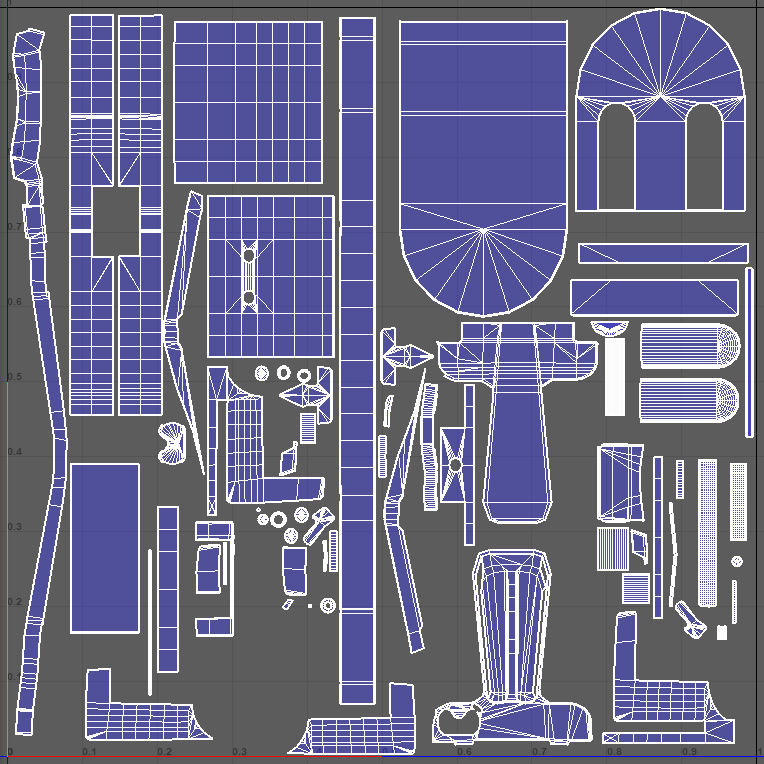
As for the UV mapping process as you can tell they're all separate objects because I'm going to be doing a explosive bake. Doing this means the objects will have to fit onto either 1 or two texture sheets, for this asset I believed one texture sheet would suffice seeing as it wont need too high of a texture resolution on each part. Below is the UVs using a 2k texture sheet as well as all sharing the same Texel Density, because the object is small the texel density had to be put higher to allow a better rate of px/unit (Pixels per unit).


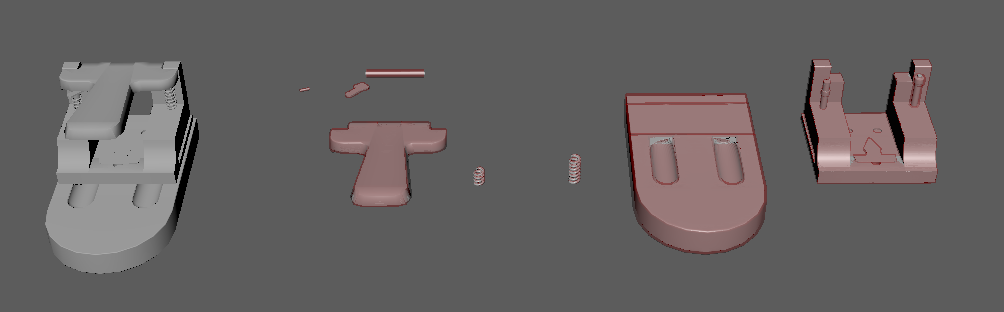
Now that this was done, I made the cages from the low-polys and create the bake process alongside the completed object so that it can be put into substance painter and have the ability to bring it all together. Using this method allowed for my bake to look perfect and smooth with no errors.


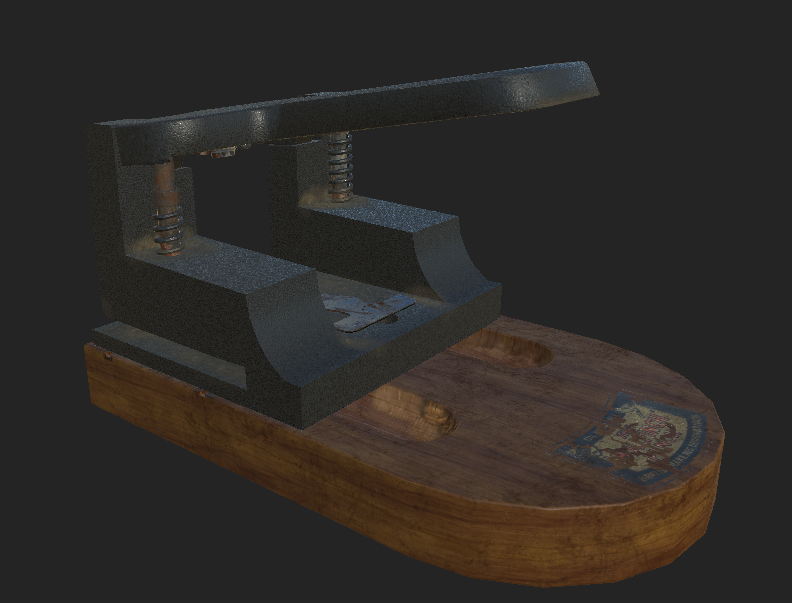
With this I can now set off and texture, firstly before the bake it had to be explosive therefore once baked if you go to edit>projectconfiguartion>file and choose your combined mesh and unticking preserve and ticking create a texture set per UDIM tile it allows for you to combine the mesh according to the combined version keeping the bake and its detail. I then set off texturing, the idea was to use some of the materials in substance and then make my own in designer to get the correct detail needed.

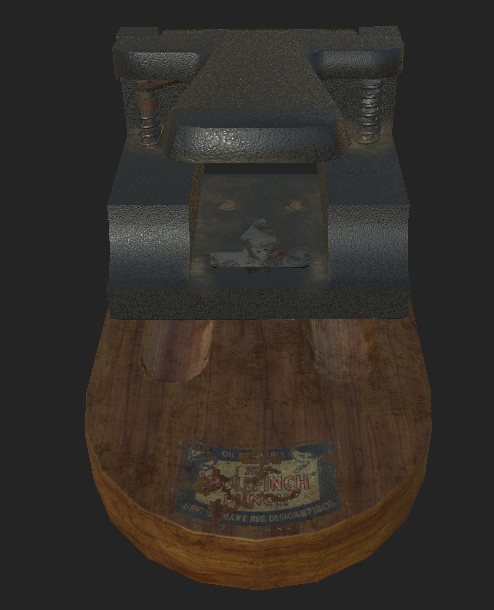
Not only did I make my own textures, I also created a few alphas from the pictures I took during the time I was working on this project. Although it didn't turn out quiet how I wanted it the overall process helped me learn more in-depth about explosive bakes and UV layouts. To give you an idea of the final product I've left a image below of the almost finished product, I will be finishing it next week and doing my final renders then.


Now for the Porcelain Hen, this was something I've been wanting to do for a while seeing as this is what I done in college for one year. Using predominantly ZBrush to create the chicken and then retopoligising in Maya to create the low-poly. This process for me is the most relaxing because everything about it is easy and takes precise amounts of time. I first started straight in ZBrush by laying out the overall shape of the chicken and modelling from there, I will paste most images of details being added below so you can see my process.
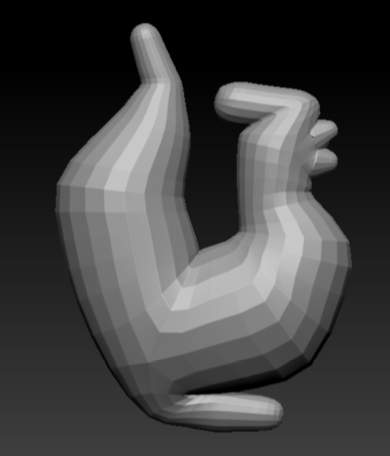
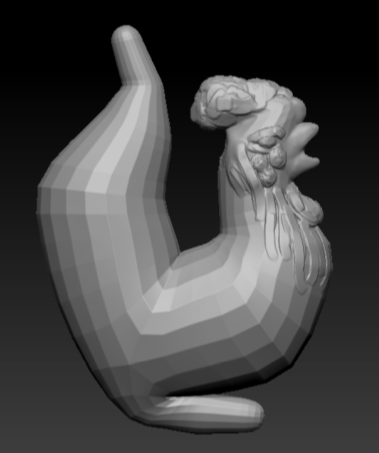
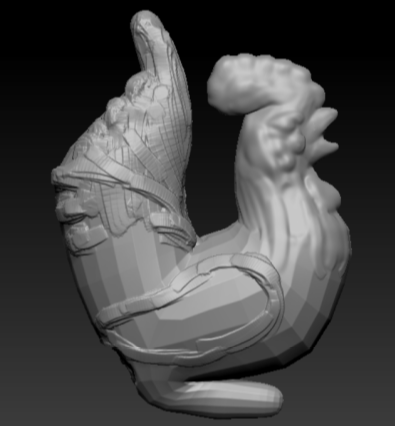
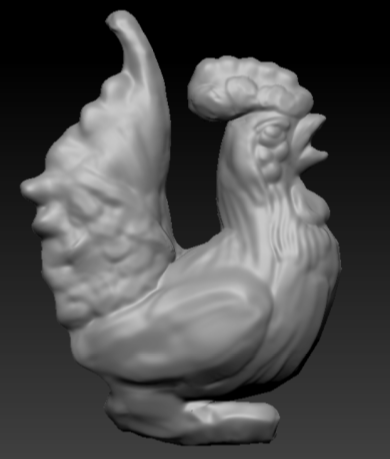
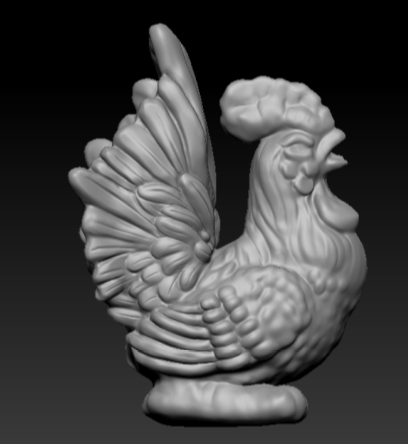


Although these are very basic in terms of creation it is what I am used to doing from previous experiences especially adding in lumped details like the wing and the feathers. This was something that I enjoyed doing and got to revisit what I had learned previously, although it may not be as good as others I believe the end result worked amazingly in terms of overall sculpt as well as in terms of overall detail. I had added a few minor details since then as well to clean up some of the mess around the feathers.

I then re-meshed it and took it into Maya where I retapologised it. This process is long and tedious so this was the part that I wanted to get through as quickly and efficiently as possible so that I can have a good looking low-poly chicken but also leaving myself enough time to texture and UV it.
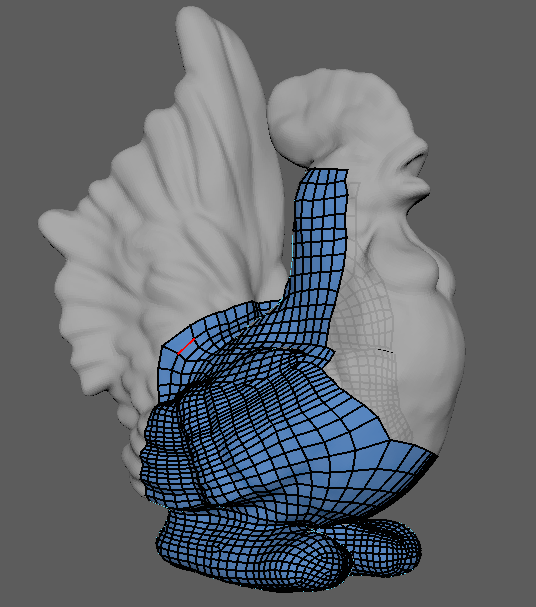
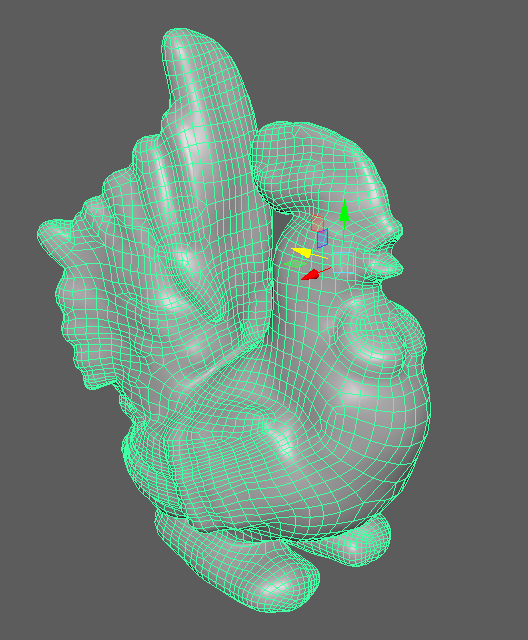


One the retapology was complete I wanted to take the tri-count down as it was sitting at around 19k, I wanted to at least try and half this for the overall experience as well as allowing myself to bake on most of the detail from the high poly. Although this isn't exactly riddled with detail I wanted to take down the tri-count none the less seeing as baking the information on will give me a much better result.
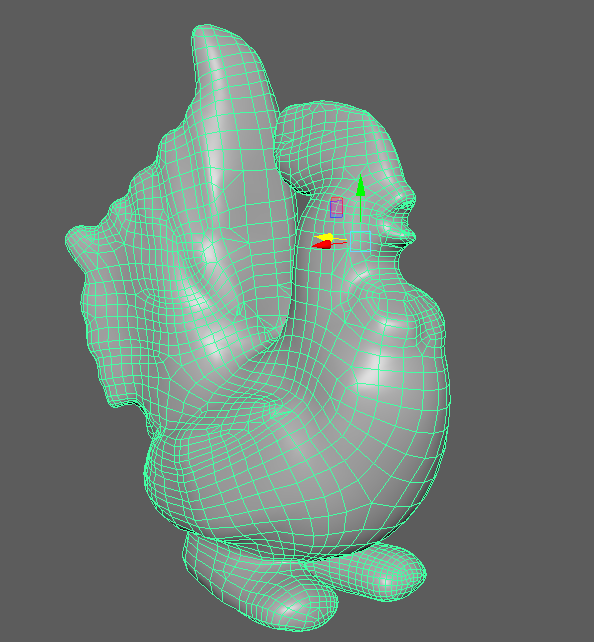


By taking down the tri-count I managed to save 10k tris, taking it down to 9912 tri-count. The overall transition and bringing down the tri-count really made me believe I understood this process more than I ever did as well as proving to myself these sorts of things can be done given the right amount of time. I then UV mapped the chicken, made the cage and was ready to take it into Substance painter.
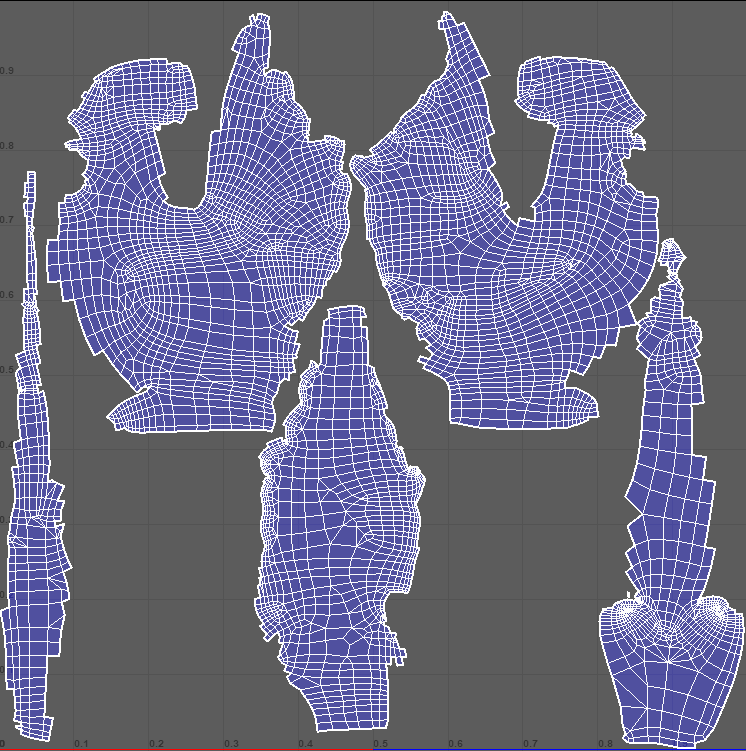


The smart thing I knew about this chicken was that it was going to be hand painted so where the seems lie I can manipulate them to work in my favor which you can see here. The tail, belly and back were all done separate and on the points of paint/curves ending so that way the chickens seems will be hidden because of the actual object and not because of my texturing. Again Texel Density was the same across the board, with it being a smaller object a higher amount was needed especially because it's on a 2k texture map.

The overall bake came out exactly how I wanted it, fully of detail and perfectly UV'd so that way I can go and hand paint the chicken whilst relaxing and enjoying myself. Although not yet completely finished with the painting, below is a screen shot of where I'm at after 1 hour of texturing the Chicken and getting the base color pallet in there. The final renders again will be in my last post alongside the hole punch and the environment. Also this was all done by mouse, I would use a tablet if it was necessary but for this it would take me twice as long to do with a tablet rather than a mouse.