Wednesday, 19 December 2018

The floor

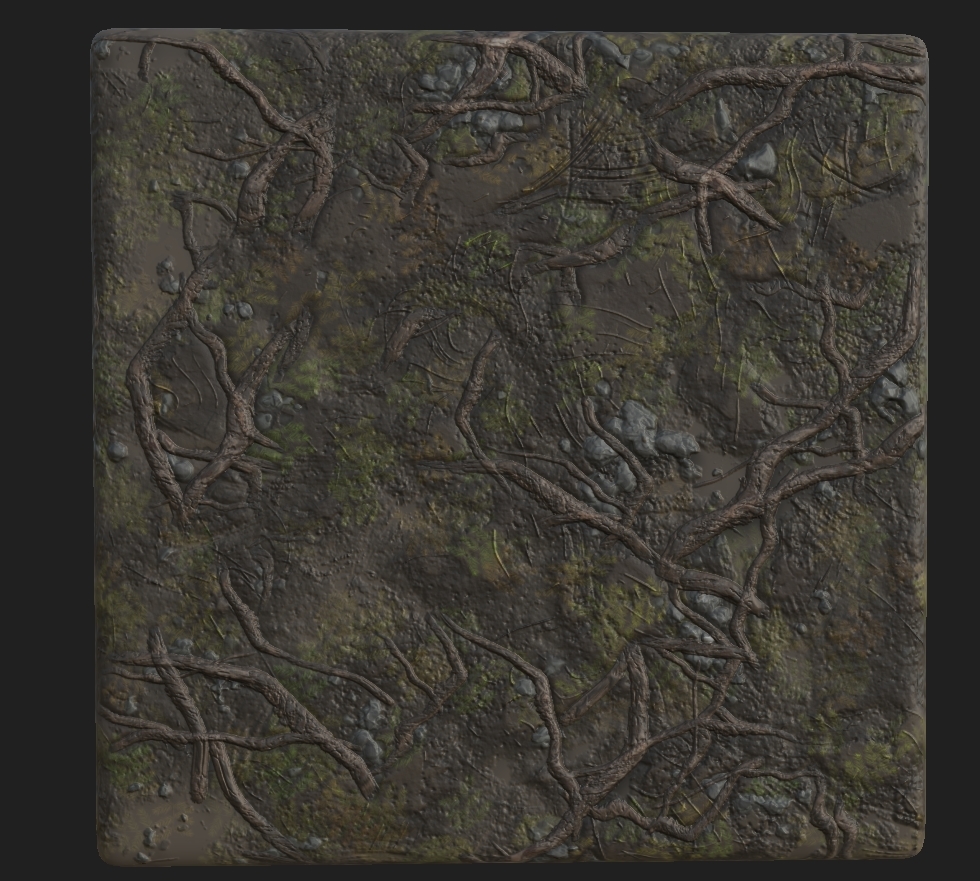
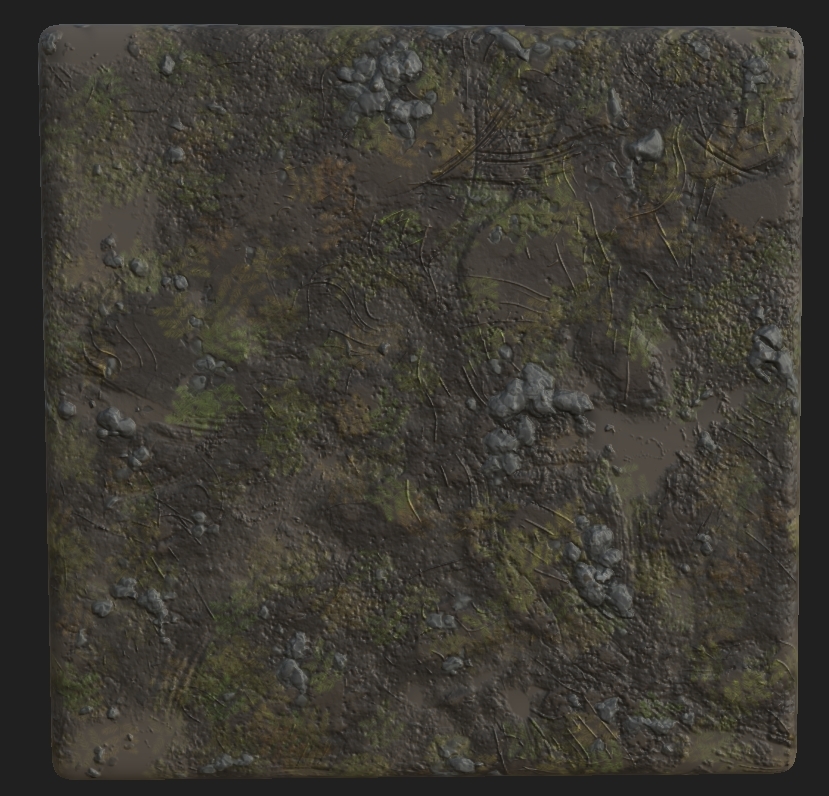
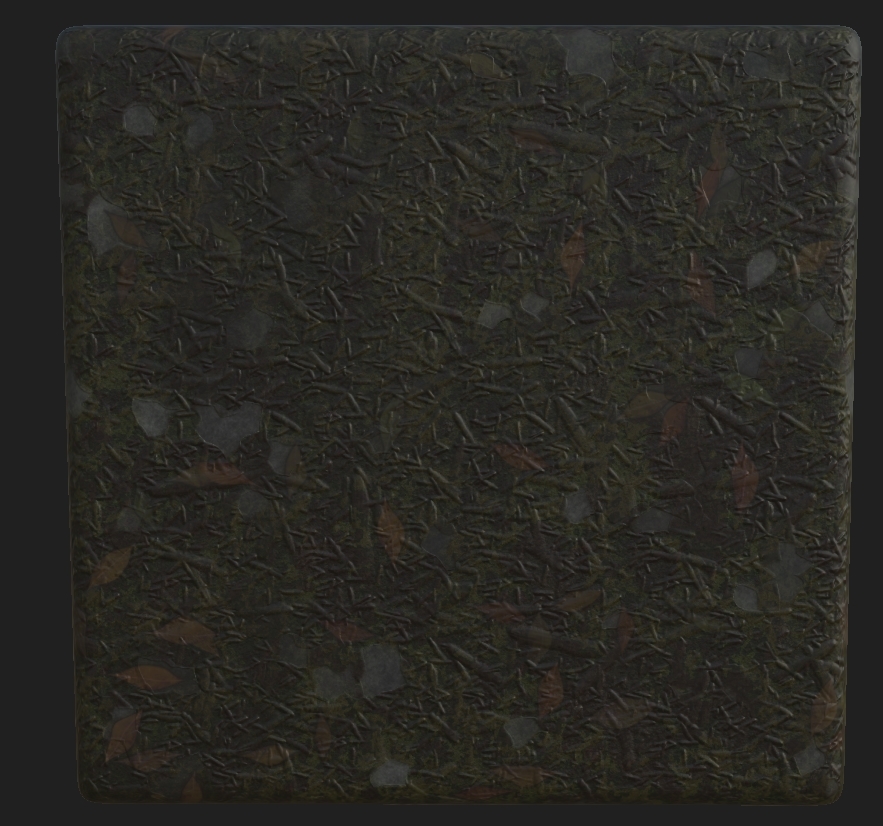
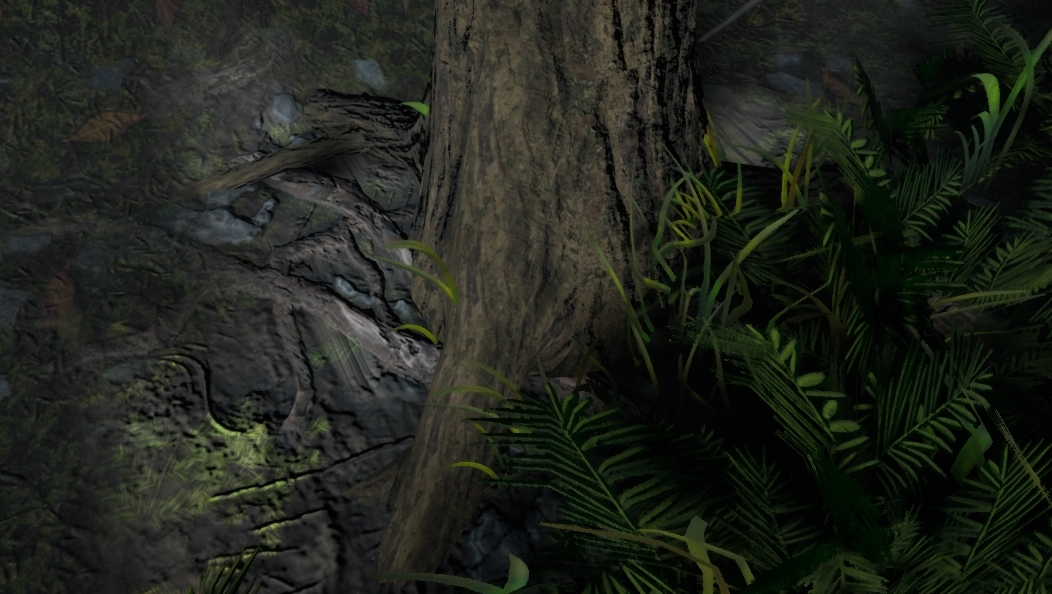
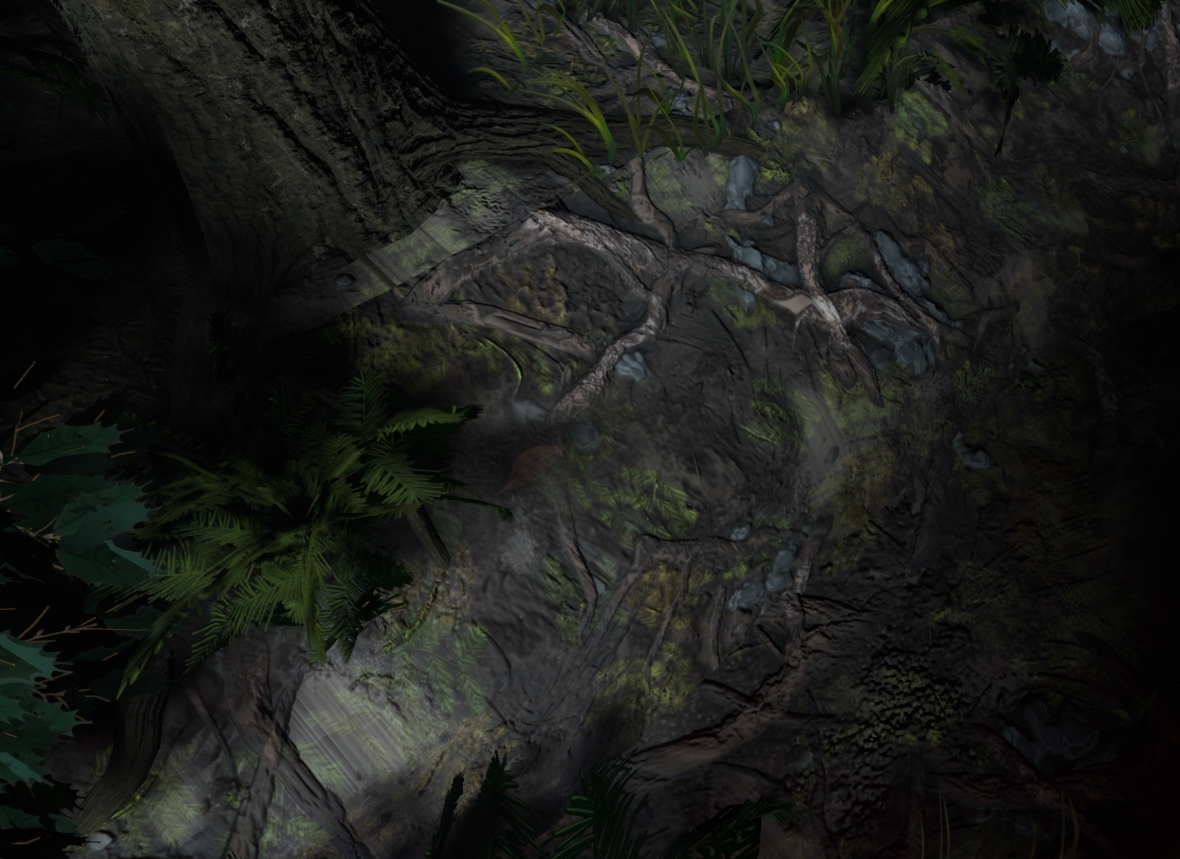
Coming now to the final parts of my scene, although this has been shown previous I managed to finish the floor. This was completely vertex painted on using 4 different textures. I used the RBGA channels to help manipulate this, the textures shown below are what they represent. Next to the texture is what channel they run through.

 = A

 = B

 = G

 = R

The last texture had it's color changed but when doing variations I managed to save over the old file with the correct colors. Either way, these 4 textures are what make up my whole ground base. The way I set this up was by creating a vertex paint material, it may look confusing at first but you will see where and how I approached this. Before we start, I had to package all of these using RMA packages and the setting the compression settings to Masks (No sRGB).

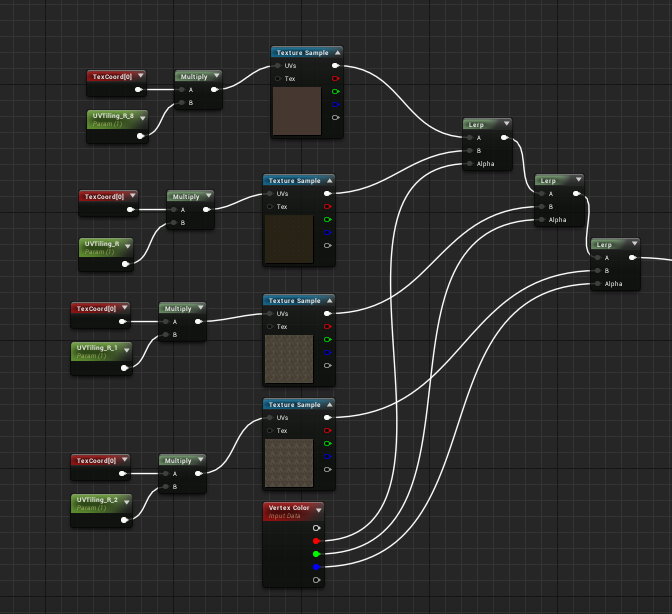
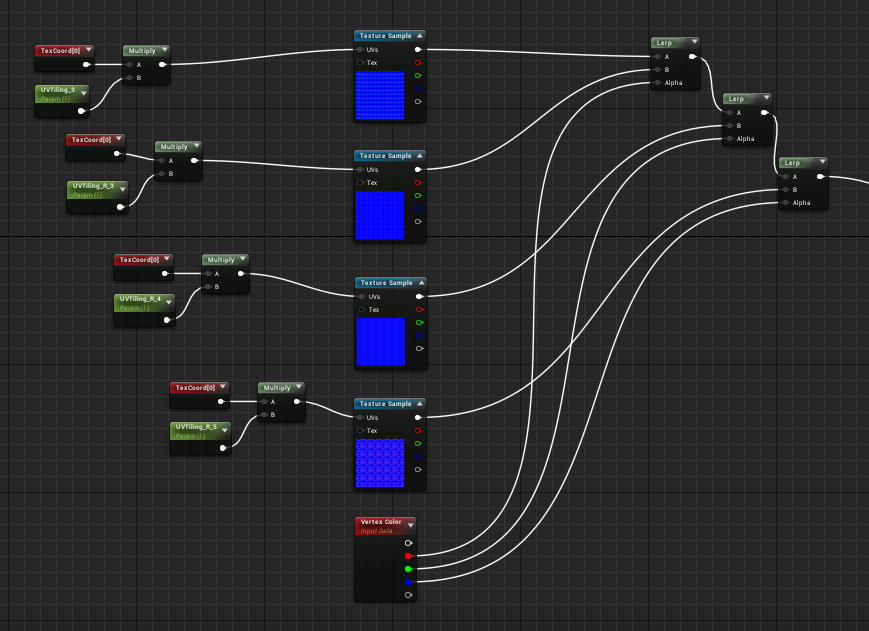
The way I first set this up was with non-packaged textures but realizing that UE4 can only hold 13 texture sets in one material I had to change this. I used a vertex color node alongside the textures which plugged into a lerp like shown below. The RGB channel from the vertex color are plugged into the lerps, but you may notice that there's 4 textures, 3 colors. The reason for this is that white (the first color) will be the initial base, as stated before I learned how to use that a little later than before because I thought it could just be painted on but instead I had to remove all the other textures and repaint it on. To the left you will see a TexCoord plugged into a multiply with a UVTilling parameter. This allows for the texture to be repeated a set amount of times and not have it be massive on the geometry. To finish this you would plug it into the base color.


You would then repeat this process for the normals.


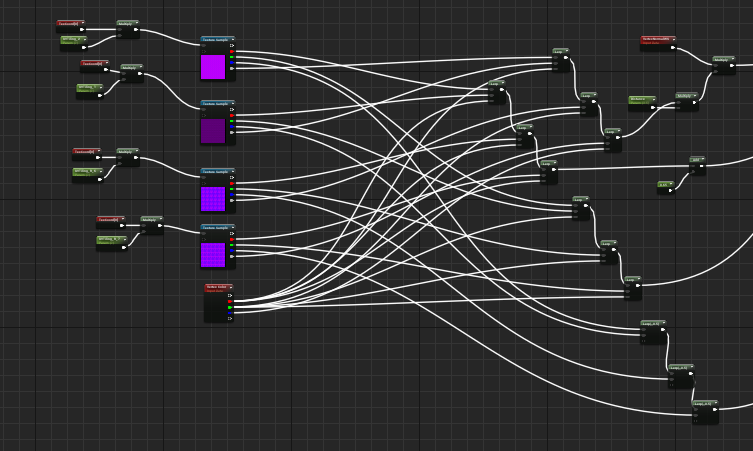
Now it begins to look complicated but actually it's very easy to understand, the way you set this up is the red channel you'd use would relate in terms of RMA(H) dependent on how you packaged it. I set mine up RMAH which is Roughness, Metallic, Ambient Occlusion and finally Height. You would then do the same process, plug the red channels into one lerp same as shown previous so that the material knows what channel to put through. The slightly difficult part was getting the height in, now the way I packaged them allowed for the white channel to be height. This doesn't effect the way the vertex color reads the material but instead the world displacement also known as tessellation. It's not really recommended to do it this way because of how heavy it could be but with such a small scene and trying to get a portfolio piece it was worth doing. So what you would do is the same way of setting up the old lerps but instead using the colors on the RMAH maps to tell the lerps which color the texture is then using the vertex color in the alpha to tell them the channel.


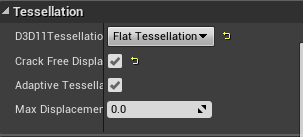
You then would make a parameter which is your tessellation multiplier and turn on tessellation in the details of the material.


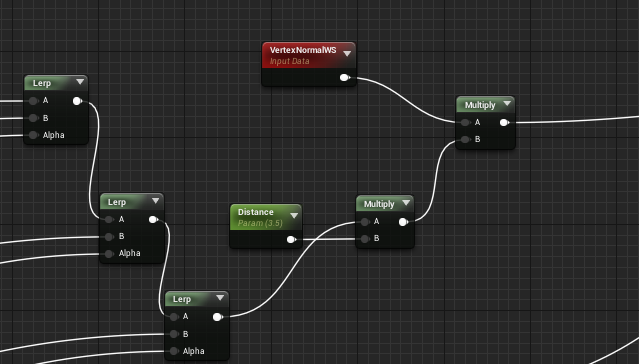
After this, you would then add in another parameter with a multiplier that comes from the last lerp to then join that to another multiplier with a vertexnormalws and plug that into world displacement. This allowed for the tesselation to work the way I wanted and the ground textures work perfectly in-engine and make the scenes composition work.


As for the final image the scene as a whole will help with that but I'll showcase some closeups of where the textures are working perfectly as well as how the overall scene works with the textures. Other than that, the vertex painting was completed by brush in-engine and from there I completed the scene as this was one of my final steps.


Feedback

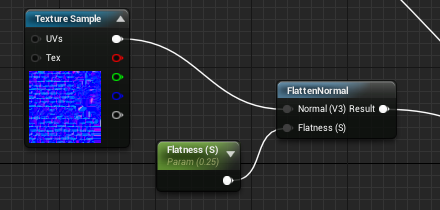
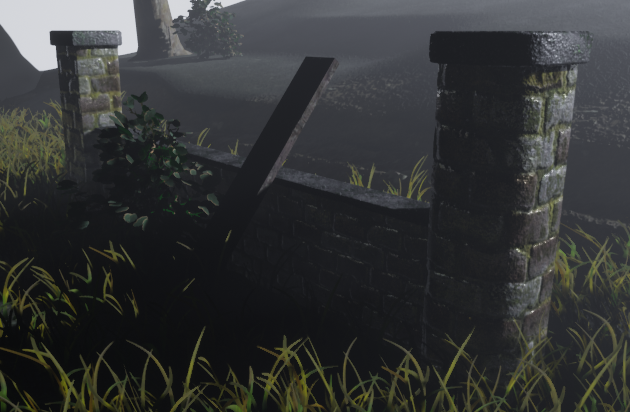
So after working by myself constantly using the references for feedback I then went and asked 4 different people on feedback, these all being industry workers (my lecturers). I showed them the base scene and asked how it could be fixed both texture wise and geometry. So to start off I chose to talk to my UE4 expert lecturer George who instantly sat down and told me what needs doing. He started off by saying that the normals on the wall recently made were too high and that I needed to bring it back a bit, I could either do this using the Flatternnormal node in UE4 but decided against that because it would be easier and more productive to do it in the texture itself, changing the texture to look like the image shown below.


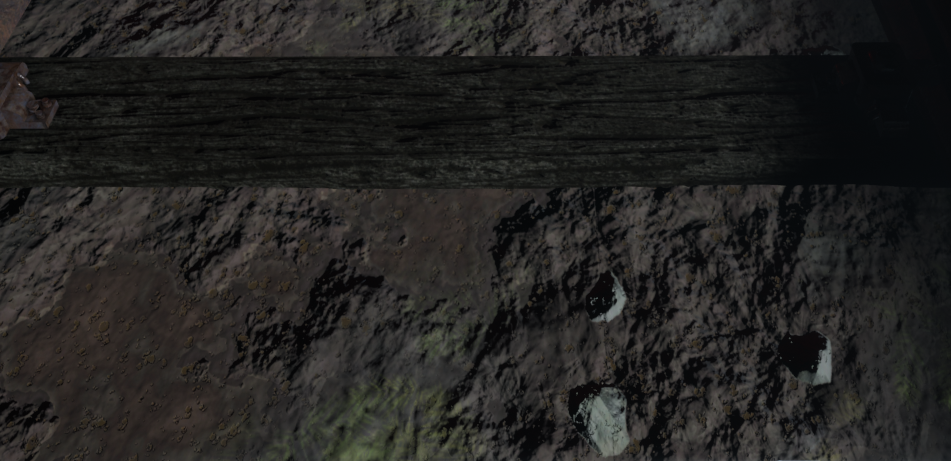
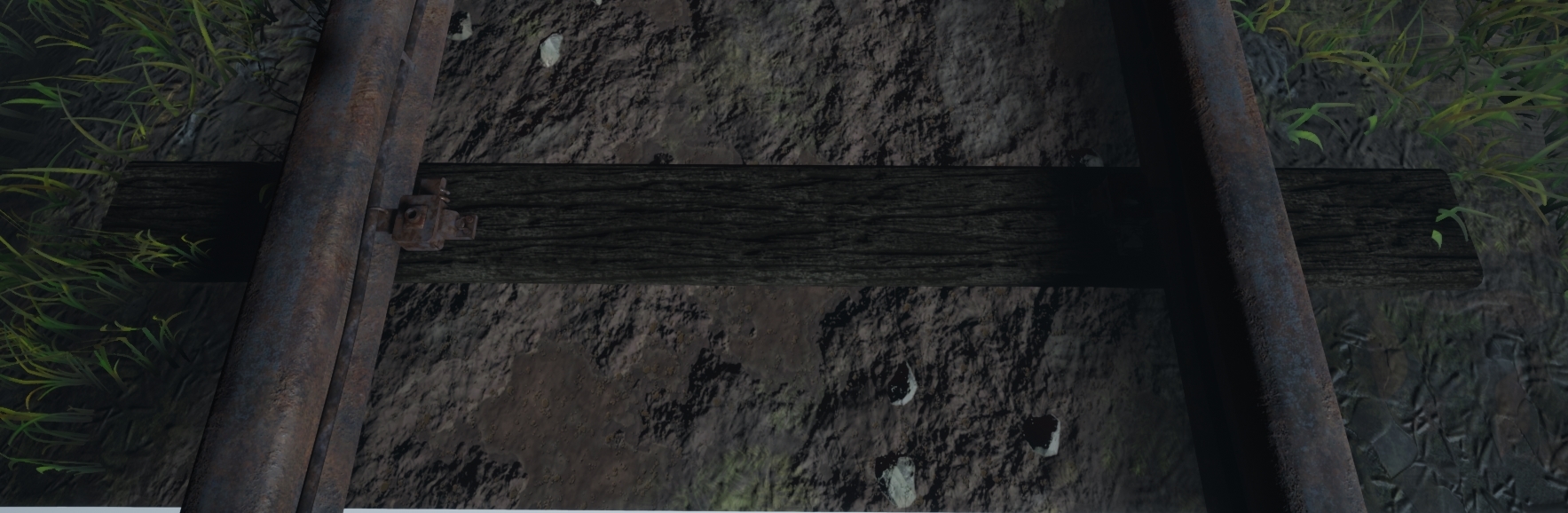
Next I was ordered to make the train track look more realistic, the colors were too bright for my scene (I also thought this but I didn't get round to changing it before the feedback session) alongside the sleepers which if you look at the Substance Designer part of my blog will see a lighter wood in comparison. I done this again but purely changing the texture colors as well as adding minor details to the wood as well as some form of train markings on the rail to showcase trains previously 'riding' the rail.


Lastly he helped me with the vertex painting graph which for some reason wasn't showing any of the white channel paint, he then explained to me that could would have to erase color rather than drawing over old colors for it to work letting me get a better understanding of how it works. This made me go back and work on the overall tiles that were needed as well as all the masked materials in there, redoing them and making them fit the scene better.

My next lecturer Roger who was the one which helped with lighting informed me that the older versions of lighting were making too much noise in the scene, meaning that I needed to turn down all the settings to make it work. The way I went about this was actually a smart but also risky way of doing it. I have fog in the scene which the light passes through, this meaning that they ray through the fog (image shown below of previous and new).

Old.


New.


The idea behind it was to bring down the intensity of the light but also maintaining the rays as well as lit backgrounds and fog. I done this by actually creating a completely seperate fog material and changing the color to a darker grey which in turn shows less light coming through but also keeps the fog in place but instead with a grey contrast (the way fog would sit in darkness). As you can see in the image below, as the forest becomes more dense it becomes more of a grey color rather than white. This fix was simple and effective, this doesn't effect anything seeing as I already had the displacement fog already there just instead had it white meaning no performance was gained or lost.

Image result for fog dark forest

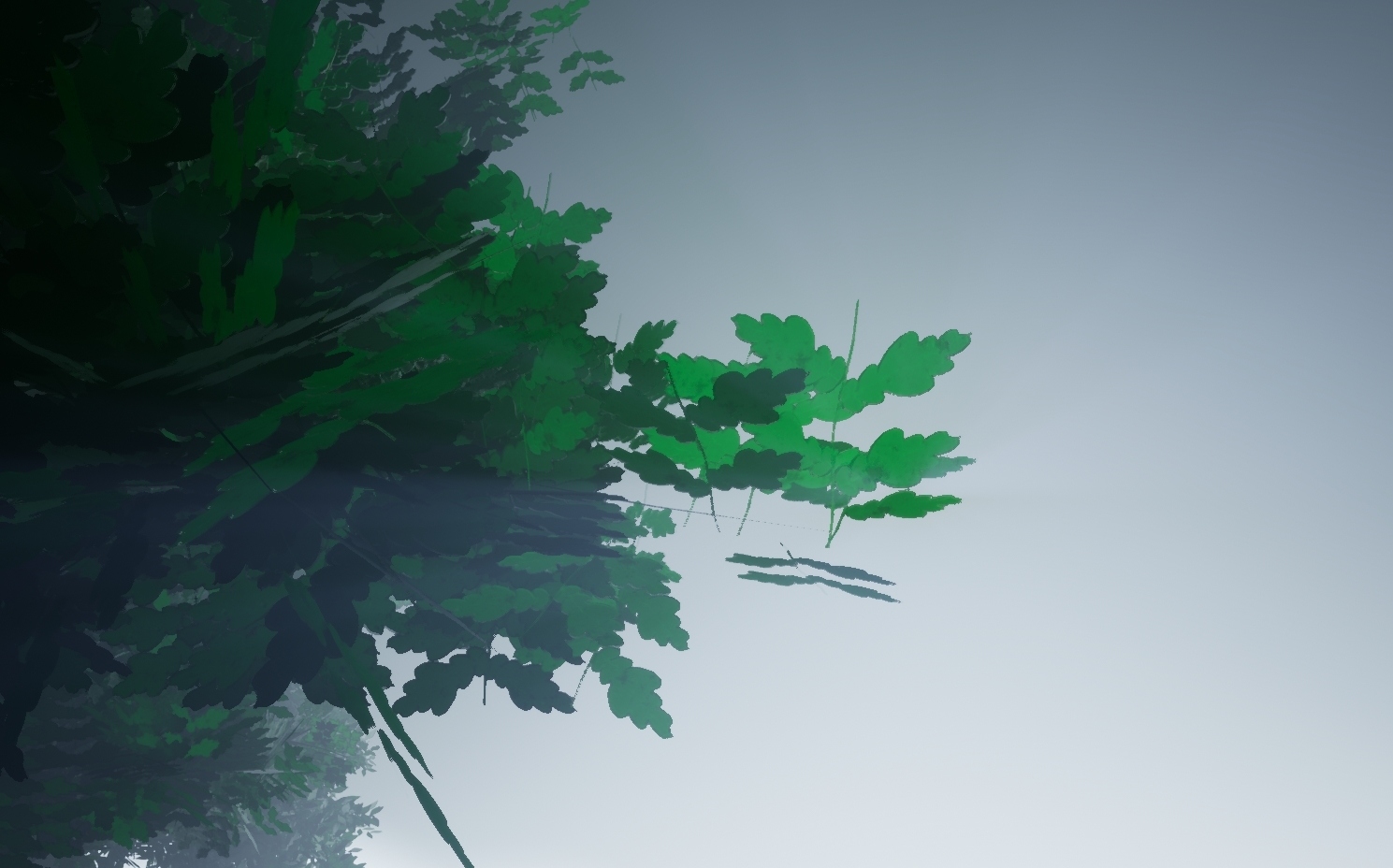
Aside from this he said that the shadows were too dark in places, this is where I found out about 'Subsurface scattering' or 'Translucency'. This is where you have a alpha card and have light travel through the card and scatter the light as if it were like light in real life. It uses the translucent object to grab the light and make it transferable through the object and emit light to where the light would normally bounce to. Shown below is a image of this.


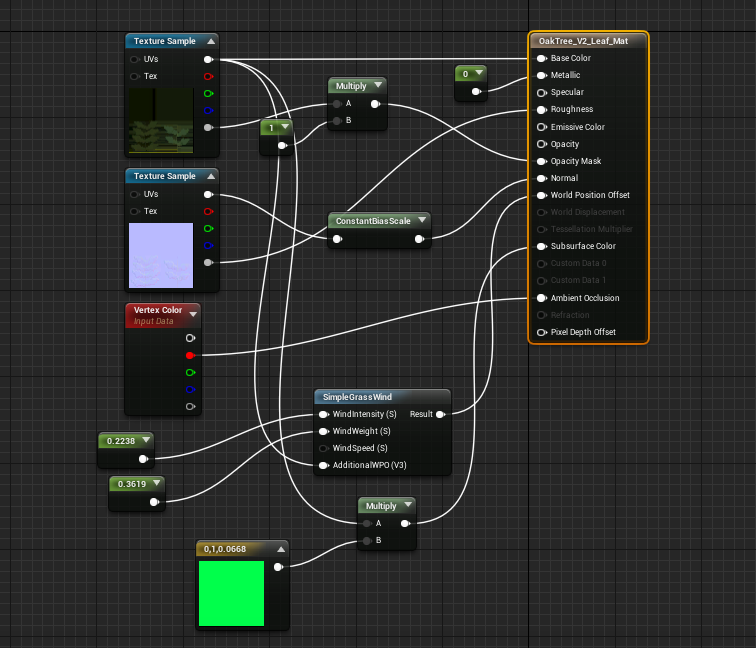
As you can see from the image, the more dense the tree becomes the less light travels through meaning that the shadows can have a blurred effect as well as more light in the scene. The way I managed to do this was through UE4 and using the settings in there to set it up as the SpeedTree version wasn't working in engine. Below is a image of how I set it up. I also changed the materials shading model to Two Sided Foliage so that way we can have more of a lit effect.


(This setup was shown in a previous blog post but knowing now that it helps lighting has increased my understanding of why it's used and how)

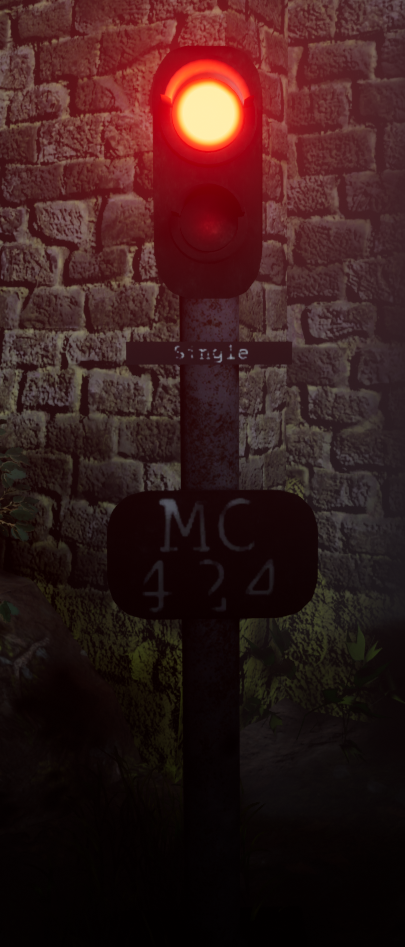
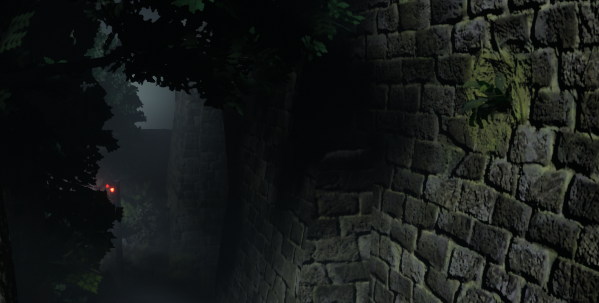
I then went to Chris who told me to break up the green and darker colors with something more colorful, although this is meant to be a rail road coming to a end I decided to have the final life of a light still running. This allowed me to mess with more lighting as well as different colors. Although you can see this previous in Rogers images it was done previous but I saw Roger first in terms of who gave me feedback and in what order. Some images are from being a week ahead of myself in terms of blog work. The reason I chose to have this light at the end of its life is because it would mean the bulb below it would be burning out as well as the intensity would still be quiet high (as it would have been maintained one last time before being condemned). The writing on it is from a link that Ronald (another lecturer of ours who was in the steel industry) had sent me about signs and what they mean on rail roads (https://www.rssb.co.uk/rgs/standards/gkrt0033%20iss%203.pdf). The first miniature sign means single rail road ahead and then the second sign is the license plate of that sign so if there was a fault they'd know how to locate it immediately. These minor details are the parts which bring the project together showing that it's soon to be a shut down rail road.


Other than this a few of the same things were said about the wall texture as well as adding some element of story which hopefully this brings. The way I went about making the light was using 3 point lights, one massive coned high intensity to make the red visible in the scene, one facing back onto the object and using my lightmap to block out the red from the wall behind and then a dim one for the bulb below the intense bulb.

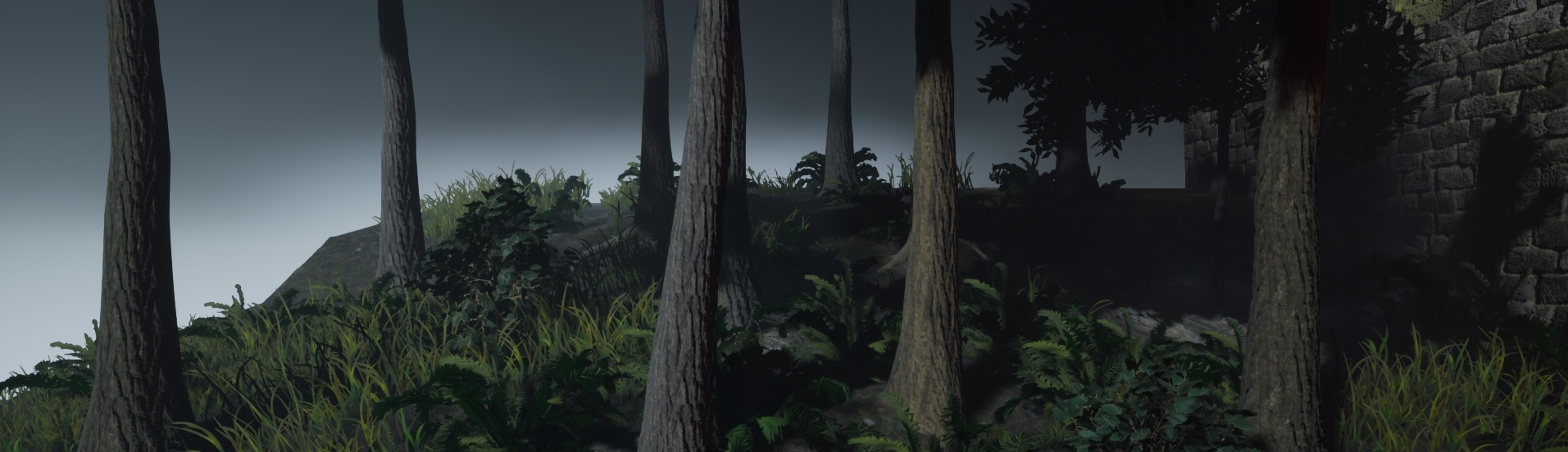
Lastly Mark my final lecturer that I had asked feedback from was very helpful in terms of the overall scope and idea of things. He was the one to mention that fact that there was not much variation in terms of tree, grass and even shrubbery. This was the information I was looking for all along as in the back of my head I wasn't happy until I made these changed. This meant making more variations of the same textures/trees as well as height on some parts of the grass and variations of the ferns. After discovering the concept of hiding things within a scene I decided to add in major detail to take the eyes off of these parts. I decided to add in depth to the scene by adding foliage all the way across the scene as well as the amount of variations. I decided to do this and replace the assets already in place to bring more colors to the scene. The image below shows you the different colors made for the pine tree which dominates the left side of the scene, hopefully the light will work perfectly and fool the eye thinking that some of the distant trees are different colors rather than the same as the ones shown in the front.


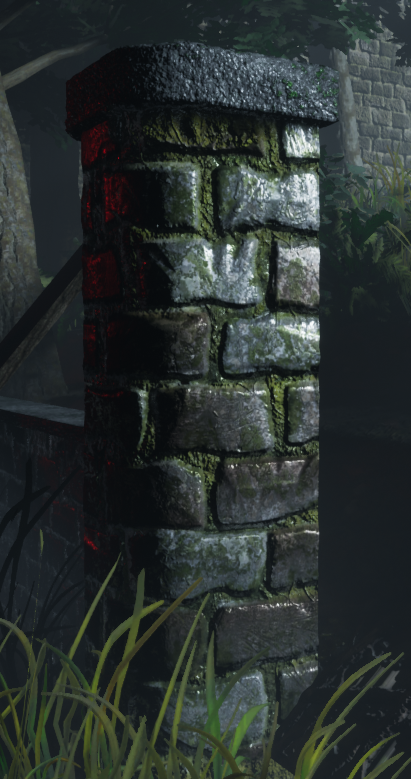
I done the same with the ferns, some are a darker green than others. The reason for this is so there's a difference as well as different levels of light. As for the grass I just ended up changing the size around, with this the colors looked as if they were changing colors unless you were to look really close. These tactics have saved so much on performance but if I was to make this for a game it would be done differently dependent on how much performance I'm allowed to take up. Other than this, variations in the wall were made that aren't in the overall screenshot but for detail for other screen shots such as bricks missing with small plantations growing out shown below. This overall key feature allowed for my scene to have variation in the screen shots also. Shown below is imagery of that.


With all of this feedback I believe it has improved my scene 10x better than before. Especially because of the overall feel of the scene, I wouldn't of noticed much of it due to lack of experience which I've now developed across this project noticing that research is the key fundamental to forming a scene.

References:

Julie, T. (2018). Picalls.com | Fog in the Forest by Traveling Julie.. [online] Picalls. Available at: https://picalls.com/fog-in-the-forest-by-traveling-julie/ [Accessed 19 Dec. 2018].

Vegetation

Throughout the project I've needed a lot of vegetation seeing as it is in fact in a forest. The Missouri forest as stated before has lots of vegetation especially on the western areas. My goal was to create 4-5 variants of tree as well as 3-4 variants for the ground to have shrubs/bushes. Starting this off we have the White Oak Tree specified before, a tree that stands at 60-100ft (18-30m) which is scaled correctly in this scene. The trunk itself is around 2-3ft (0.6-0.9m) and again this is scaled to size in Speedtree. I chose to do everything to scale because my scene will be big enough and dense enough for it all to fit in perfectly. Especially seeing as all the trees I've chosen for this project will be around the same height if not significantly smaller or bigger dependent.

Sassafras, a tree found within the western province of Missouri's forest is predominantly found in the eastern side of North America is another tree that I will be adding to my scene because the overall detail on the leaf and the twin trunk that normally occurs with these trees will help me sort out my scene in terms of 'filling' therefore it will be less of a primary asset and more filler. The Sassafras like the Oak grows to around 49-66ft tall (15-20m) meaning it's a slight bit under the size of the Oak but we can make it work and distinctive enough for it to fit into the scene. These tend to grow around or near the Oak trees because of the spacious room left around the Oak from its dominant canopy. Hence why this was used in the scene.

The Green Ash Tree is a single trunk thinned tree meaning smaller trunk large canopy. They tend to grow around 50-60ft (15-19m) which for such a short trunk allows for them to grow in small gaps and then spread their canopy once fully grown. This means it can fit perfectly into my scene seeing as the smaller gaps can be filled with this tree as well as anywhere that seems 'naked' can be filled in with this tree.

The Shortleaf Pine, the final tree in my collection is the most dominant of all of the trees within the Eastern North America especially in the Missouri forests. The tree itself has a very high up canopy in comparison to the others meaning that its canopy doesn't grow properly on the bark till around 80% of the way up. This means that it can grow in mass amounts in such a small area and like said before dominating the land, meaning that this can be a massive part of my scene seeing as I need to fill out the more 'hilly' side of my scene. They tend to grow again to around 100ft (30m) which as you can tell aside from the White Oak is the tallest of the bunch, the reason I've included where I have is due to its sheer nature of taking over the land meaning it works perfectly and can easily have variations.

As for the floor vegetation we are starting off with the basics that you would see in any forest, the Fern. Ferns are a leaf like plant that dominate the floor of most dense forests that have natural stems, leaves and even sometimes connect to smaller tree roots or trunks. The reason I chose this especially is because the Missouri forest is covered in them due to the dense amount of trees. The ferns tend to grow due to spores so you'll find a lot of them lying next to each other. This again allows me to use these in excess with variations to fill out my scene. This is why I chose this as the first plant.

The next floor vegetation is the Hawthorn bush, although I didn't add the berries to the bush the leaf shape and overall shape of the bush is heavily referenced from the bush itself and drawings of it. Although my leaf has more points it's the same concept giving off the look of a Hawthorn bush. The bush grows around the ferns and along the forest floor but not in pairs or clusters but primarily by itself and growing out and expanding itself rather than relying on others to grow around it. Sometimes you'll find two or three near each other but that is because they normally stem from their main stem and landscape from their main stem.

Lastly I just gathered some images of flowers from the forest floor (unsure of the names) but I saw they grow around mossy/dirty areas and decided to add them in-between the rails where moss would grow. These last ground floor flowers/plantation were the final piece of vegetation to go into the scene. Aside from this every other piece of green will be either moss or grass. The moss itself will be a texture and the grass the same as the flowers a alpha on the floor. All of this research was necessary as it set the height boundaries of my scene as well as what grows where/where things are to be place in the scene. Without it the scene would be completely incorrect in terms of placements.

References:

Shortleaf pine:

https://www.fs.fed.us/database/feis/plants/tree/pinech/all.html

Green Ash Tree:

https://www.arborday.org/trees/treeguide/TreeDetail.cfm?ItemID=1070

Sassafras:

https://en.wikipedia.org/wiki/Sassafras_albidum

White Oak:

https://www.woodlandtrust.org.uk/visiting-woods/trees-woods-and-wildlife/british-trees/native-trees/english-oak/

Fern:

https://mdc.mo.gov/conmag/2003/03/missouri-ferns

Hawthorn bush:

https://nature.mdc.mo.gov/discover-nature/field-guide/hawthorns

Tuesday, 20 November 2018

Week 3/4/5 - Updates

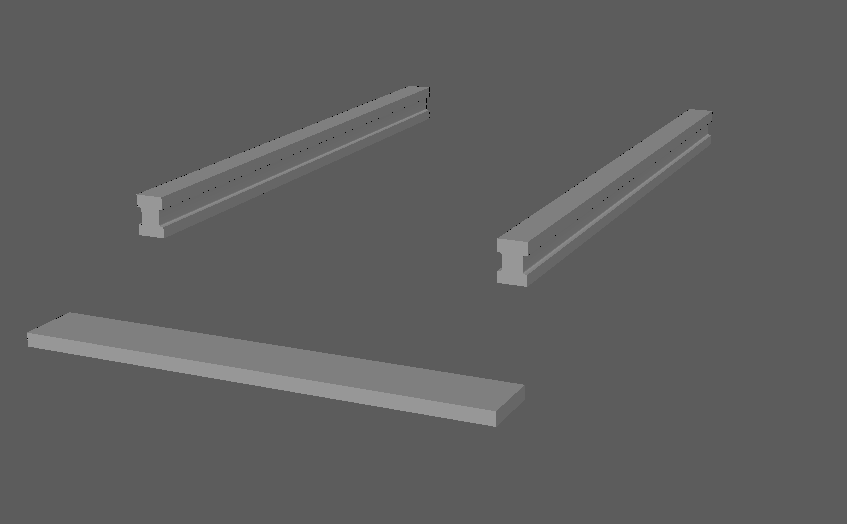
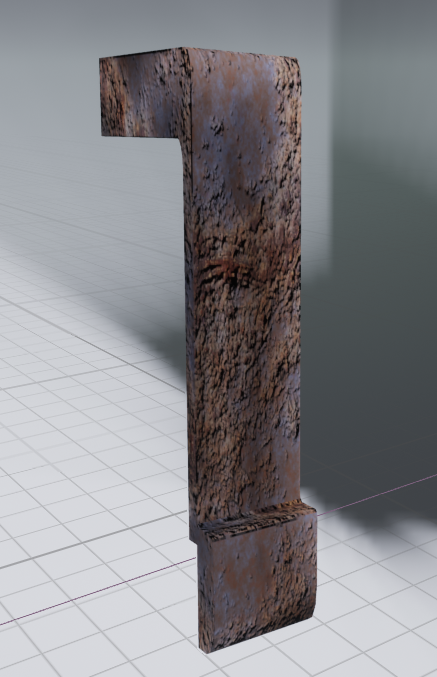
So I managed to get myself caught up in the project. Forgetting about my blog but making minor notes on what I did and how I did them. This write up will include weeks 3, 4 & 5. So starting off I went on a massive roller coaster of feedback, ways to do things and how to go about them with my peers as well as my lecturers. So firstly I decided to update my models, this being everything you've seen before plus more. To start off with I spoke to Ronald Spriggs our anatomy lecturer but he also worked in the metal works industry for many years, he showed me the exact way I should be modelling my railway and the exact dimensions needed. I told him it was going to be based around the American state Missouri and in a dense type forestry area. My first mistake he showcased me was the overall design of the model, firstly I had a square top which was changed to a rounded top shortly after our talk. Shown below is the two images. Along with some other bits like bevels where they needed to be and curvature, not only that but a fixed flat surface on top for the train to ride on.


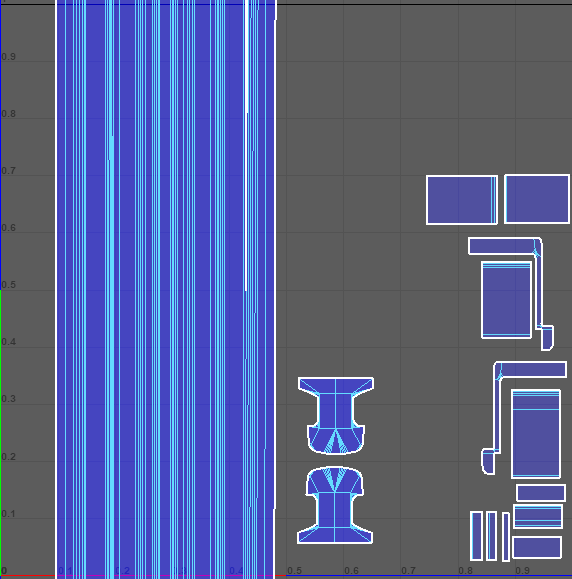
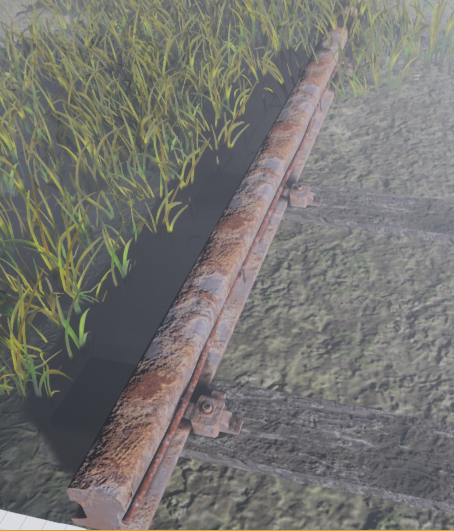
As for the rail being completed, it needed proper UV mapping to allow the texture to form over the whole object as well as the correct repeated pattern to make it look less tiled. The good thing about rust is that it can be tiled but wont ever actually look it unless you really look at the detail. I used the texture sheet method here to create a better workflow and allows for less texture resolution and less performance across the whole project.


The reason I didn't add on anything else to this sheet was because nothing else needed to use this texture, the texel density for the pin was brought up so that way it matched the rail road allowing the texture to look good on both, although this will cause minor stretching it can be hidden because of the tileable texture. If you were to look at it in engine like the image below (real size of the asset) it has no stretching in terms of horizontally but vertically it has minor stretching but doesn't look bad. If this was a bigger object I would change it immediately but seeing as it's so small there is no need as it's just giving off the impression of itself being there rather than dragging the eye towards it. As for the rail as mentioned before it works perfectly with the material and the overall repetitiveness is left out due to the rust looking different as well as some vegetation will be hiding some of it. That was the rail completed none the less along with the wired pin.


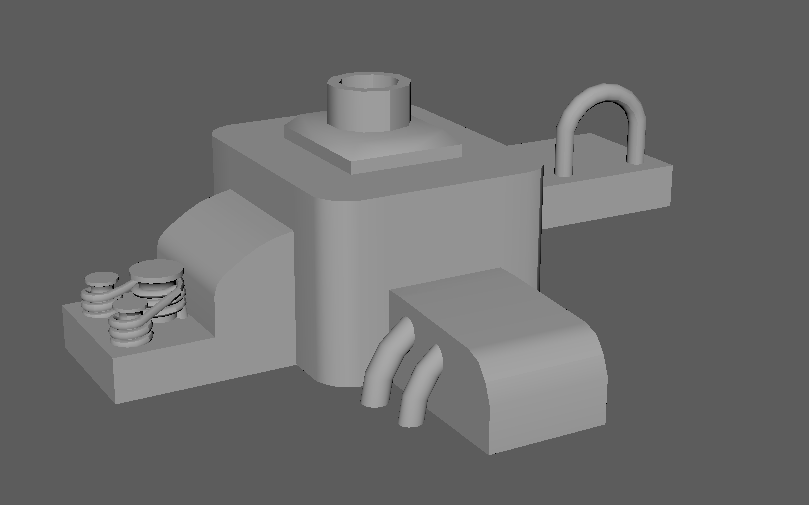
He then told me I needed to add in a 'train stump' or 'holder' which is what holds the track in place onto the wood and earths the track so that way the trains don't cause static electricity on the rails causing build up. He told me that normally there would be a big bolt going straight through the ground and the wood from top to bottom and the something clamping the wood down as well as the rail, this allowing the rail to be earthed. This concept I made up is for a old electrical rail which used wiring to generate electricity for the train. The image shown to the right is my reference image for this as well as overall concept piece I'll be following for my rail. (References at the end of the document).

 Shallow Focus Photo of Train Rail

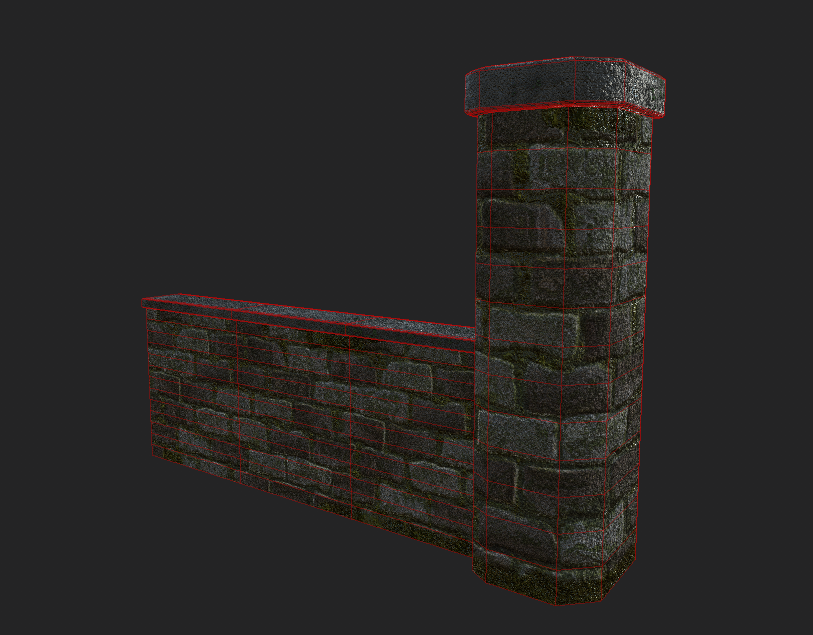
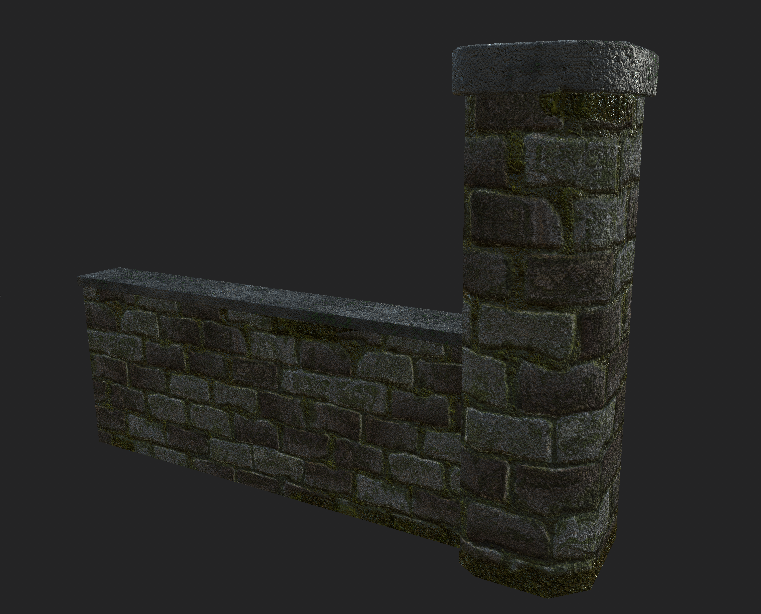
Moving on from this I then went and made my wall, the wall which will be situated on the right side of the render/start screen and taking up around 5% of the screen space. The way I went about making this (because it was such a small part of the scene) was by creating a basic shape and using the texture to fill out the objects small geometry. I made this piece modular as well so that way it uses up less memory as well as it will be a easy tillable. Here is a image of it with a few textures I had made previous for this object. Although the left image shows a lot of geometry it's only 400 tris. The reason for it having so much geometry is so the texture sits well and can if needs be, be vertex painted over at a later date with more moss etc. in engine. Not only this the maps are completely adjustable in engine and if the noise is too much I will be toning down the normal's in UE4 by using the FlattenNormal node along with a Parameter to give judge on how much or how little it should be flattened. Shown below is the image of the graph. This was later changed to be done in the editor but I'd like to showcase that I can do it in engine as well.


The overall shaping of the wall could be broken down and worn but instead I wanted a dilapidated feel which hopefully is going to be given off in the final project, less broken down more overgrown hence the moss, crack filled moss as well as a overall darker tone on the brick work. Below is a image of the final form of the wall (without the displacement fog).


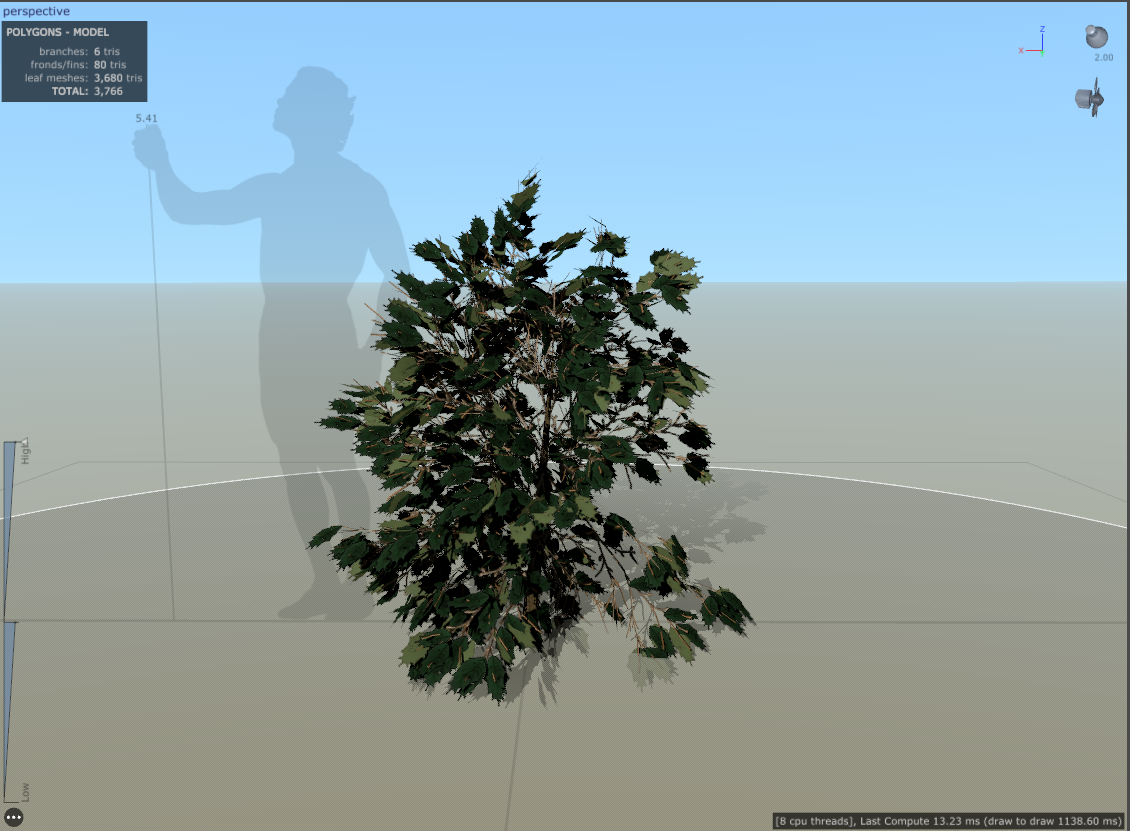
The trees/bushes created in this project are all from speedtree (see learning speedtree for more information) based around the Missouri forest as mentioned before. I have learnt a lot of different things about the program including wind, base structure of trees, leafs and alphas & many more things. The good thing that came about from learning this program is that it has allowed me to extend my knowledge on organic modelling as well as having a understanding of trees and how they work in the Unreal Engine. Aside from the Oak tree made in the first blog post I also made a GreenAsh tree and a Bush to add into the scene to fill it up a bit more. Although these are minuscule pieces they have taught me the program in more depth that the Oak tree did.

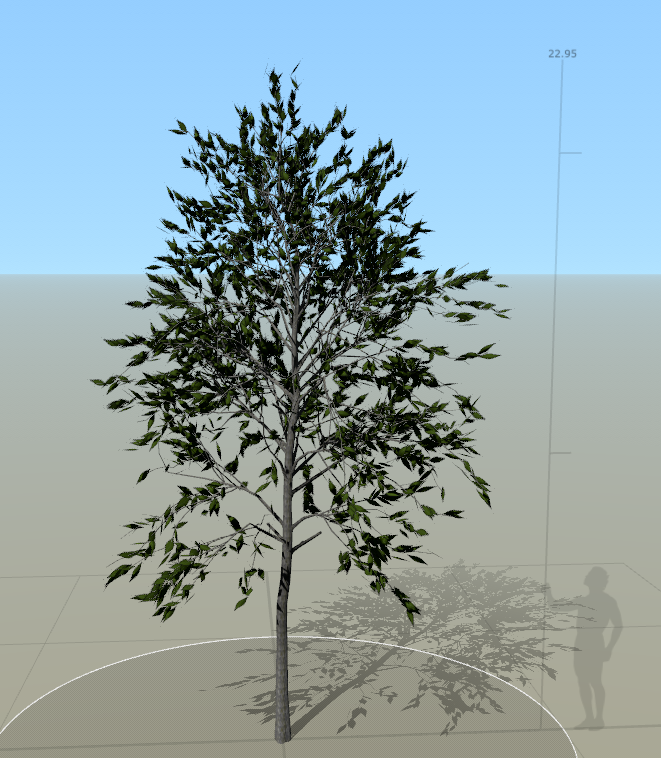
The Green Ash tree tends to grow to 80 feet in height (23.9m), meaning that I would have to make it around 23m in height for it to be realistic. The tree itself used the leaf I made in the generator as well as the bark texture re-colored to make it fit. Now you may think that using the speed tree wind generator in engine would be a good idea, nope. The wind generator only works if set above 1 meaning strong winds if you were to put it into the Unreal Engine.


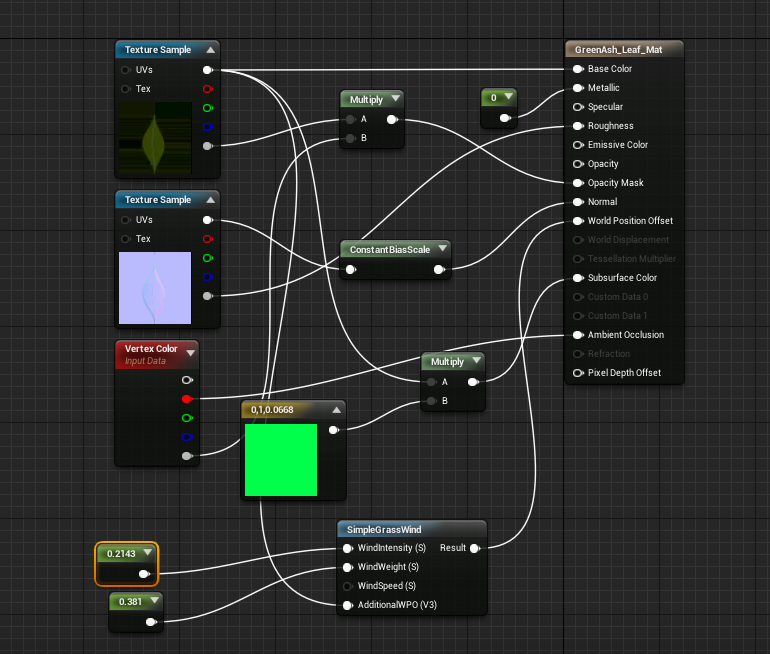
Instead what I did was create the wind in the Unreal Engine, I used the Wind Directional Source and changed the strength and speed to 0.2 and then had no gust. I then went and added in the wind to the Leaf materials (when added them to the trunk it looks unrealistic) and used constants to create a idea of what sort of intensity I wanted them at. Not only this, the subsurface scatter map doesn't port over from Speed Tree as well as I wanted it to into UE4 so I have to make my own in UE4 as well. The way to do that is very simple, change the shading model of the material to Two Sided Foliage then add in a base color into a multiplier with the base color of the leaf and plug that into the subsurface color. The graph shown below is the overall finished product of the leaf with wind & subsurface scattering included. Although these things are minimalist it adds to the overall realistic feel of the trees themselves. (Tri-Count of this is 15k)


The same process was done with the bush although more basic. After understanding how the wind, subsurface scattering and overall scaling of foliage works the bush was just finding a reference (American Holly found on the western side of the Missouri forestry) create a small trunk, smaller branches and adding in spiky leafs. The rest I can just copy over from the tree because the wind power would be the same (although it was slightly adjusted as wind travels at different speeds dependent on how high up it is) as well as the subsurface scattering. The only thing this tree has different is that instead of the smaller branches being 3D I made them into alphas to make them look more realistic (Turned the branches in Speedtree from 3D to 2D and added my own texture). Other than this the only other thing to mention is the vertex painting but that will be in a separate post.


All the references from trees are from the Missouri department of conservation website which can be found in the references as this is where I have taken many different images from as reference. This website is the life and soul of my project right now seeing as it's the only website that gives out all the factual evidence I need. The next hurdle I have to come across is vertex painting the landscape, this will be done in the coming week/weeks and I will mention about the textures made in that post.

References:

Johannes Plenio, (2016), shallow-focus-photo-of-train-rail [ONLINE]. Available at: https://www.pexels.com/photo/shallow-focus-photo-of-train-rail-1165994/?fbclid=IwAR3i-J2xaMnVe6jiZ5aI2MthaNF8D_mUbYhzyPscIkMMQp20zPV5VpCDb98 [Accessed 17 October 2018].

Missouri department of conservation. 2018. MDC Discover Nature. [Online]. [25 October 2018]. Available from: https://nature.mdc.mo.gov/

Substance Designer

The concept for this blog post is going to be primarily all of my textures, how I break some down, explain them and how they are referenced. As shown before the texture for the tree was made that is quite a basic version of some of the graphs that I have created for this project, I will be primarily showcasing some of the workflows here rather than explaining every single node because that would take some serious time which I don't have on this project. There will be one or two which I will explain because of the amount of help they've given me but for most it will be a brief explanation and reference.

Note: The only textures I wont be talking about here are the ones explained in other blog posts (including:  Bark see 'Substance Designer - My methods - Tree Texture', Floor textures see 'vertex painting')
 First Graph - Leaf Generator

Start off I wanted to do the ones I wish to talk about first, this is my first ever leaf generator. You may have read previous that I have made a leaf in substance, this was good but I wanted to take it further and be able to make multiple leafs out of one graph. So what I thought about was shaping a leaf, the idea of a leaf shape was hard enough because in substance everything patterns itself. I then remembered how the transform 2D node allows you to turn of tiling as well as lets you size and shape anything you want, although this may not be the best way to do it I set it up like this. Using a waveform node and turning everything in the node options (aside samples) to 1 it gives you a generic leaf shape. I then thought why not do it like Photoshop and just pain over it a few times to create the basic shape you want, I then done this, both images below explain my process visually.
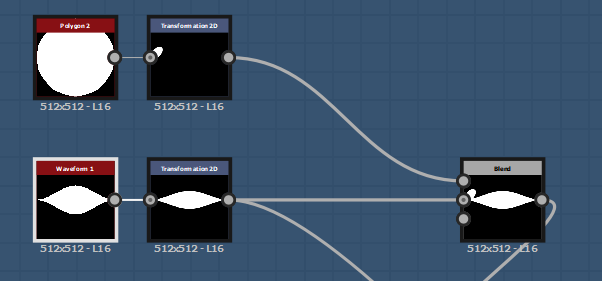
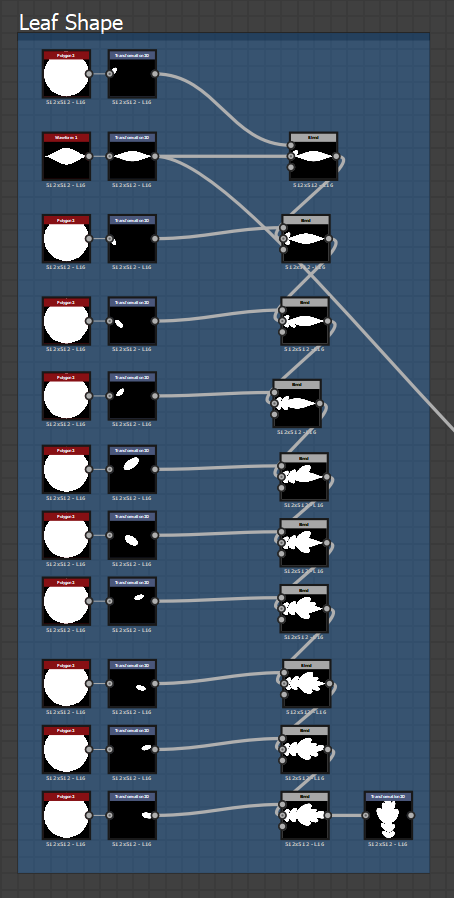


Although this is a long process you can see the difference in what I have made, going from a standard leaf shape to a oak leaf which was used in my scene. This again allows anyone to shape whatever they like and have it so that the shape immediately looks like a leaf with veins, a stem and anything else they wish to add like damage etc.

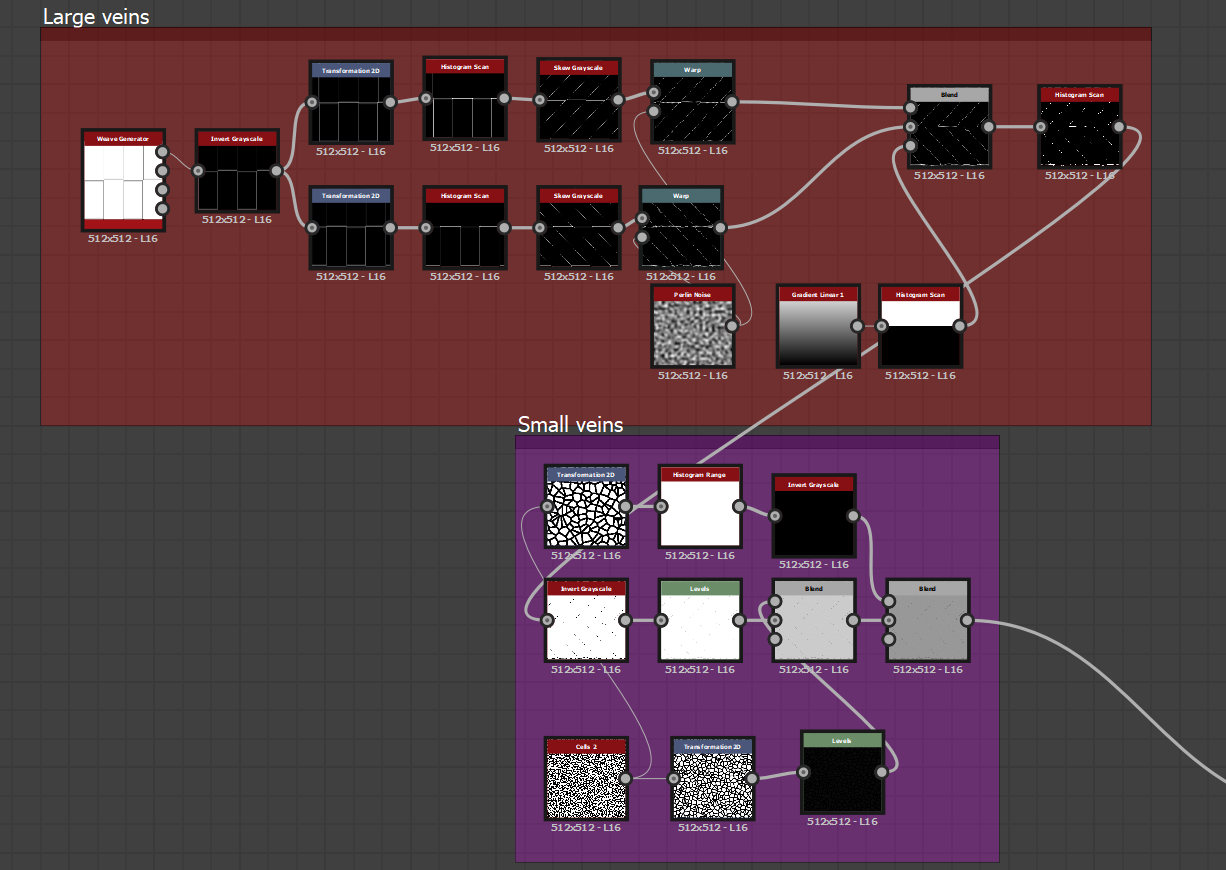
Second detail would be the veins, like I said before it is all completely adjustable and anyone with the graph has complete control over what they can make and with the layout of the grid hopefully it is simple and understanding. The veins themselves are easily manipulated and can be transformed, moved or even completely deleted if they want, intensity settings in the histogram scan as well as height mapping with the invert gray scale and histogram range.


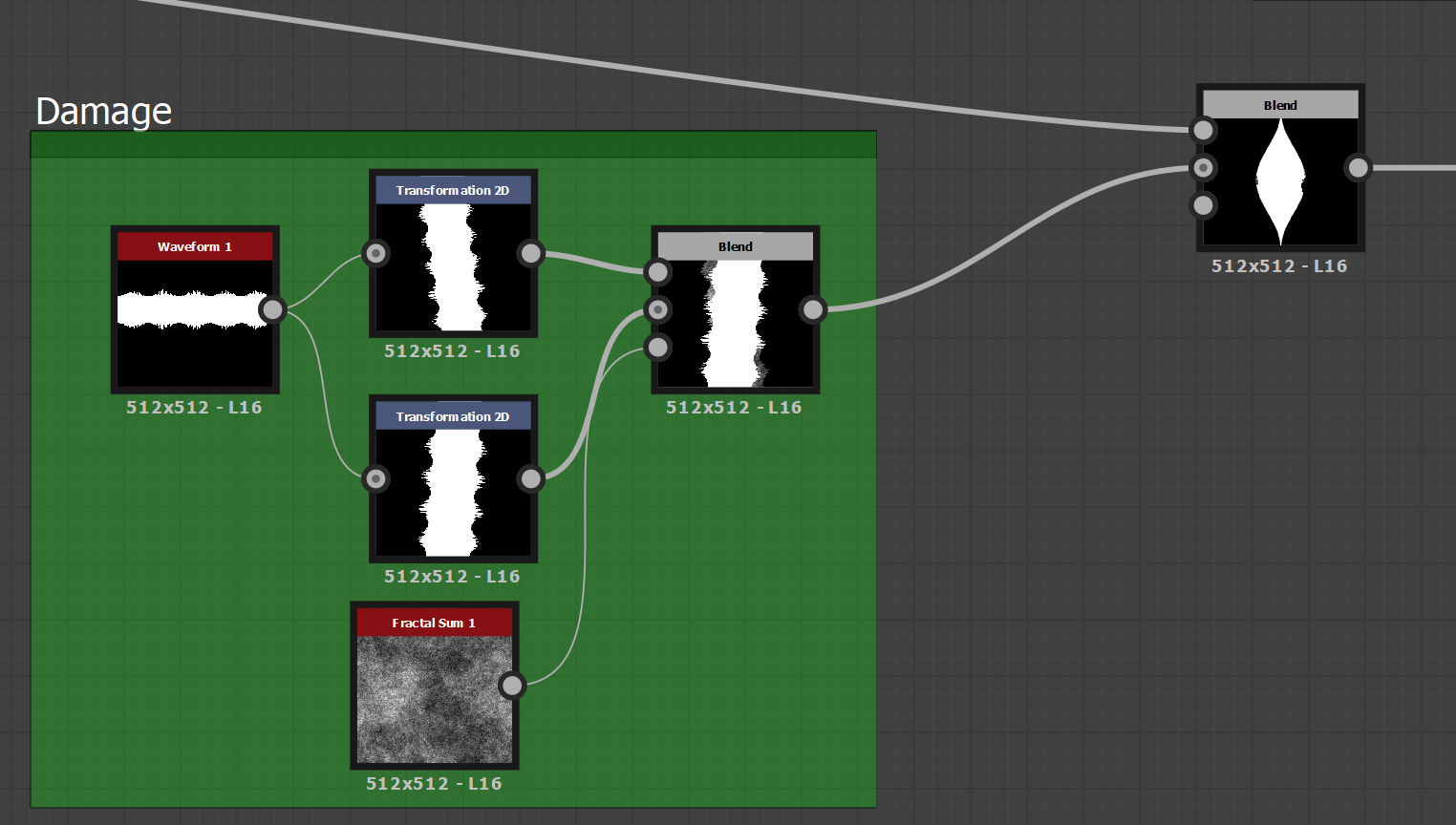
Next the damage node, it is at the beginning of the graph because it is the base of color, scaling of the leaf, form as well as age. It is blended with the shape with Min (Darken) so the damage is just a background damage I'm yet to work out if anything else would be better here but this was taken from a previous guide (https://www.youtube.com/watch?v=_UeCIak8sBk) which shows you how to add small edge wear to the leaf itself. Although his isn't exactly like this it still works with the same concept in mind. Whether or not it is better or worse in some opinions it works, this can be completely manipulated so if you don't think it looks good you can completely rearrange it to your own liking.


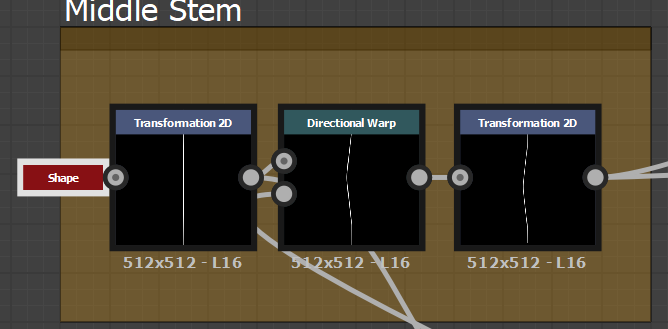
For the stem, the idea was to create literally a small stick going from top to bottom with a cut off point. Very simple, no need to explain this, if you want to change it you can easily because all it is is a shape, 2D transforms and a directional warp.


The curvature in the leaf is from a basic 2D transform with a shape put into the intensity of a directional warp. Normally people would use something like a cylinder or a circle to create this but I wanted it to be really intense and adjustable so what I done was added a cone with a tiling of 1 so that I can tile it in the 2D transform and make it completely adjustable.
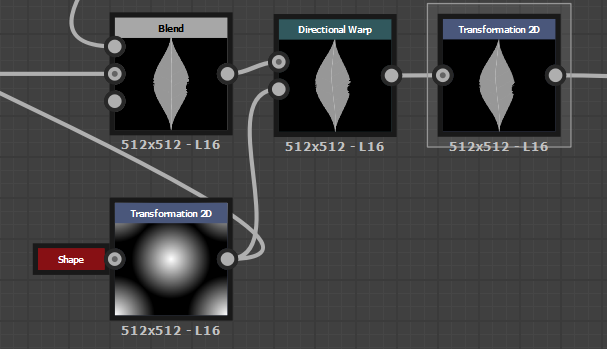


Other than this the basic shape has been made now it's just for the coloring which is again completely adjustable but with a few other bits thrown in to create height maps, ambient occlusion, normal, metallic, mask, roughness and the overall base color. I would explain the graph in more detail but it's minor details added in from here onward. Here is the overall graph for you to get a understanding of the layout and how I went about starting the graph all the way to the end.
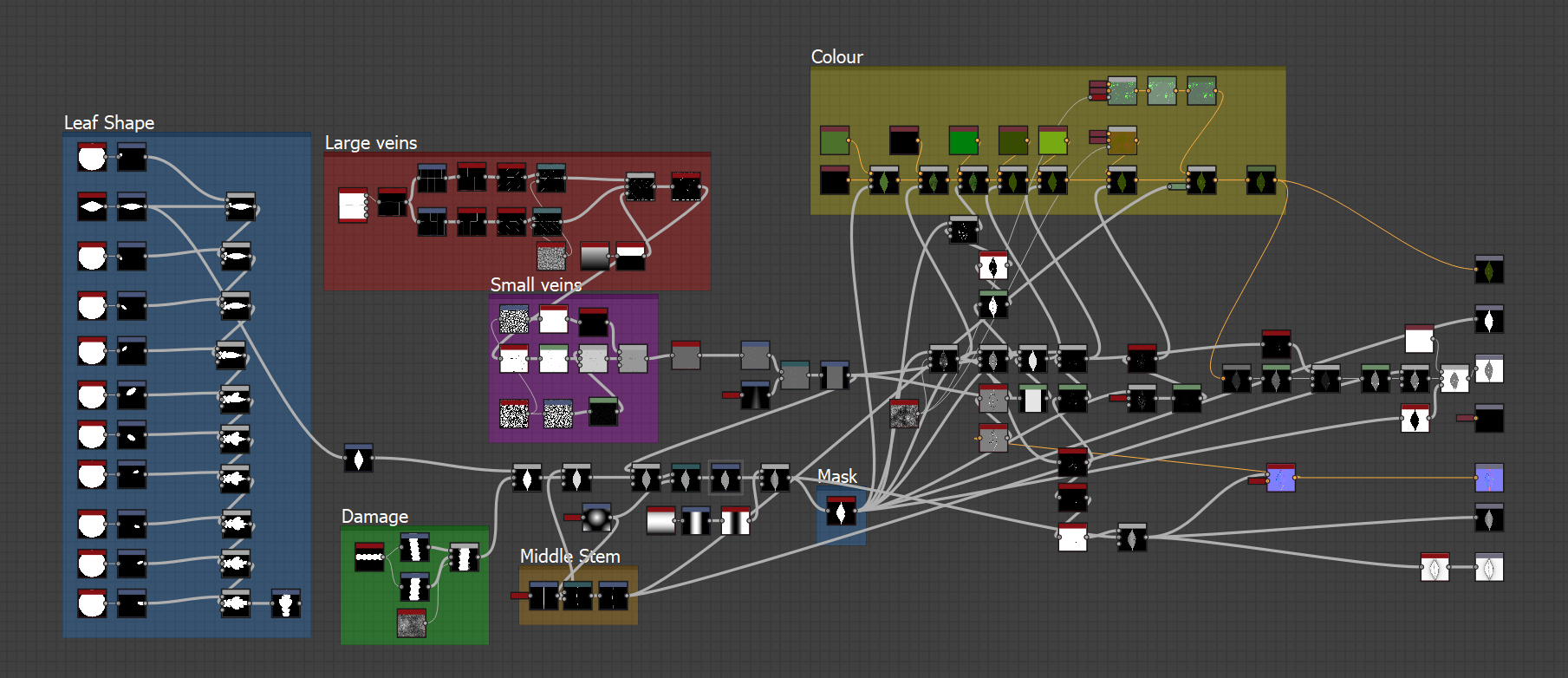


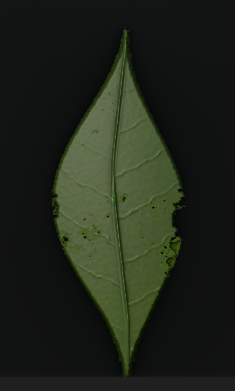
This in the end was how I made all of my leafs for my scene as it was quicker and easier than doing the version made by Paton Varney, although the results he gets are much more realistic I've had to devote my time elsewhere in terms of leafs so using the methodology had to be used due to time restrictions. I showcased the first leaf in this graph because it was the most basic to peoples understandings, it is a Green Ash (Fraxinus pennsylvanica) leaf shown below is the reference.

Image result for green ash leaf(MDC Discover Nature, 2018)

-

Brick Texture (St.Louis No.1)

The concept behind my brick texture was to firstly get a understanding of what the brick is made out of and then secondly the color pattern, everything else would be irrelevant as most of these bricks will be covered in moss and damage. The reason I wanted to get as close to the materials and brick work as possible is so that it creates a sense of realism within the project even though the graphics wont be 100% realistic. I carried this over from my previous project and decided to work on the material some more. This will be the first time I'm using material blends so hopefully the outcome is suffice.
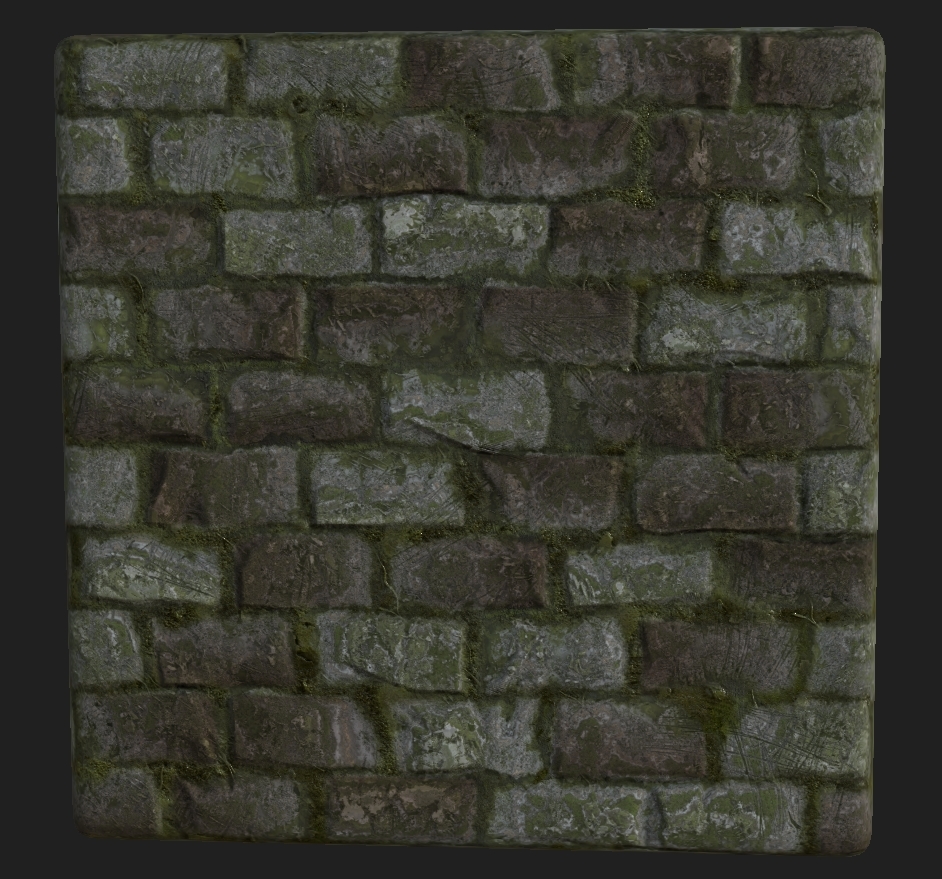


Again this graph is completely adjustable with a random modifier I added onto the graph allowing anyone to take it and have it instantly adjustable (Random seeding). The graph is laid out so that anyone can go in and understand what is going on and can easily adjust it to their own. I do this in case one day in the future someone has the file and I'm not there to explain it to them. (This was put into a RMA map for the project but the screen shot is out dated in terms of that).
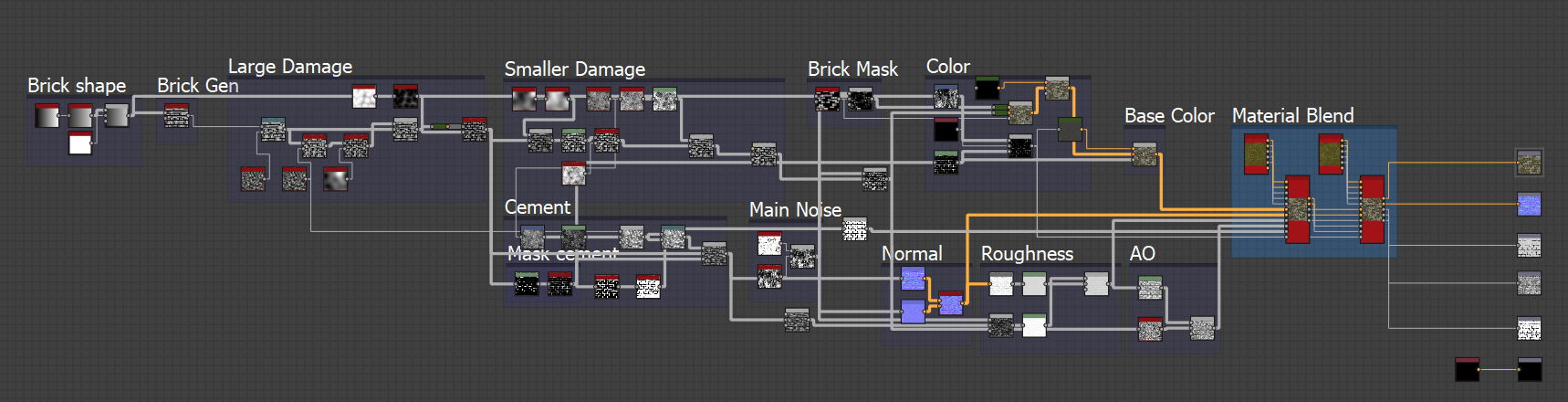


Image result for Missouri Bricks(Liz Hayden, 2014)


-

Wood texture (Rail wood)

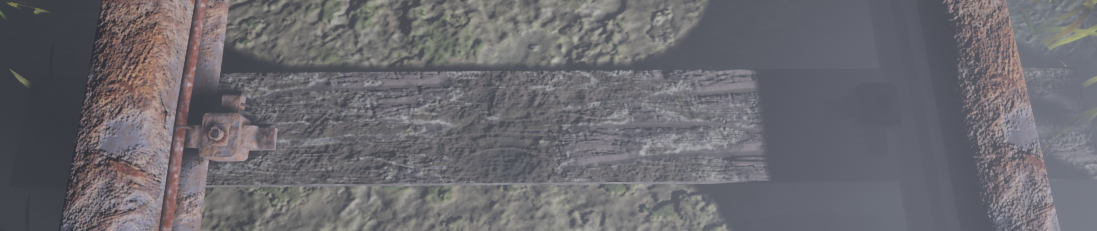
The good thing about having material blend is the ability to use textures already in the scene creating a more realistic vibe. The way I went about this was using the old wood texture from the first week blog post and changing the coloring around alongside a material blend which used a grunge blend as the mask creating a dirt wood. A very basic texture with a very powerful output. Shown below is the train track wood it was used on.
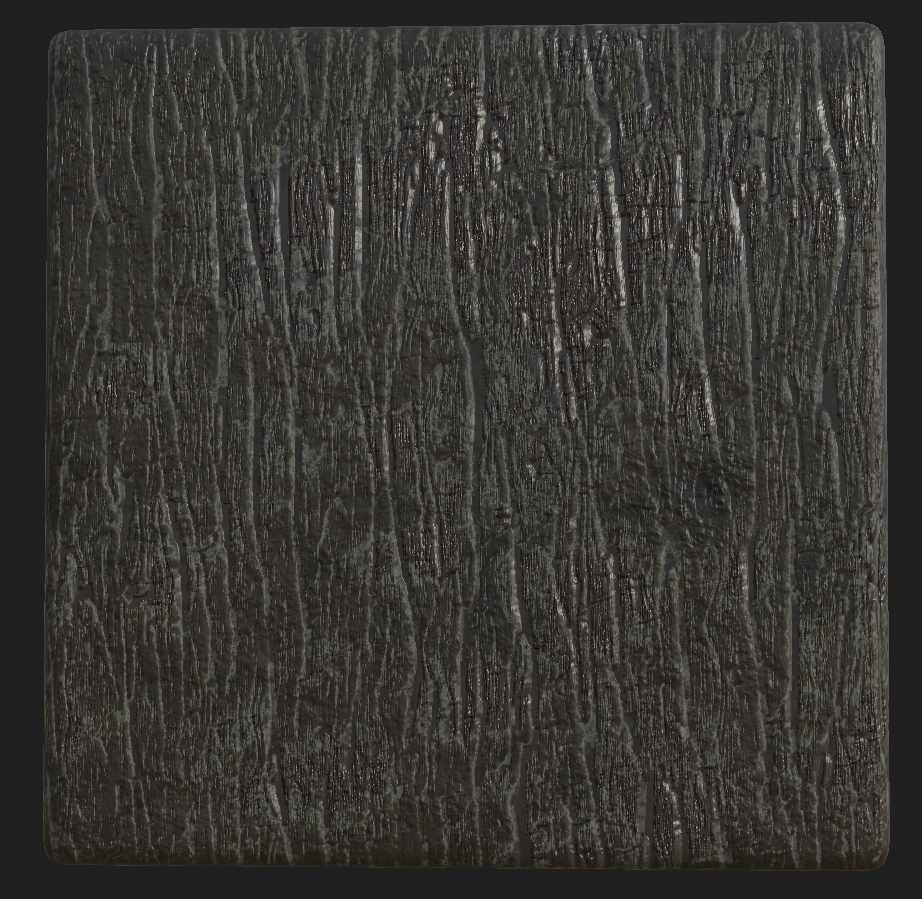


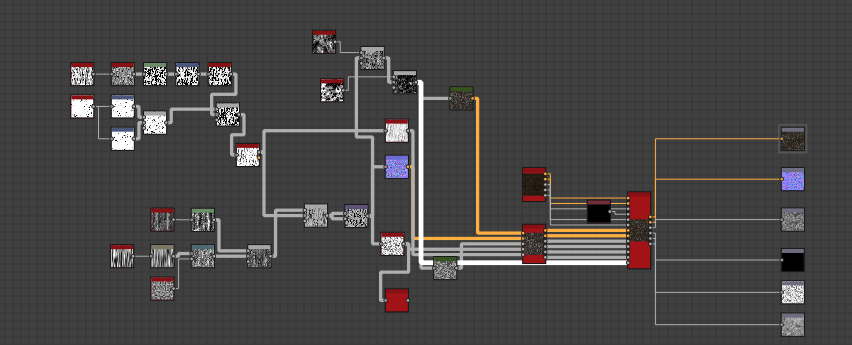
Although the grid isn't complex it works for what it's used for, again this was RMA packed for UE4.


This reference for the wood is from a olden rail road, although the color pattern doesn't match the overall concept does as it has masked damage/mud along with corrosion. The reason I chose a different color pallet is because in Missouri they have different types of wood they would of used.
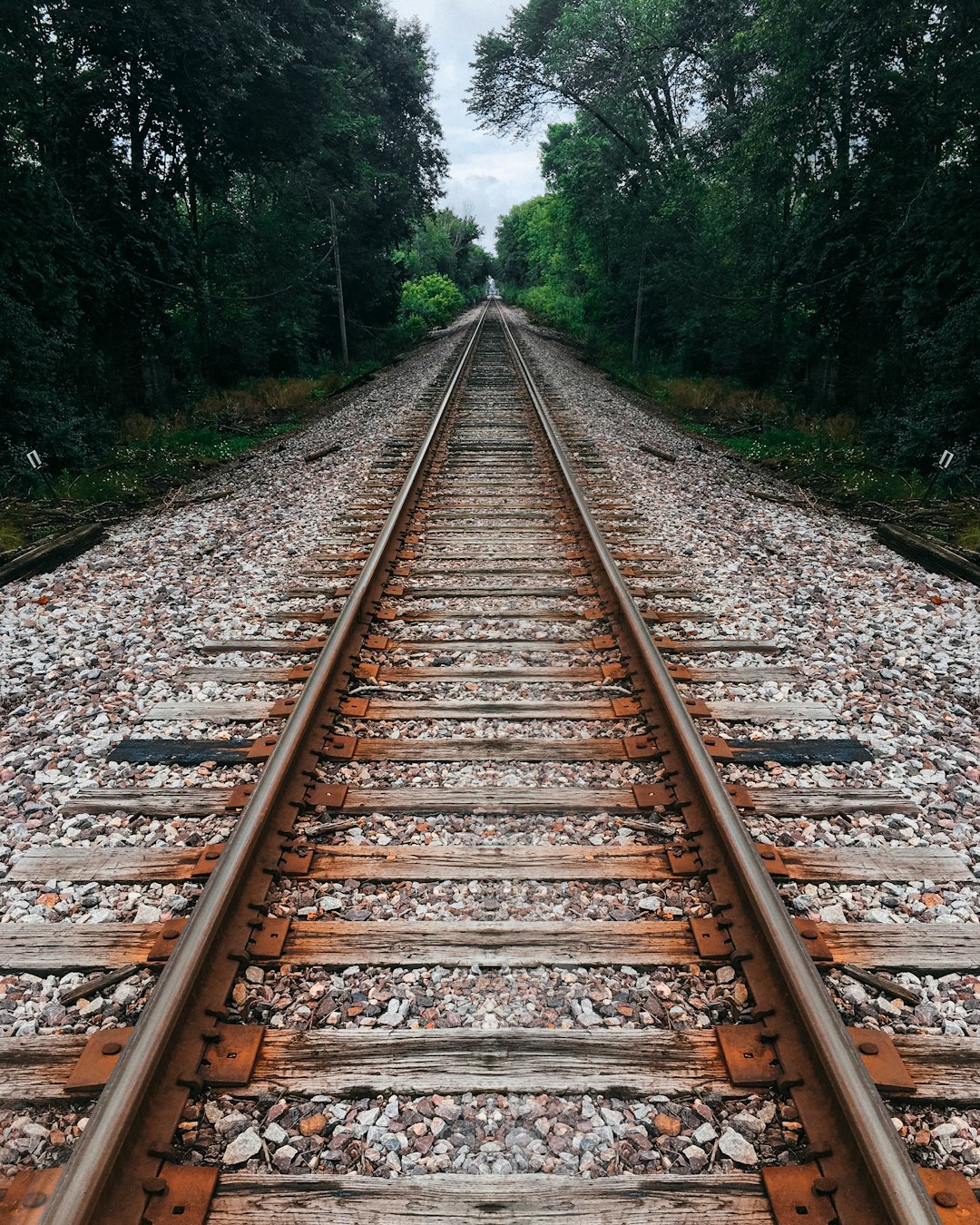
Related image (Tom Barrett, 2016)

-

Metal Rust - Rail Road Track

This is one of the most basic textures in the entirety of the scene it is also the most used as it will be used on 3 different objects, the rail road track, the holders and also the wire holder. Its very basic nature being a metal with rust over it allows me to re-use it and also create texture sheets for it. I will be using the texture sheet for the rail road track as well as the wire holder whereas the holder itself will have its own sheet. As for this one, every single rail road you know of is made from Steel, there can be variants which use iron but that is a very rare case. Therefore referencing a image is kinda useless as the rust itself will never be the same as the image because of where the detail would normally lie. The only thing I used was the color dropped choosing the colors I wanted as the steel/rust other than that the texture is as simple as it looks.
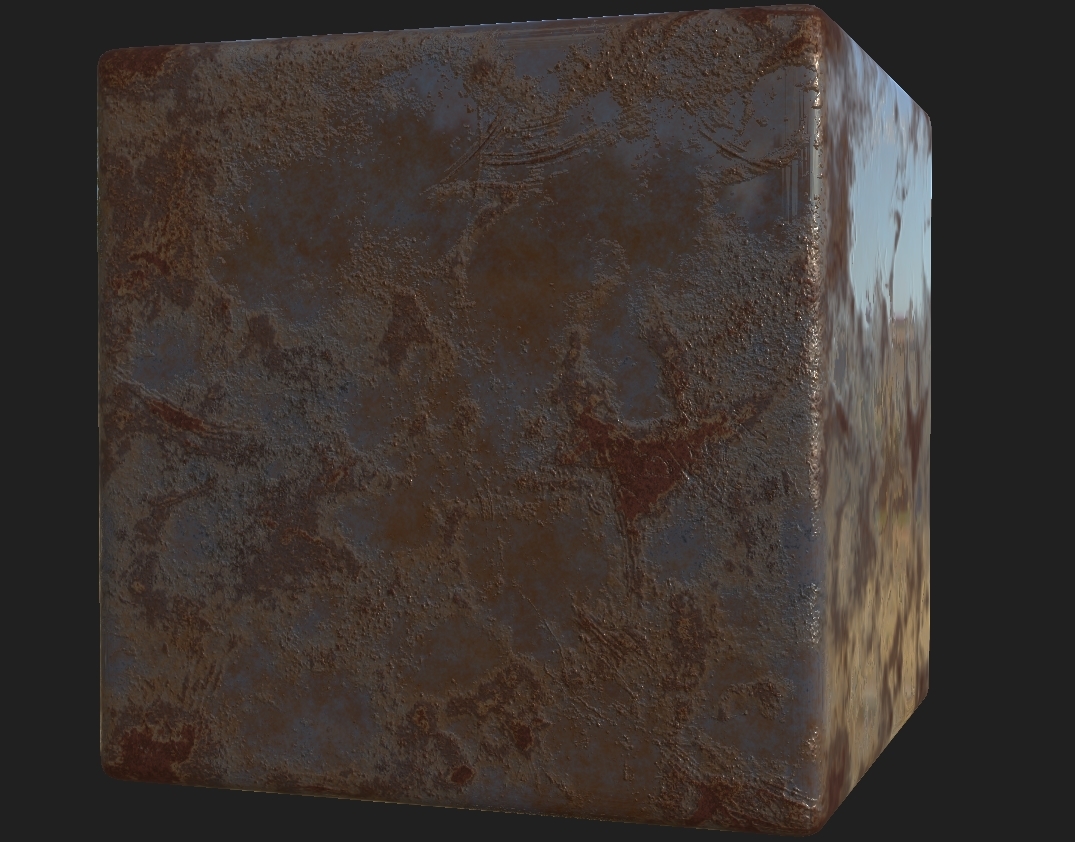


The reason I only made a few textures like this is because they are completely repeatable and can be generated into many other concepts. The brick wall will help me to create the overall tunnel, the leaf generator will help create any tree I want (using the bark from the previous post as well) the rusty metal is completely changeable making it seem as if I've gone and made a bunch of textures when in reality I've just used the same ones over and over but change around the variables making them seem as if they're not the same texture. I learnt this process from Daniel Thiger the lead environment artist at Bungie who has made simple geometry look as realistic as possible (https://www.artstation.com/artwork/xzAB5E The artwork that uses bare minimum geometry) and made so optimized it can be used in a game. The inspiration taken from him has helped me to develop the whole of this project and hopefully my final scene will be game ready if not at least some level of start screen/render.

References:

MDC Discover Nature. (2018). Green Ash. [online] Available at: https://nature.mdc.mo.gov/discover-nature/field-guide/green-ash [Accessed 20 Oct. 2018].

Liz Hayden, (2014), St. Louis’ Brick Paradox [ONLINE]. Available at: http://www.urbanistdispatch.com/2019/st-louis-brick-paradox/ [Accessed 21 October 2018].

Tom Barrett, (2016), Divide [ONLINE]. Available at: https://unsplash.com/photos/wqQ4NNG_J28 [Accessed 21 October 2018].